51
C
USTOMIZING YOUR PHONE CALL FORWARD
External Sources
NOTE: Menu available only if external Directory sources have been configured by your Administrator.
Enabling/Disabling Directories and Renaming Labels Using the IP Phone UI
1. Press on the phone to enter the Options List.
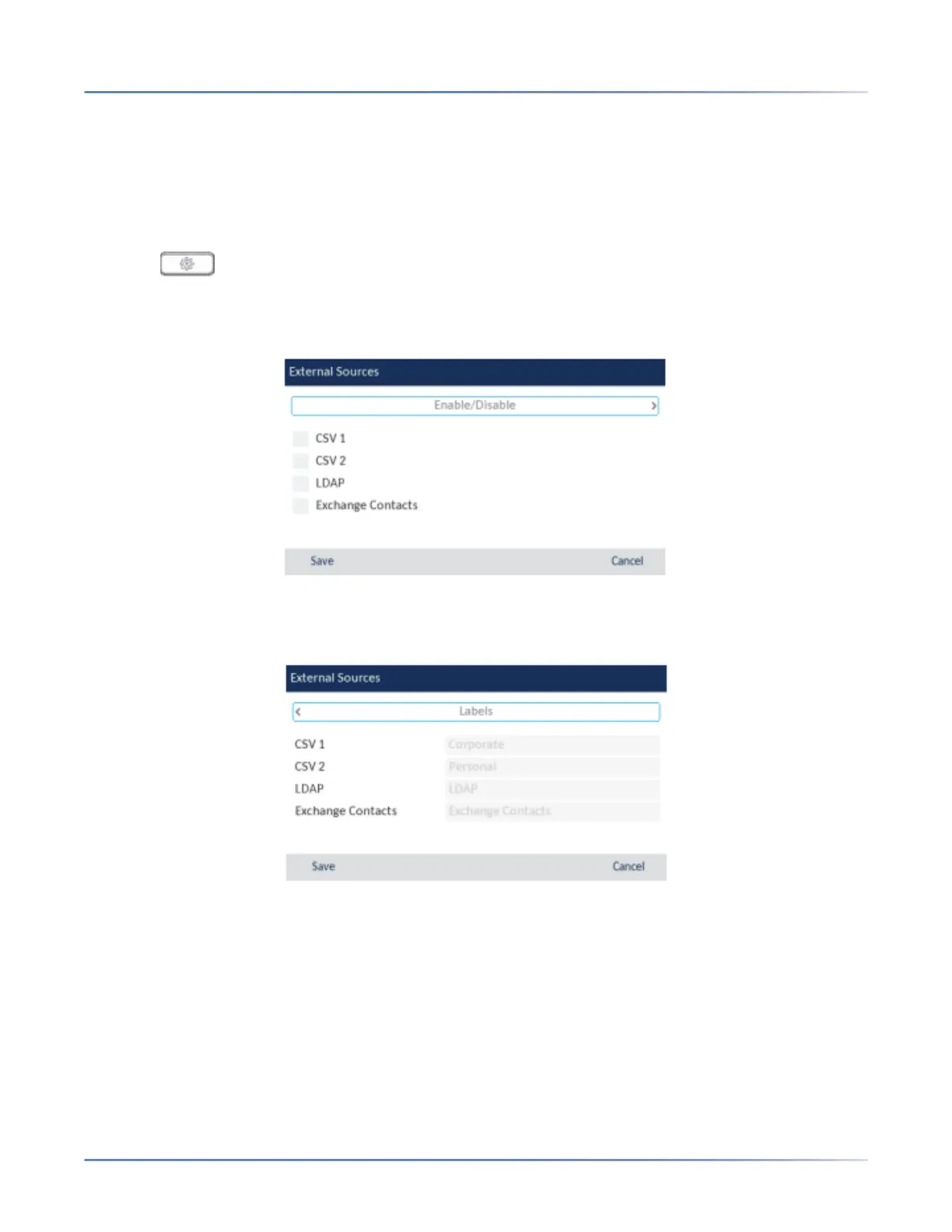
2. Navigate to the Directory> External Sourcesoption and press the select button or Selectsoftkey.
3. Use the up and down navigation keys to navigate through the list of Directory sources and press the
select button to enable or disable each one as per your preference.
NOTE: CSV 1 and 2 are enabled by default. All other Directory sources are disabled by default.
4. Press the up navigation key to navigate to the Enable/Disabletab, and press the right navigation key
to switch to the Labels tab.
5. Use the up an down navigation keys to navigate through the list of Directory source labels and using
the dialpad keys enter in a name for the respective directory folders.
6. Press the Save softkey to save your changes.
Call Forward
NOTE: For Call Forward information and configuration details, see “Call Forward Configuration” on
page 160 .




 To Next Page