93
C
ONFIGURING SOFTKEYS DO NOT DISTURB (DND) KEY
Do Not Disturb (DND) Key
The Do Not Disturb (DND) softkey allows you to quickly turn the DND feature on or off.
If DND is enabled, callers calling into the phone hear a busy signal or a message, depending on how your
System Administrator set up the configuration server. When DND is enabled, the icon is displayed
on screen in both the status bar and beside the corresponding softkey.
If the phone shares a line with other phones, only the phone that has DND configured is affected.
For more information about DND and DND modes, see “DND Configuration” on page 157 .
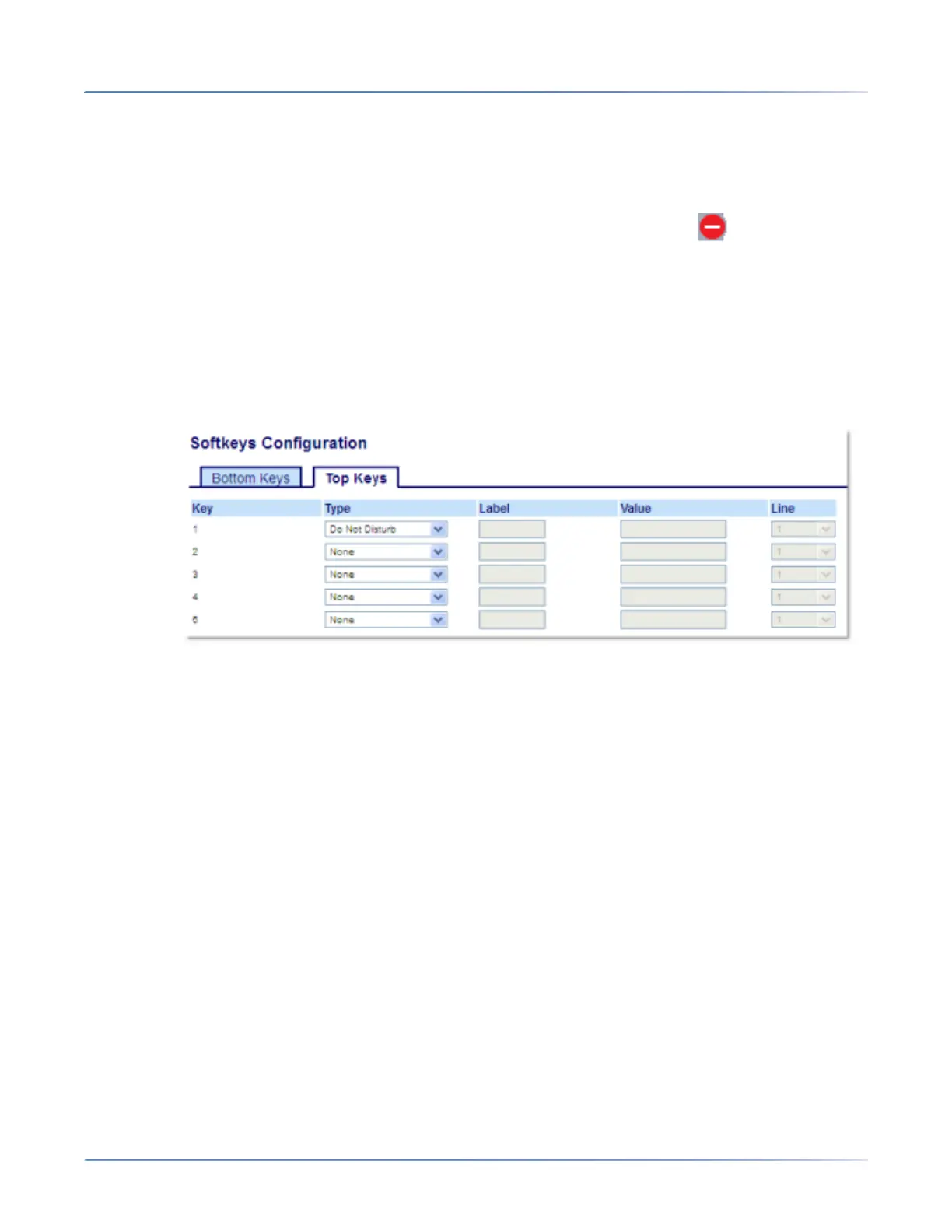
Configuring a DND KeyUsing the Mitel Web UI
1. Click on Operation > Softkeys and XML.orClick on Operation > Expansion Module <N>.
Softkeys
2. Select from Key 1through Key 44 on the Top keys.orSelect from Key 1through Key 24 on the Bottom
keys.
3. In the Typefield, select Do Not Disturbto apply to the key.
4. In the state fields, check (enable) or uncheck (disable) the states you want to apply to this softkey.
Expansion Module Keys
5. Select from Key 1through Key 84(M695).
6. In the Typefield, select Do Not Disturbto apply to the key.
7. Click Save Settings.
Mobile Key
The Mitel 6930 SIP IP Phone supports MobileLink, a feature that provides seamless mobile integration
using Bluetooth wireless technology. This feature allows you to:
• Sync your mobile phone’s contact list and call history with your Mitel 6930 IP phone.
• Answer a mobile phone call using your Mitel 6930 IP phone.
• Move mobile call audio between the Mitel 6930 IP phone and your mobile phone.




 To Next Page