152
M
ANAGING CALLS DIRECTORY
3. Use the navigation keys to highlight the contact you want to call.
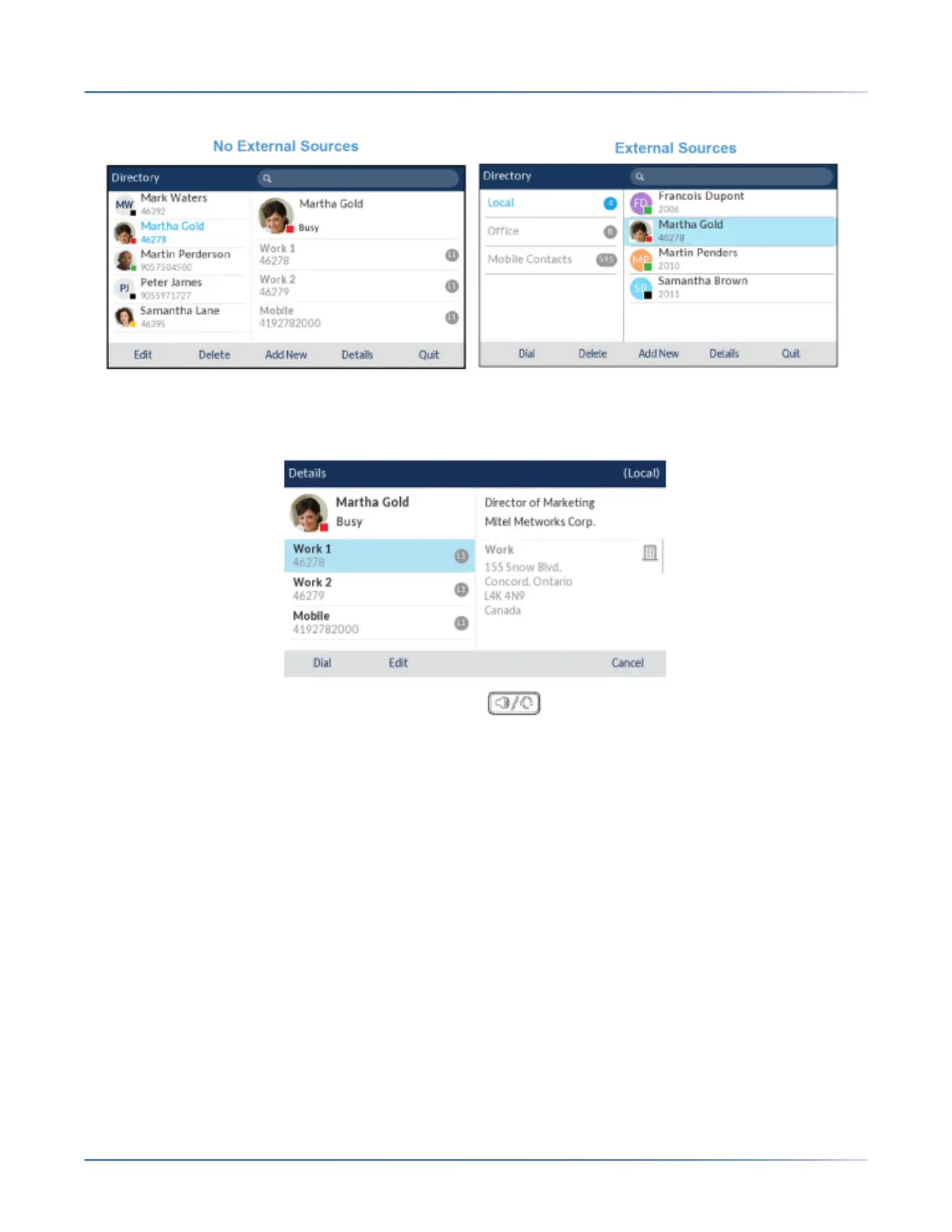
(Optional) If the contact has multiple phone numbers defined, press the right navigation key to navi-
gate to the numbers selection column (if no external Directory sources are configured/enabled) or De-
tails page and use the up and down navigation keys to select the desired phone number.
4. Press the Dial softkey, select button, Line button, button, or pick up the handset to dial the
contact’s phone number.
Local Directory Features
The internal Local Directory contains the contacts that have been created or copied directly to the phone
using the phone UI. If no external directory sources are available, pressing on the Directory key will open
the Local Directory menu.
From the Local Directory menu, you can search for a contact, place a call to the selected contact, add
new contacts to the Local Directory, delete all contacts, delete individual contacts, or edit existing
contacts. Users can also view contact details (e.g. title, company name, numbers, work and home
addresses, e-mail addresses, etc...).
NOTE:
1. Up to 1000 Directory contacts can be stored locally on the phone.
2. For details on the total number of Local Directory entries currently stored on your phone, see “Phone
Status through IP Phone UI” on page 24 .
You can also assign an individual contact ring tone to contacts in your Local Directory. Individual contact
ring tones can be used during incoming calls to help you identify the party calling. You can select





 To Next Page