44
C
USTOMIZING YOUR PHONE TIME AND DATE
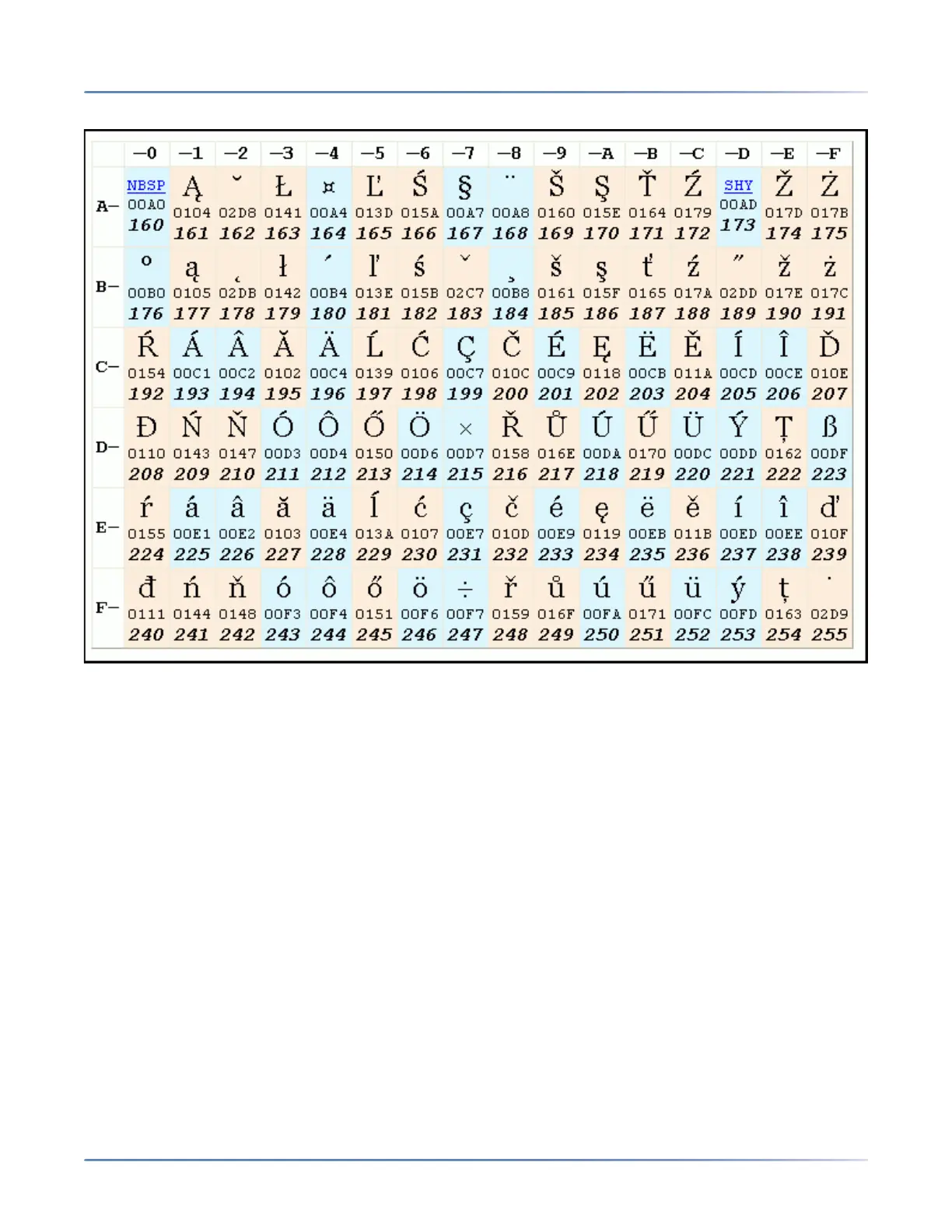
The following table illustrates the Latin 2 character set used on the 6930 IP phone.
Time and Date
On the IP phones, the following time and date sub-options are available to be configured:
• Settings:
• Time Format
• Daylight Savings
• Date Format
• Time Zone
• Set Date and Time:
• Use Network Time (configure time servers)
• Enter Time and Date
NOTE: All time and date settings can be configured using the IP phone UI. Time/Date Formats and
Time Servers are the only two time and date settings that can be configured using the Mitel Web UI.





 To Next Page