50
C
USTOMIZING YOUR PHONE DIRECTORY
Directory
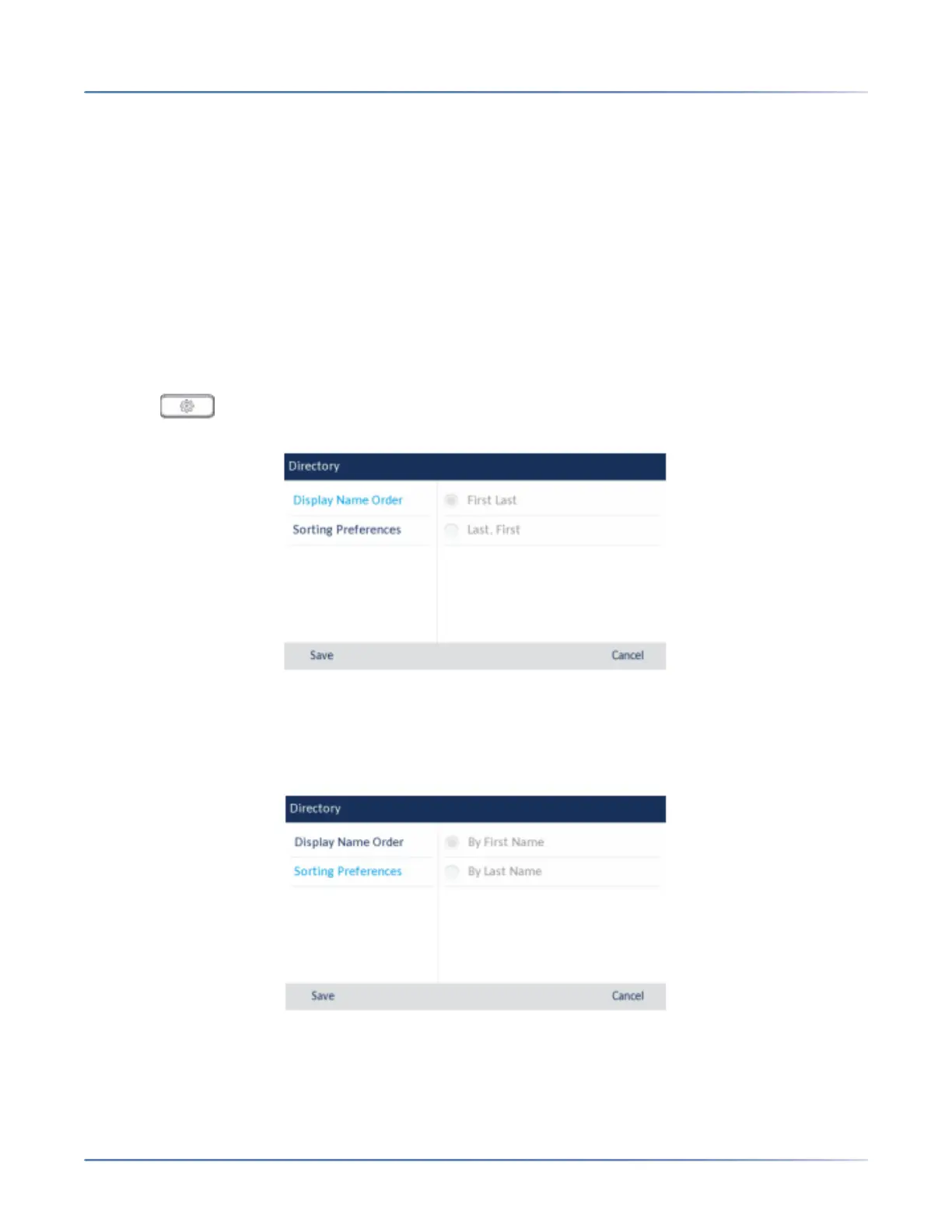
You can configure directory entries to display using the contact’s first name and then last name or vice
versa. Moreover, the option to sort contacts using either their first name or last name is available through
the Directory > Settings options menu.
If external Directory sources are configured, you can enable/disable the respective Directory sources as
well as rename Directory folder labels through the Directory > External Sourcesoptions menu.
NOTE: For more information on Directory functionality, see“Directory”onpage 137.
Settings
Configuring Directory Display and Sorting Options Using the IP Phone UI
1. Press on the phone to enter the Options List.
2. Navigate to the Directory> Settingsoption and press the select button or Select softkey.
3. With Display Name Orderhighlighted press the right navigation key to move to selection column.
4. Use the up and down navigation keys to and choose the desired display name order.
5. Press the left navigation key to move to back to the options column and press the down navi-gation
key to highlight Sorting Preferences.
6. With Sorting Preferenceshighlighted press the right navigation key to move to selection column.
7. Use the up and down navigation keys to and choose the desired sorting preference.
8. Press the Save softkey to save your changes.





 To Next Page