197
M
ANAGING CALLS PCLINK FOR 6930 IP PHONE
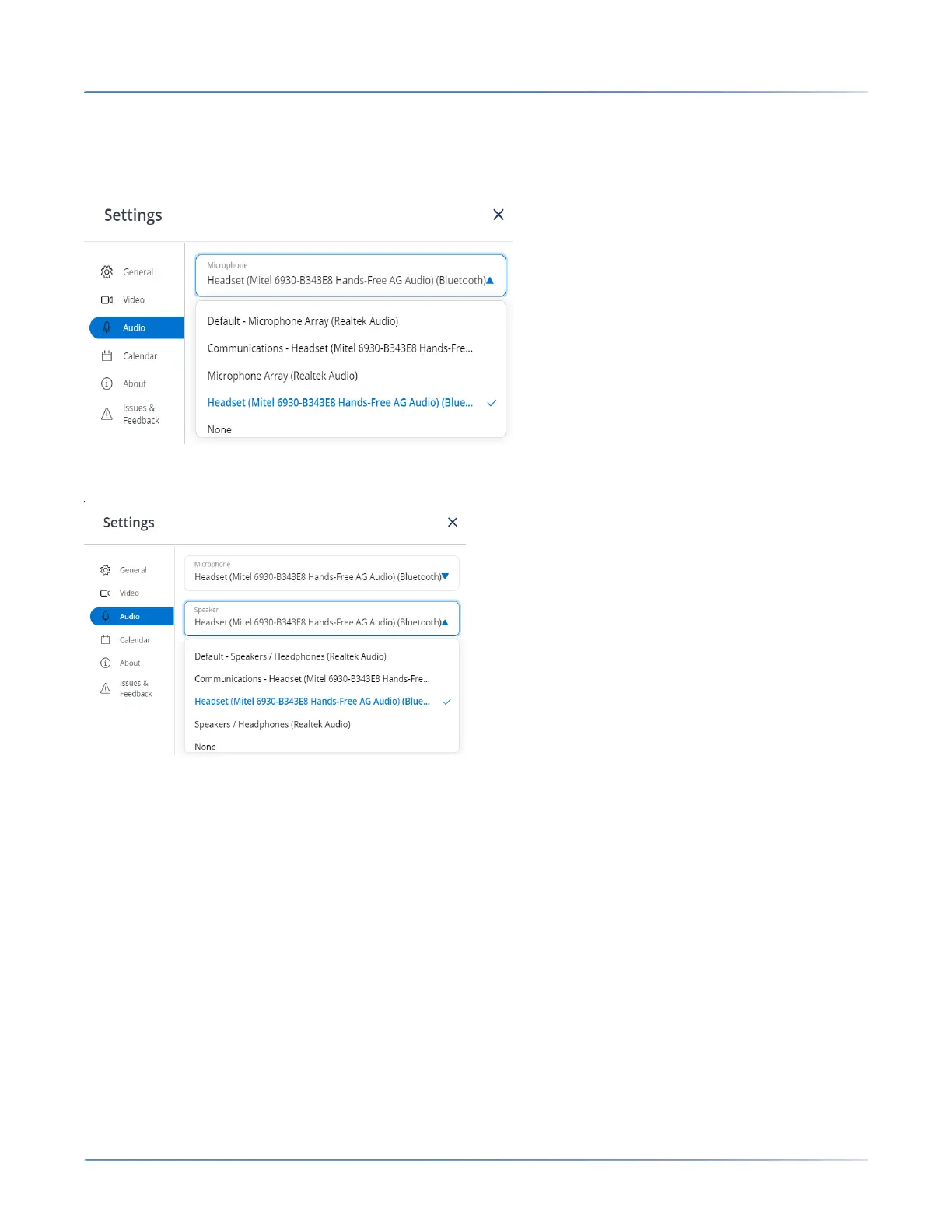
5. To move audio from the currently selected audio device to the Mitel 6930 IP Phone:
a. From the Microphone drop-down list, select Mitel 6930... (for either Communications or
Headset if both are listed).
b. From the Speaker drop-down list, select Mitel 6930... (for either Communications or Headset if
both are listed).
Understanding IP Phone Call Behavior with PCLink
The following summarizes the behavior of the Mitel 6930 IP Phone under various call states:
• General Usability
• When the IP Phone is Idle or Ringing
• When the IP Phone is on an active VoIP Call
• When the IP Phone is in a DND or Locked State
• Auto Answer
• Auto-lock and Unlock on Mobile Proximity
General Usability
• The user can mute or unmute the PCLink audio on the phone by pressing the phone's Mute hard key.
NOTE: This mute is local to the phone and will not be reflected within the PC application mute state.
• The volume control buttons on the phone operate independently of the volume controls on the PC.





 To Next Page