75
C
USTOMIZING YOUR PHONE DISPLAY
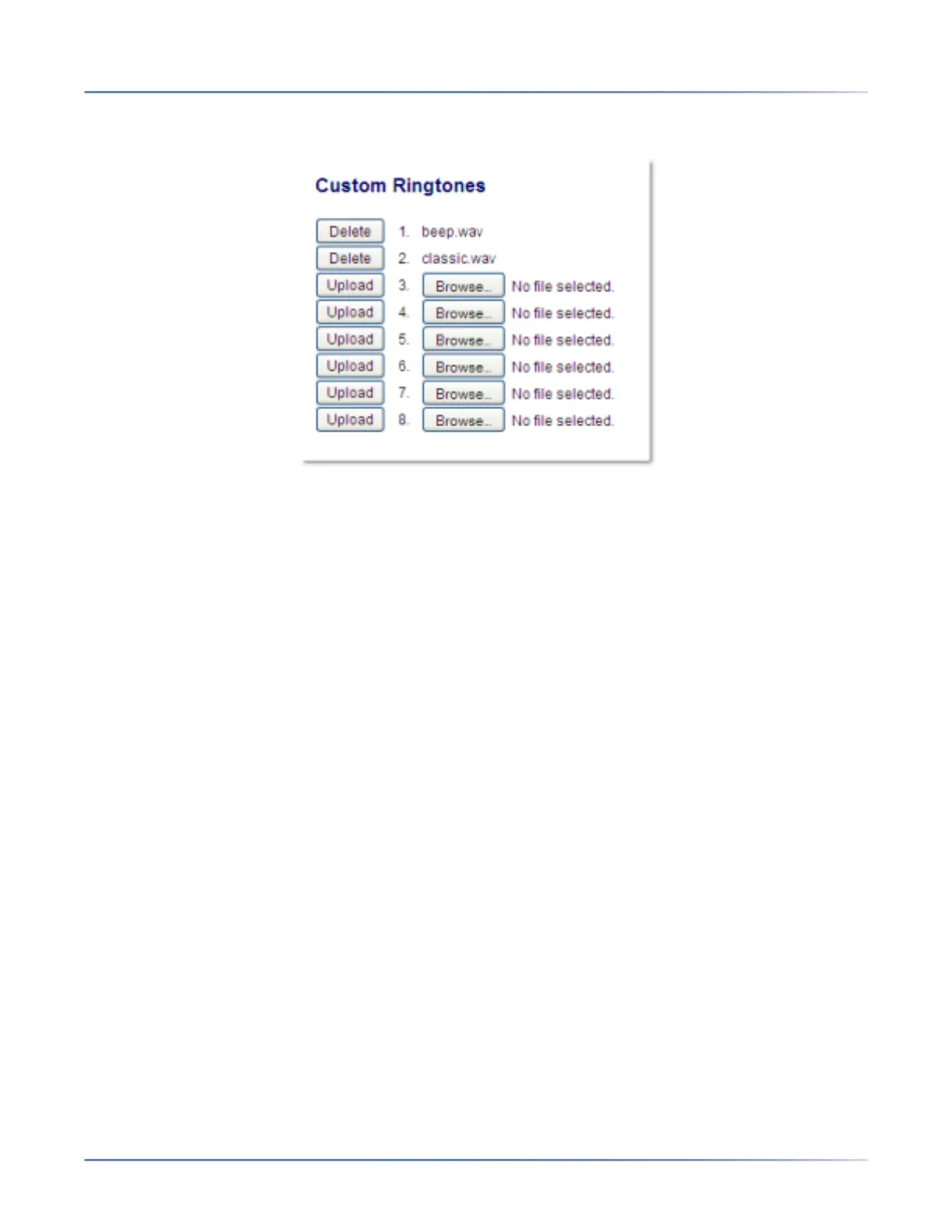
Installing Custom Ring Tones Using the Mitel Web UI
1. Click on Basic Settings > Custom Ringtones
2. Press the Browse...button corresponding to the desired ringtone position (e.g. 1).
3. Navigate to the folder containing the WAV file you want to upload, select the file using your left mouse
button, and press the Open button. The filename should now be displayed to the right of the respec-
tive Browse... button.
4. Press the Upload button to upload the file to the phone.
5. Repeat Steps 2 to 4 to upload additional WAV files to the phone.
NOTE: Press the Delete button to delete the desired ringtone from your phone.
Display
The Display option allows you to set the following on your phone:
• Home Screen Settings:
• Home Screen Mode
• Screen Saver Timer
• Brightness Settings:
• Brightness Level
• Brightness Timer
Home Screen Settings
The Home Screen Mode option on the IP phone allows you to select how your home screen is displayed.
The 6930 IP phone contains two home screen layout options. The default primary home screen mode
provides users with a larger date and time and displays the screen name (if configured) beside the line





 To Next Page