92
C
ONFIGURING SOFTKEYS SPEED DIAL KEY
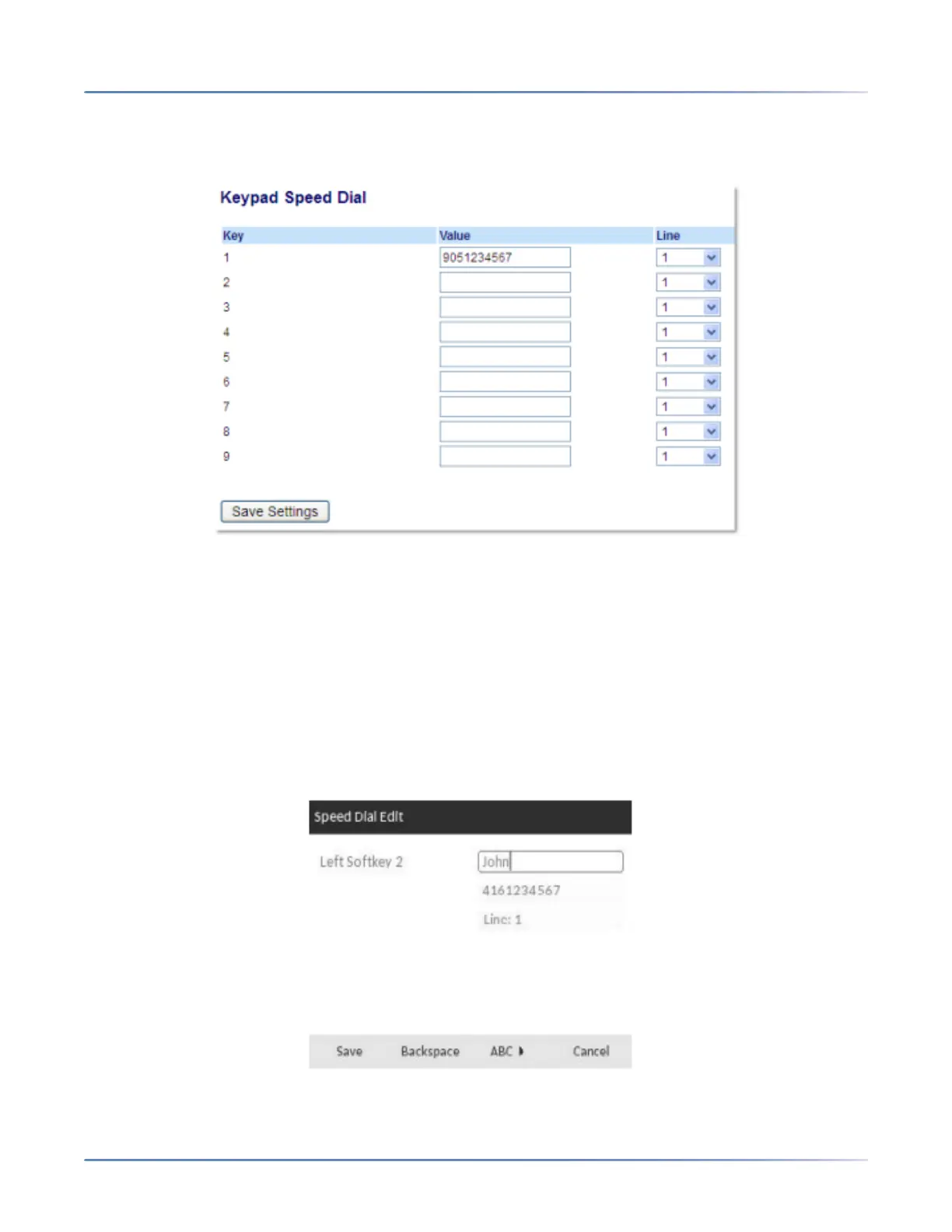
Creating Dialpad Speed Dial Keys Using the Mitel Web UI
1. Click on Operation > Keypad Speed Dial.
2. Select a key from 1through9.
3. In the input box, enter the phone number, extension, or speed dial prefix to apply to this digit key. If
you enter a speed dial prefix, you must enter the + character at the end of the prefix number (for
example, 123456+).
4. In the Linefield, select a line to apply the speed dial function. Valid values are 1through24.
5. Click Save Settings.
Press-and-Hold to Edit a Speed Dial
The users can now edit the previously configured speed dial softkey using the "Press and Hold" feature.




 To Next Page