18
G
ETTING STARTED UI OVERVIEW
Detailed-View Call Screen
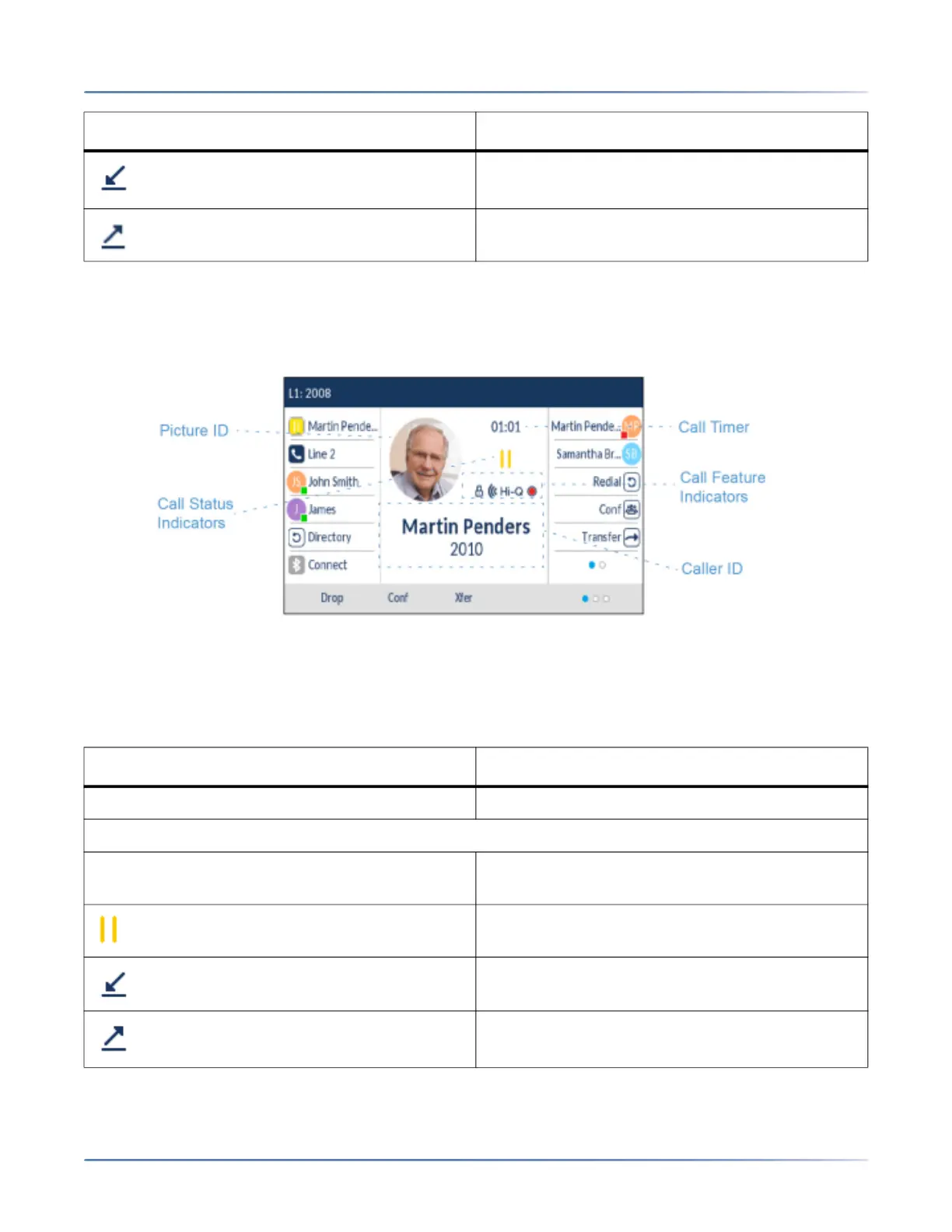
The Detailed-View Call screen brings into focus all the information available for a specific call. It is the
default screen displayed for all active point-to-point calls.
The Detailed-View Call screen encompasses the picture ID of the remote party (if available), a call timer
indicating the duration of the call in focus (in minutes and seconds), the caller ID (name and number), and
call status and feature indicators.
The following table identifies and describes the call status and call feature indicators on the
Detailed-View Call screen.>
Indicates a call is incoming on the respective line.
Indicates a call is outgoing on the respective line.
Indicator/ Icon Description
Indicator/ Icon Description
Call Status Indicators
N/A No icon denotes that the call is connected and in
progress.
Indicates the call is on hold.
Indicates the call is an incoming call.
Indicates the call is an outgoing call.
Indicator/Icon Description





 To Next Page