63
C
USTOMIZING YOUR PHONE BLUETOOTH
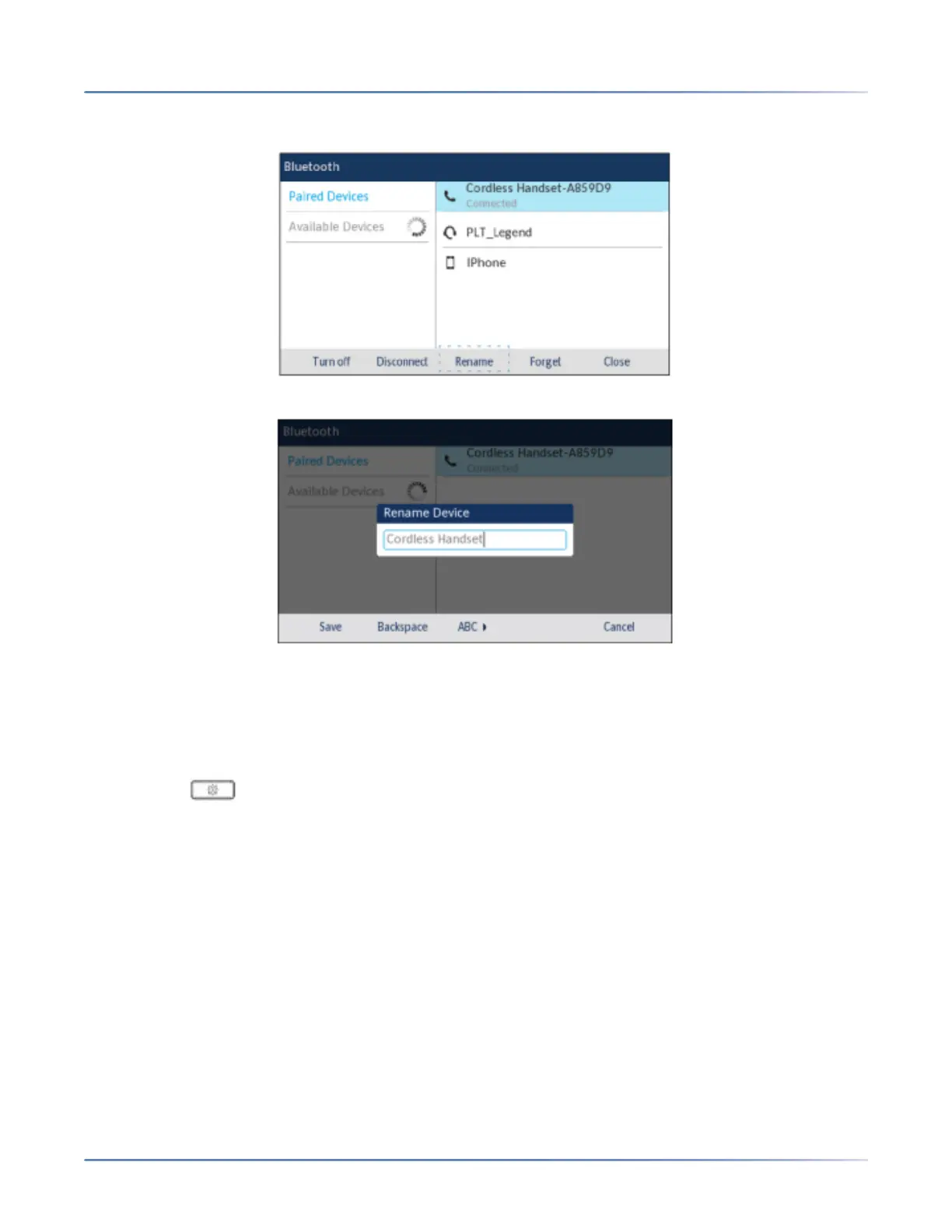
5. Using the up and down navigation keys, highlight the applicable Bluetooth device you want to rename
to and press the Rename softkey.
A pop up dialog appears allowing you edit the name of the Bluetooth device.
6. Edit the name of the device using the dialpad keys and press the Save softkey to save your changes.
Connecting to a different or disconnected Bluetooth device
To connect to a different or disconnected Bluetooth device:
1. Press the (Options) key on the phone to enter the Settings menu.
2. Navigate to the Bluetooth setting and press the Selectbutton or Select softkey.
3. Ensure Bluetooth functionality is enabled. If it is not enabled, press the Turn Onsoftkey to enable
Bluetooth functionality.
4. Press the right navigation key to move to the paired Bluetooth device selection column.





 To Next Page