121
C
ONFIGURING SOFTKEYS PAGING KEY
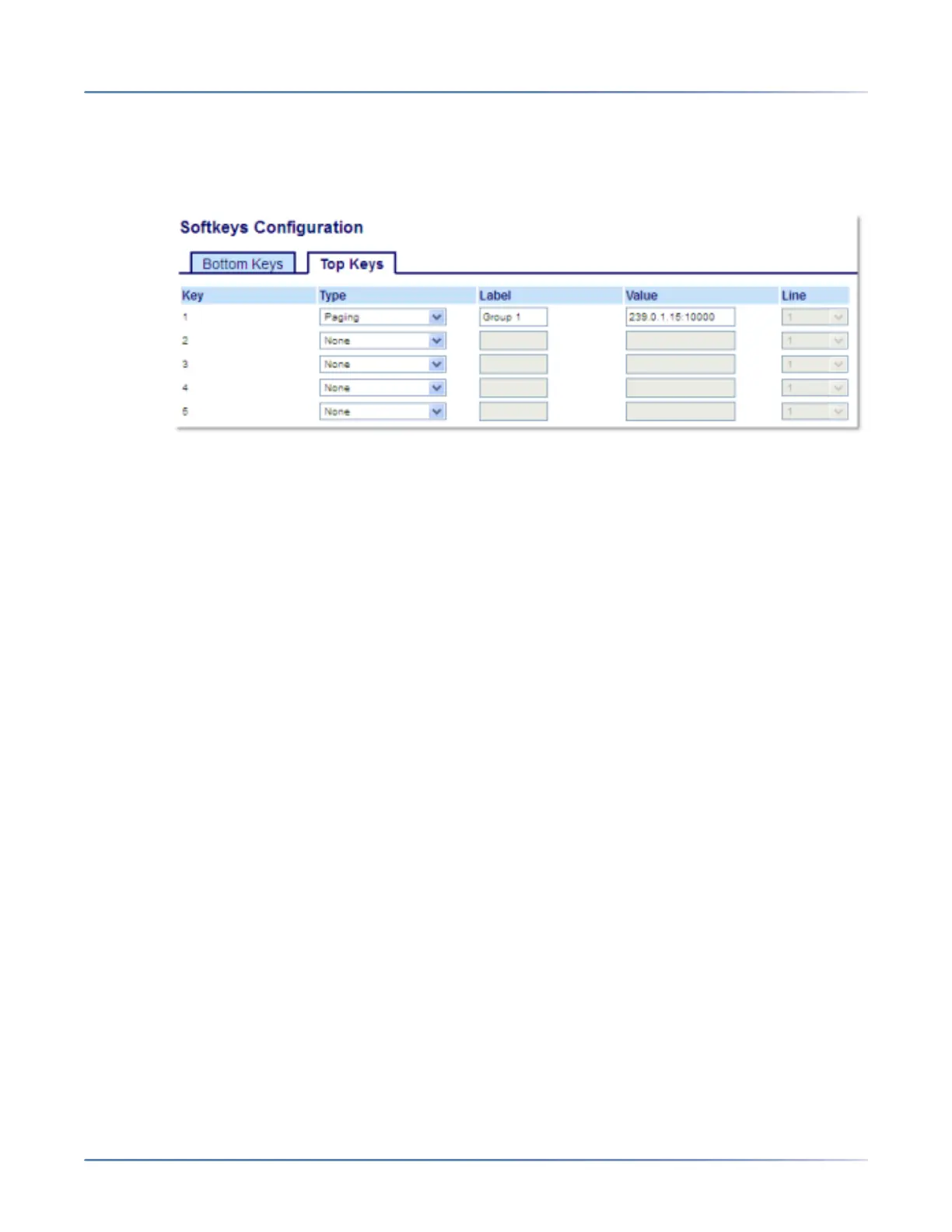
Configuring a Paging Key Using the Mitel Web UI
1. Click on Operation > Softkeys and XML.orClick on Operation > Expansion Module <N>.
Softkeys
2. Select from Key 1through Key 44 on the Top keys.orSelect from Key 1through Key 24 on the Bottom
keys.
3. In the Typefield, select Paging.
4. In the Label field, enter a label to apply to this key.
5. In the Valuefield, enter a multicast IP address and a port number for the Pagingkey. When you press
this key, the phone initiates an outgoing multicast RTP session to the specified address using the
specified port (e.g. 239.0.1.15:10000).
NOTE:
a. When you select Pagingfor the Typefield, the Linefield is disabled.
b. The Value field allows for one multicast address entry only.
6. To receive RTP steams for group paging, you must also configure the Paging Listen Addressespa-
rameter at the path, Basic Settings >Preferences > Group Paging RTP Settings. For more information
about setting this parameter, see “Group RTP Paging” on page 187.
Expansion Module Keys
7. Select from Key 1through Key 84(M695).
8. In the Typefield, select Paging.
9. In the Valuefield, enter a multicast IP address and a port number for the Paging key. When you press
this key, the phone initiates an outgoing multicast RTP session to the specified address using the
specified port. (For example, 239.0.1.15:10000).
NOTE:
a. When you select Pagingfor the Typefield, the Linefield is disabled.
b. The Value field allows for one multicast address entry only.
10. To receive RTP steams for group paging, you must also configure the Paging Listen Addressespa-
rameter at the path, Basic Settings >Preferences > Group Paging RTP Settings. For more information
about setting this parameter, see “Group RTP Paging” on page 187 .





 To Next Page