192
M
ANAGING CALLS PCLINK FOR 6930 IP PHONE
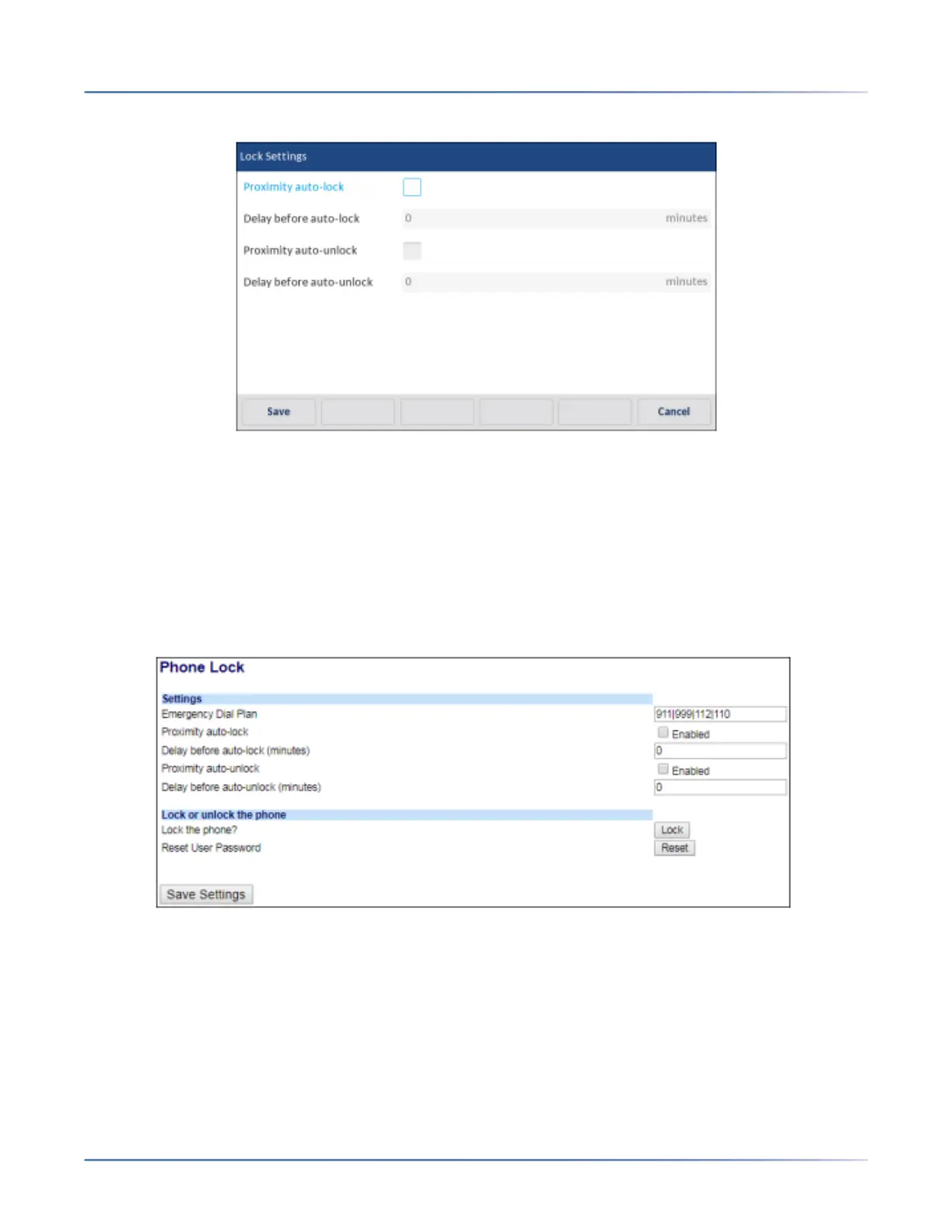
5. Press Save to save your changes.
Enabling or Disabling the Phone Automatic Lock and Unlock on Mobile Proximity Using Mitel WebUI
Use the following procedure to enable or disable the proximity lock and unlock feature on the 6930 phone
using the WebUI.
1. Click on Operation > Phone Lock.
2. Enable or disable the Proximity auto-lockand Proximity auto-unlockfields using the checkbox.
3. Enter the required delay time (minutes) in the Delay before auto-lockand Delay before auto-unlock
fields.
4. Click Save Settings to save your changes.
PCLink for 6930 IP Phone
The PCLink feature enables Mitel 6930 IP Phone to be used as the audio device for PC or MAC video
collaboration with all the supported video collaboration applications, for both Windows 10 and MAC oper-
ating systems, through the IP Phone's Bluetooth interface.





 To Next Page