111
C
ONFIGURING SOFTKEYS SPEED DIAL/MWI
NOTE: Speed Dial/MWI functionality can only be programmed on the top softkeys.
The 6930 supports multiple voicemail registration by using the Speed Dial/MWI key. This feature can be
useful in scenarios where you need to monitor the voicemail accounts of your team members or you need
access to your manager’s voicemail messages.
By configuring a programmable key, top softkey, or expansion module softkey as “Speed Dial/MWI” and
defining call and voicemail URIs, users can monitor and listen to pending messages on multiple voicemail
accounts. When new messages are pending on a monitored voicemail account the corresponding Speed
Dial/MWI key’s LED will blink and the UI will display the number of pending messages beside the defined
label.
When you press the configured key, the phone will send an INVITE to the configured call URI whereby
you will be able to listen to the new messages. The Speed Dial/MWI key can be configured through the
Mitel Web UI.
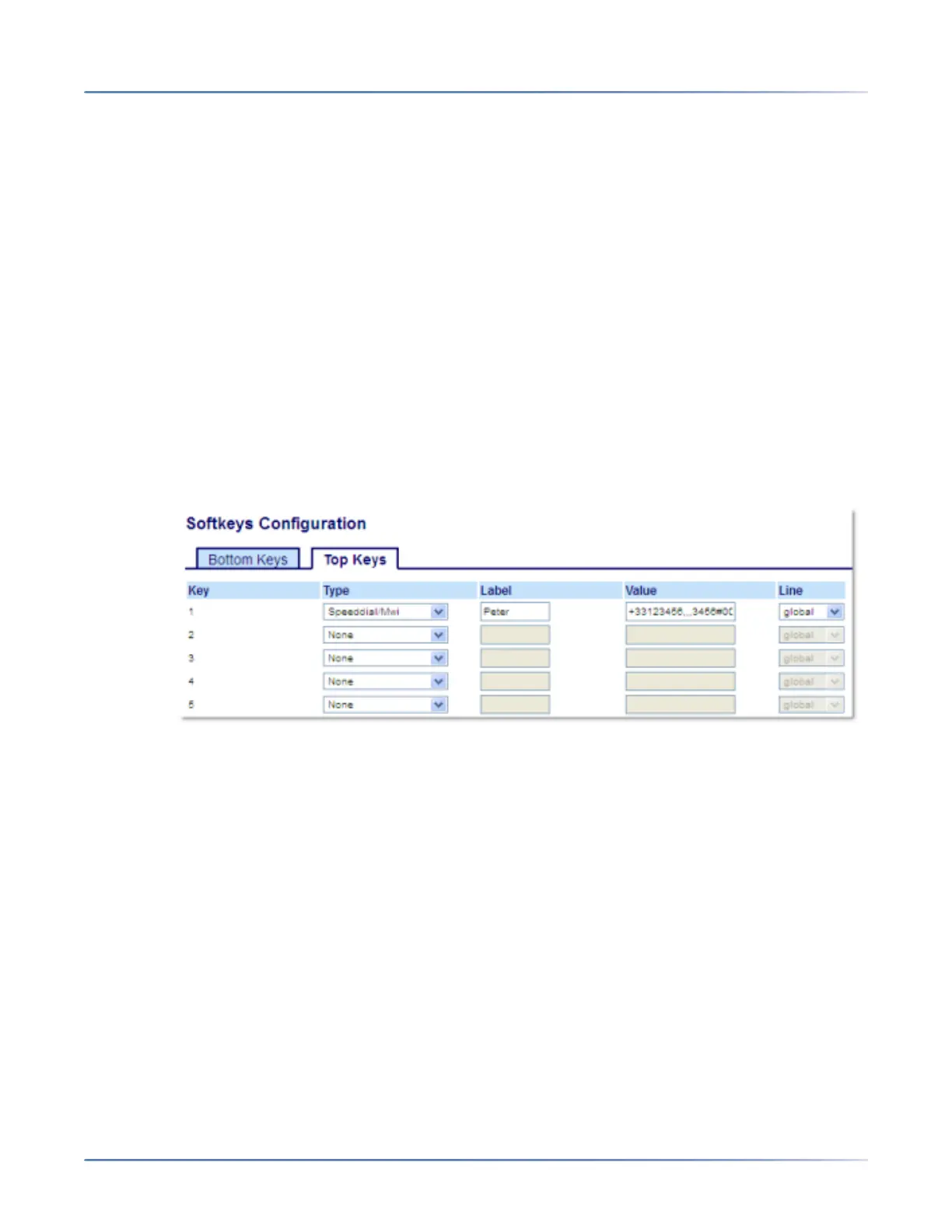
Configuring a Speed Dial/MWI Key Using the Mitel Web UI
1. Click on Operation > Softkeys and XML.orClick on Operation > Expansion Module <N>.
Softkeys
2. Select from Key 1through Key 44 on the Top keys.
3. In the Typefield, select Speed Dial/MWI.
4. In the Labelfield, enter a label to apply to this key. When messages are pending, the phone UI will
display a the number of pending messages and the defined label.
5. In the Valuefield, enter call URI and voicemail URI separated by a semi-colon, as per the following
syntax: [call URI];[voicemail URI]. For example, +33123456,,,3456#0000#@domain;sip:voicemail_-
peter@domain.
NOTE:
a. As the example above illustrates, pauses and DTMF are supported for the call URI.
b. Ensure that no spaces are added between the call URI and the voicemail URI when defining the
key value.
c. If only one URI is provided, the value will be used for the voicemail URI and the call URI will be
left as undefined.
6. In the Line field, select the line for which you want to use the key functionality. Valid values are:





 To Next Page