12
G
ETTING STARTED VOICE SERVICES
NOTE: If the phone displays a No Service status message you can still use the phone but note that it is
not registered with the Registrar. For more information about registering your phone, contact your System
Administrator.
Voice Services
Voice Services can be configured on Mitel MiVoice 6930 IP phones to provide remote workers access to
the same rich communication capabilities as provided to in-office workers.
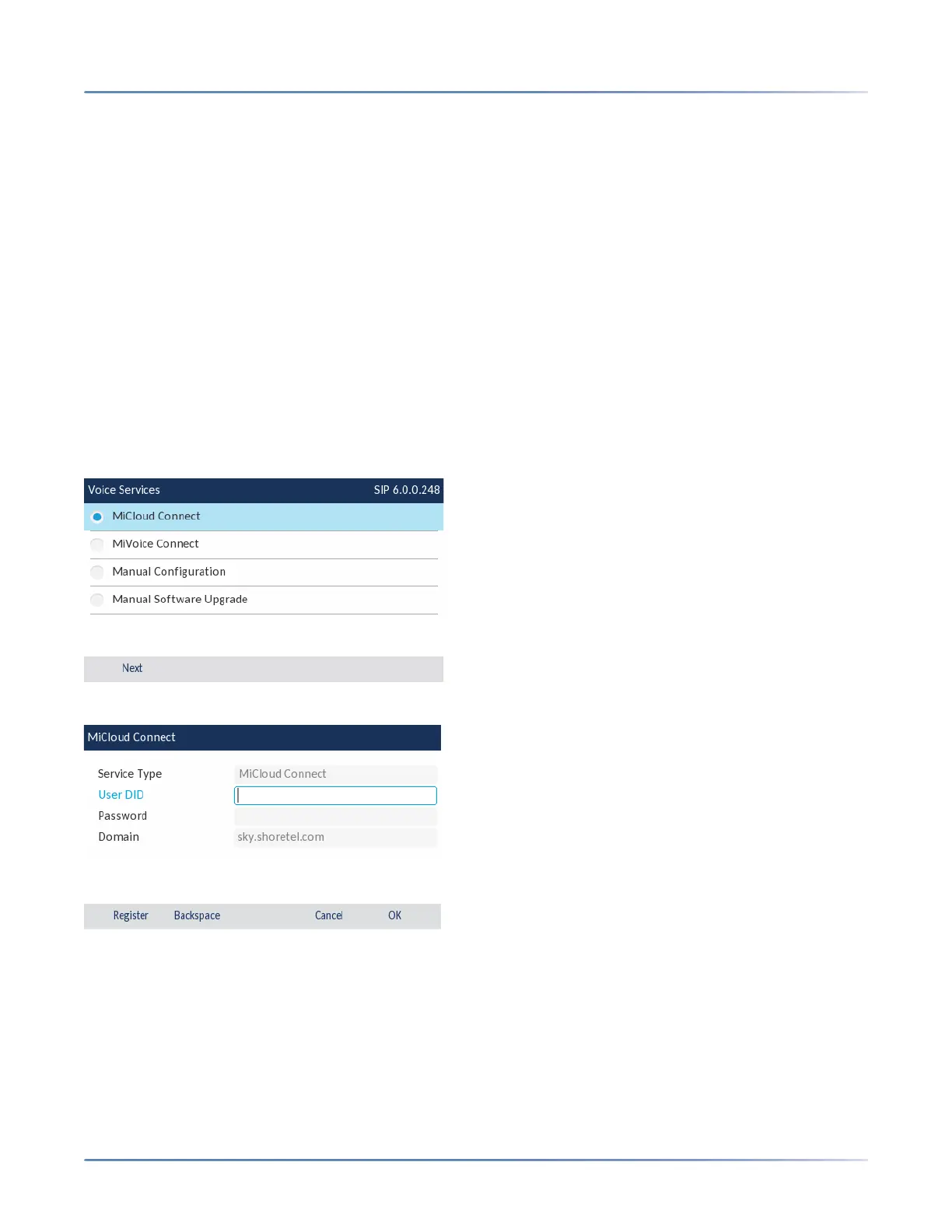
After the initial boot-up of the IP phone, a Voice Services screen auto-prompts the user to select an
appropriate service.
The user can select from one of the following service options:
• MiCloud Connect
• MiVoice Connect
• Manual Configuration
• Manual Software Upgrade
• For MiCloud Connect, enter User DID and Password.
• For MiVoice Connect in the Config. Server field, enter the MiVoice Connect Server IP address.





 To Next Page