B
Status • Reports
APEX1000 All-Purpose Edge QAM Software Version 2.4.x • Installation and Operation Manual
253
573408-001-a
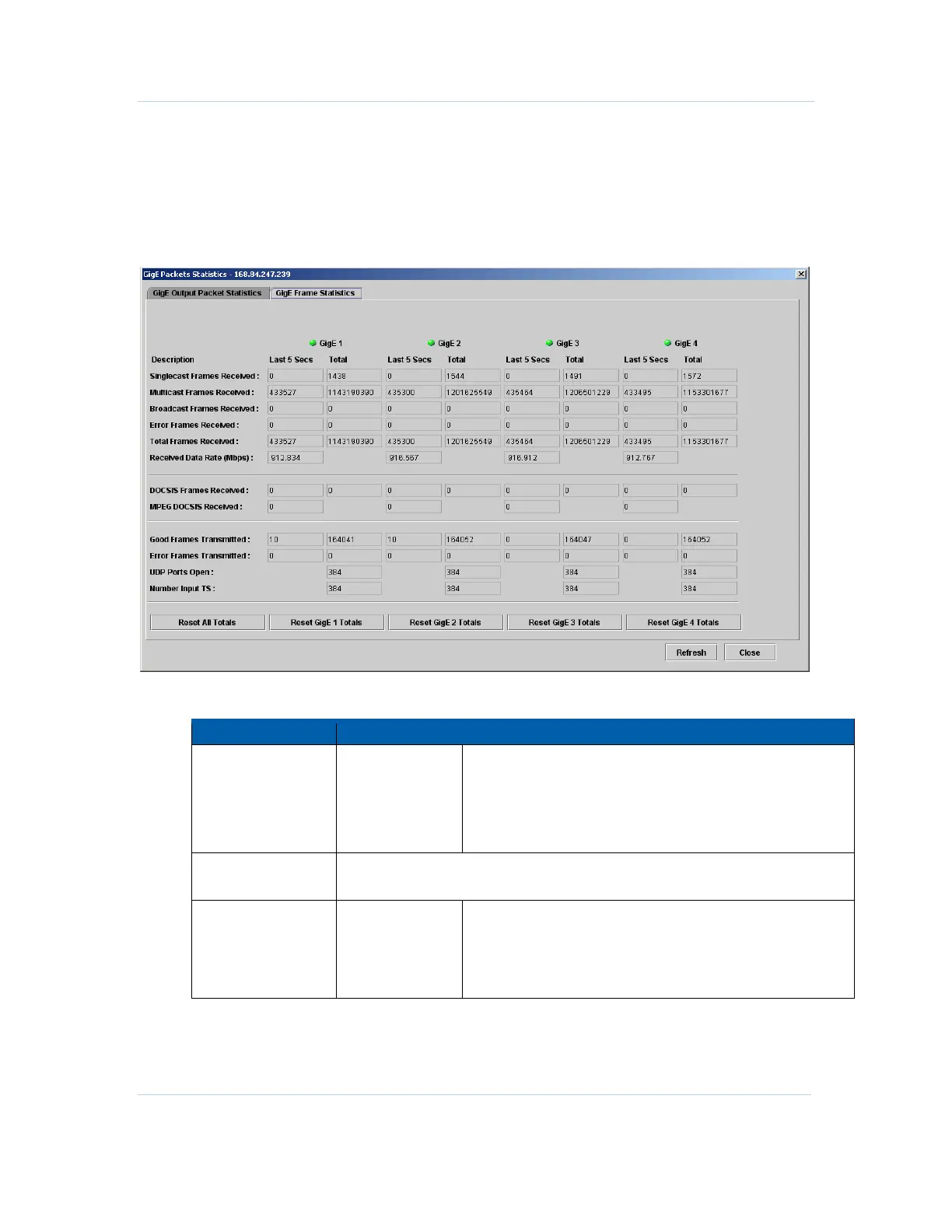
GigE Frame Statistics
The GigE Frame Statistics screen provides five second interval and total frame counter
statistics:
Figure 12-20 — GigE Frame Statistics
GigE Frame Statistics screen field definitions
Item Definition
Frames Received • Singlecast
• Multicast
• Broadcast
• Error
• Total
Last 5 Secs – shows the number of singlecast frames
received during the last status checking interval (five
seconds).
Total – shows the total number of singlecast frames
received since last reset.
Received Data Rate
(Mbps)
Received date rate in Mbps during the last status checking interval (five seconds).
Frames Received • DOCSIS
• MPEG DOCSIS
Last 5 Secs – shows the number of singlecast frames
received during the last status checking interval (five
seconds).
Total – shows the total number of singlecast frames
received since last reset.



 To Next Page
 Loading...





