B
Installation • Power Supply External Status Indicators
APEX1000 All-Purpose Edge QAM Software Version 2.4.x • Installation and Operation Manual
38
573408-001-a
Power Supply External Status Indicators
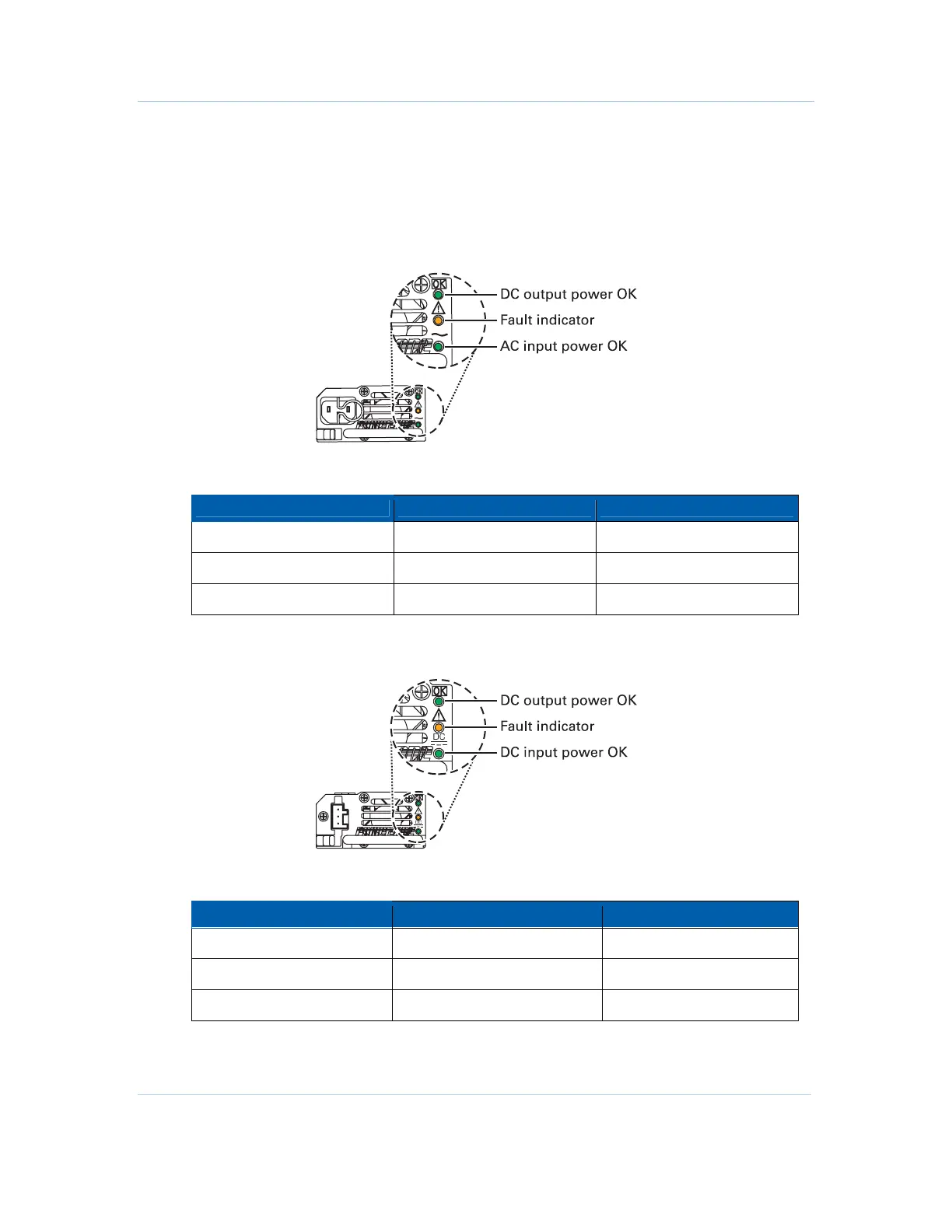
Each AC or DC power supply’s rear panel is equipped with three status indicator LEDs.
These LEDs monitor AC/DC Input Power, DC Output Power, and Fault conditions.
AC Module
The following table describes AC module LED indicator conditions:
Indicator LED Color PS LED Location
DC Output Power OK
Green Top
Fault Indicator
Amber Middle
AC Input Power OK
Green (input>85VAC) Bottom
DC Module
The following table describes DC module LED indicator conditions:
Indicator LED Color PS LED Location
DC Output Power OK
Green Top
Fault Indicator
Amber Middle
DC Input Power OK
Green (input <-40VDC) Bottom



 To Next Page
 Loading...





