B
System Settings • Root User Privileges
APEX1000 All-Purpose Edge QAM Software Version 2.4.x • Installation and Operation Manual
52
573408-001-a
3. Enter the new username, which must be between 6 and 32 characters.
4. Enter the new password.
Note: Password length must be between 6 and 16 characters, must contain at least
one numeral (0~9), one uppercase (A~Z), and one lowercase (a~z) character.
5. Confirm the new password by re-typing it into the corresponding text entry area.
6. Click Submit. If the procedure is successful, click OK to close the dialog box.
Otherwise, retry steps 4–7 using a different username and password data.
7. If desired, set a password expiration date by clicking the checkbox and setting a date
between 1 and 999 days; the default value is 30 days.
8. Click Apply to implement the changes.
Removing a User Profile
If it becomes necessary to remove a user:
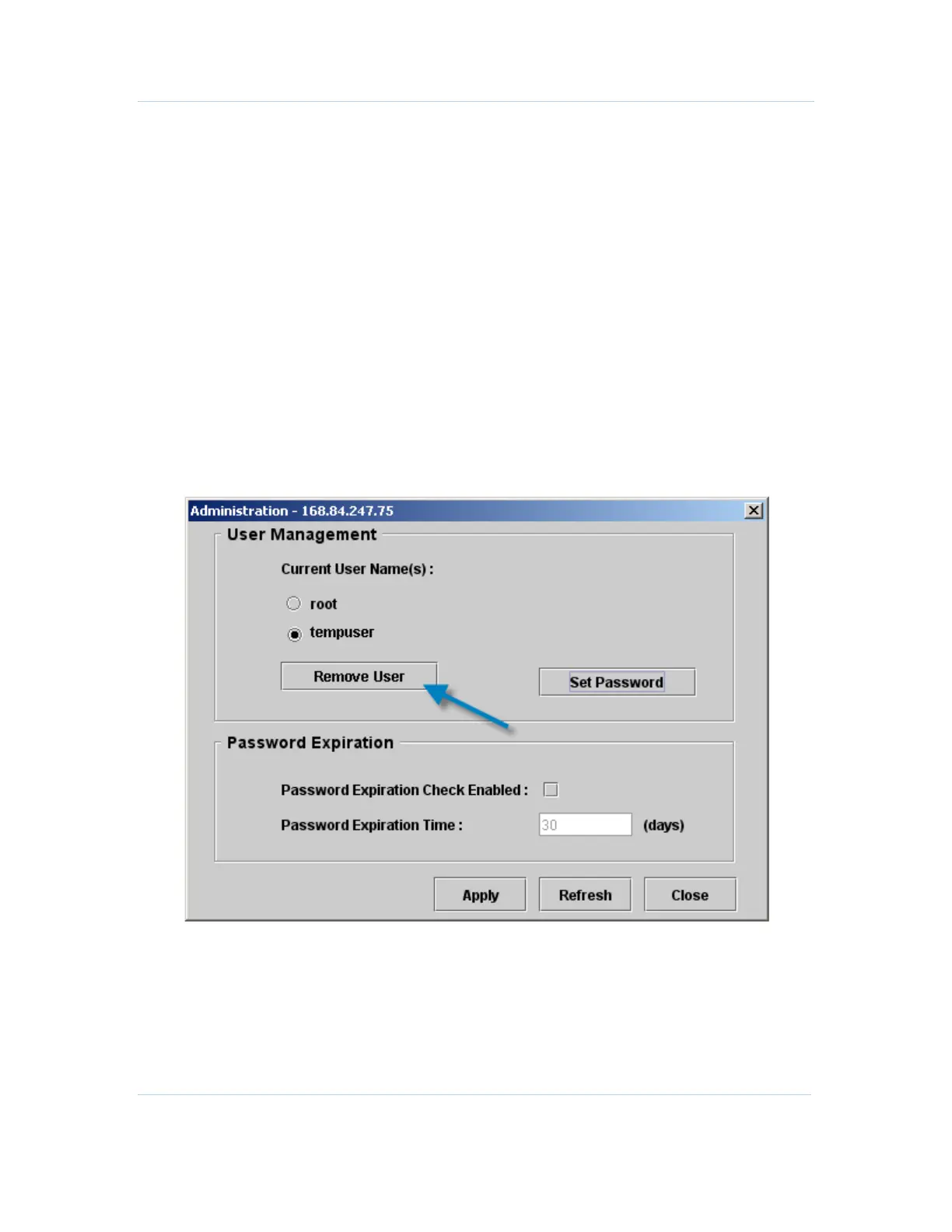
1. Select System > Administration.
The Administration window displays:
2. Check the radio button next to the desired user name.
3. Click Remove User.
4. Click OK when prompted.
The user profile is removed.



 To Next Page
 Loading...





