B
Status • Reports
APEX1000 All-Purpose Edge QAM Software Version 2.4.x • Installation and Operation Manual
238
573408-001-a
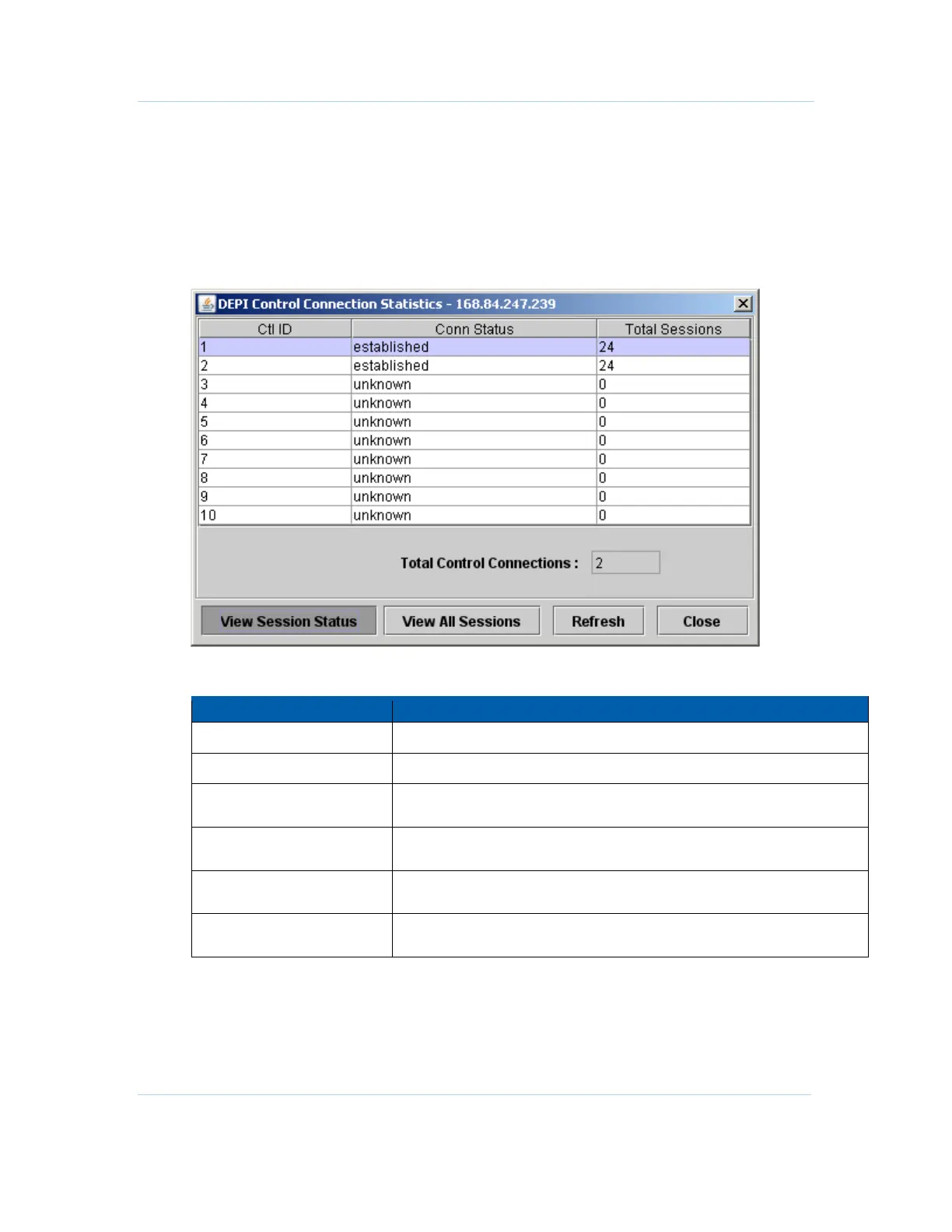
DEPI Status
This window displays information on the status of the DEPI connections which are
currently active in the system.
For access, select Status > DEPI Status.
Figure 12-13 — DEPI Status window
DEPI Status window field definitions
Item Definition/Range
Ctl ID
Identifies the Control Connection.
Conn Status
Operational state for the connection, such as Established or Unknown.
Total Sessions
Counter for the number of DEPI sessions active within the corresponding
control connection.
Total Control Connections
Counter for the number of control connections (independent connection to
an M-CMTS Core entity) which are active.
View Session Status
Opens the DEPI Session Stats window to display status information
specific for active sessions within the highlighted control connection.
View All Sessions Opens the DEPI Session Stats window to display status information for all
active sessions.



 To Next Page
 Loading...





