B
Configuration • RADIUS Authentication
APEX1000 All-Purpose Edge QAM Software Version 2.4.x • Installation and Operation Manual
92
573408-001-a
Privilege Levels
The headend device supports three types of accounts:
• Administrator – equivalent to the current root user, with read/write access to all
parameters on the headend device.
• Operator – can configure all parameters except the RADIUS configuration
parameters.
• Monitor – read-only; user may only view parameters, but may not apply changes to
any field.
RADIUS Configuration
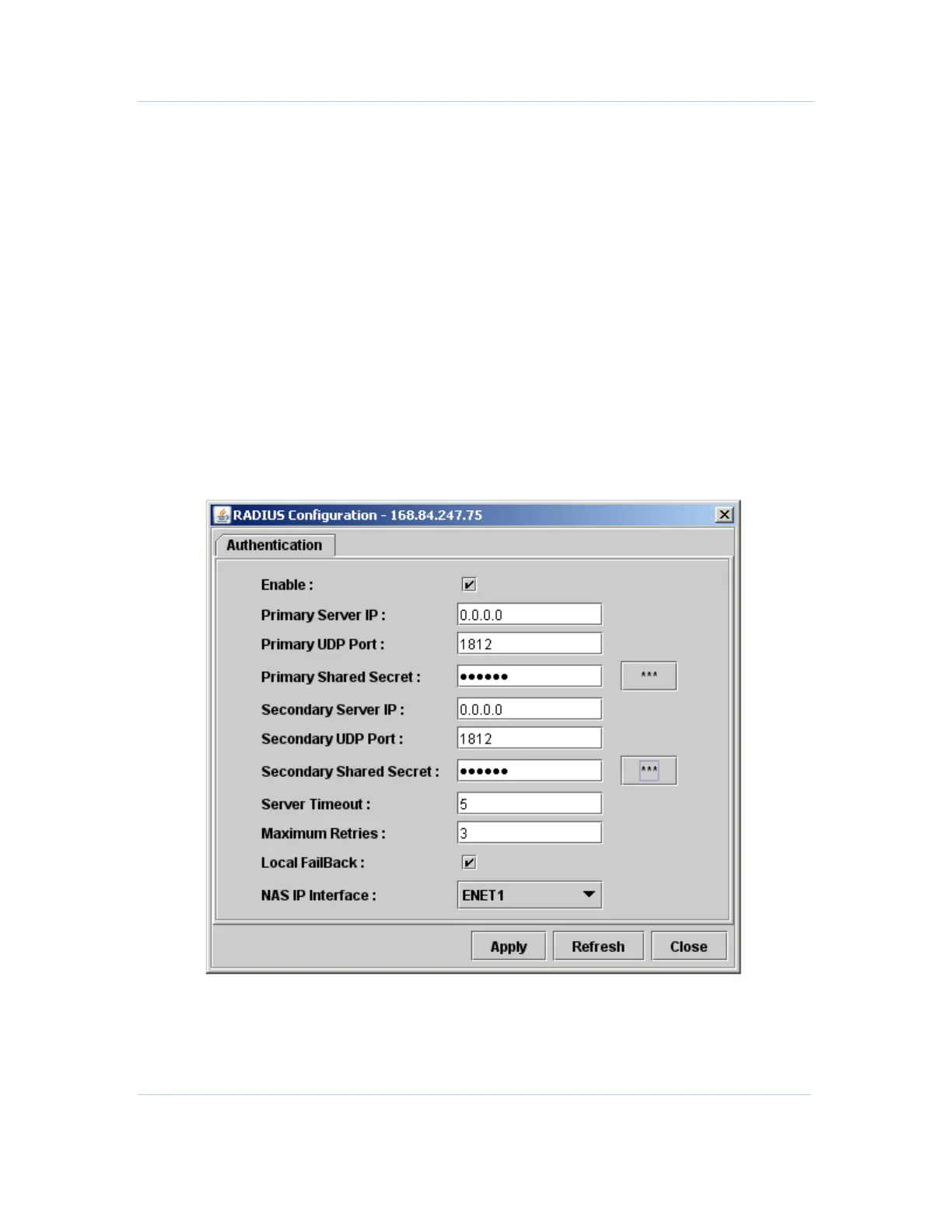
You can define the following parameters in the RADIUS Configuration Authentication
window for a locally authenticated root user, and by the administrator user.
To begin setting up authentication parameters, click Configuration > RADIUS
Configuration:
Figure 6-9 — RADIUS Configuration



 To Next Page
 Loading...





