3-130
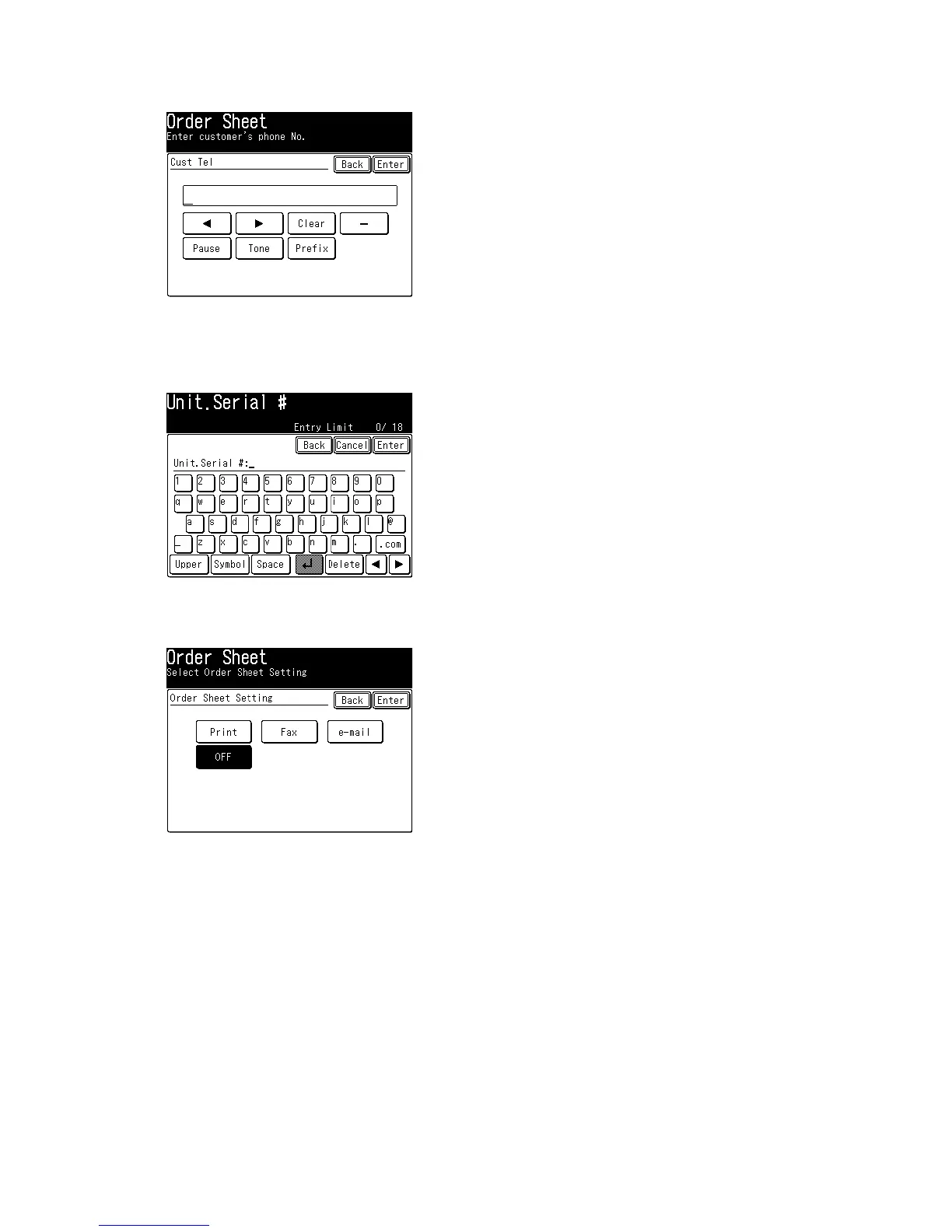
23. Select [Cust Tel].
Enter the customer’s phone number. The phone number may be up to 20 characters in length.
24. Press [Enter] to save the customer’s phone number.
25. Select [Unit Serial #].
Enter the scanner’s serial number. The number may be up to 18 characters in length.
26. Press [Enter] to save the scanner’s serial number.
27. Select [Order Sheet Setting].
Determine if the machine prints, transmit or e-mail the consumable order sheet when the printer
consumable is near end of its designed life.
If [OFF] is selected, the machine does not print or transmit the consumable order sheet even
though the printer consumable is near end of its designed life.
28. Press [Enter] to save the setting.







 To Next Page