97
!5 Adjust H-24 so that the width of the paper is within
a range of 52.0 mm +/- 0.762 mm.
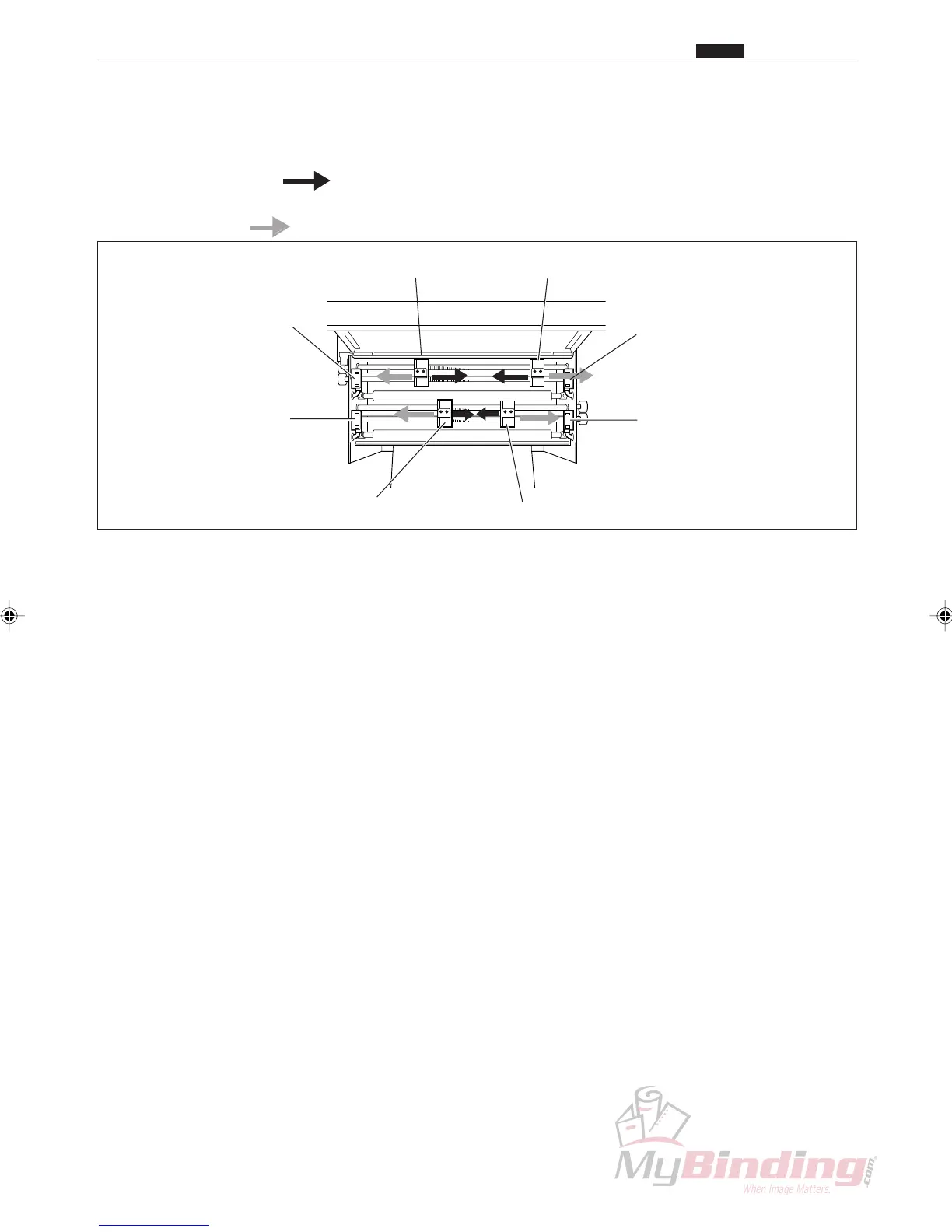
• Increase the numbers to move the center slitter away
from the slitter sensor.
• Decrease the numbers to move the center slitter closer to
the slitter sensor.
!6 Repeat Steps !3 to !5 until the width of the paper is
within the correct range.
Left Center Slitter Sensor
Left Center Slitter
OP1 Slitter Sensor
OP1 Slitter
OP2 Slitter Sensor
OP2 Slitter
Right Center Slitter Sensor
Right Center Slitter
Chap.4
x Slitter Position
Chap.4



 To Next Page