73
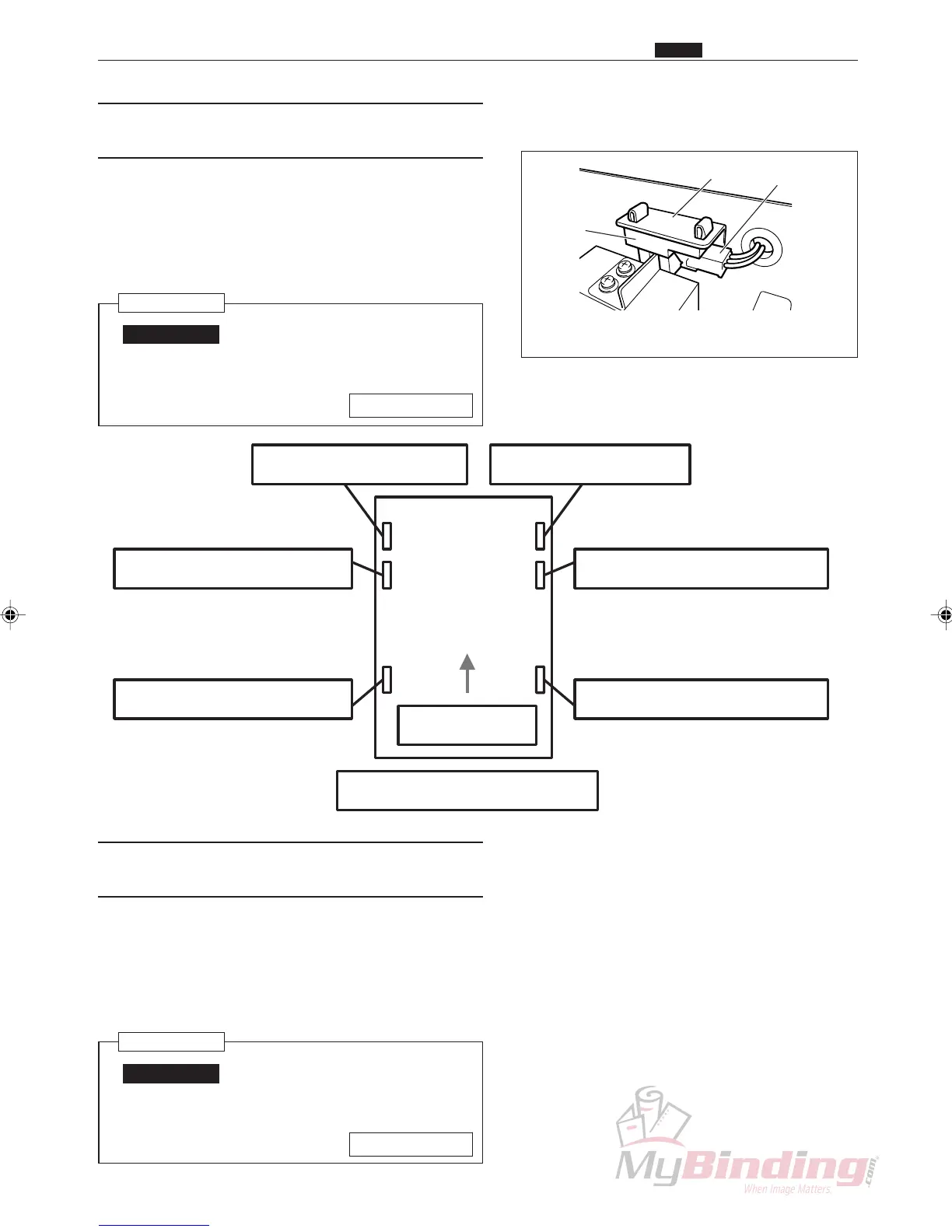
This image shows the optional 1 slitter sensor.
Angle
Sensor
Connector
Feed Direction
Optional 1 Slitter Sensor Optional 2 Slitter Sensor
Center Left Slitter Sensor Center Right Slitter Sensor
Left Margin Slitter Sensor Right Margin Slitter Sensor
DC-545 Position Sensor Layout
(6) Removing the Center Right Slitter
Sensor
q Open the cover (rear) of the DC-545.
w Remove the connector for the sensor. (1 position)
e Remove the sensor from the angle.
Reinstallation
IMPORTANT:
• Make adjustments after installing the
slitter.
\See page 95
(7) Removing the Center Left Slitter Sen-
sor
q Open the cover (rear) of the DC-545.
w Remove the connector for the sensor. (1 position)
e Remove the sensor from the angle.
Reinstallation
IMPORTANT:
• Make adjustments after installing the
slitter.
\See page 95
m Center Slitter Section
Chap.3



 To Next Page