55
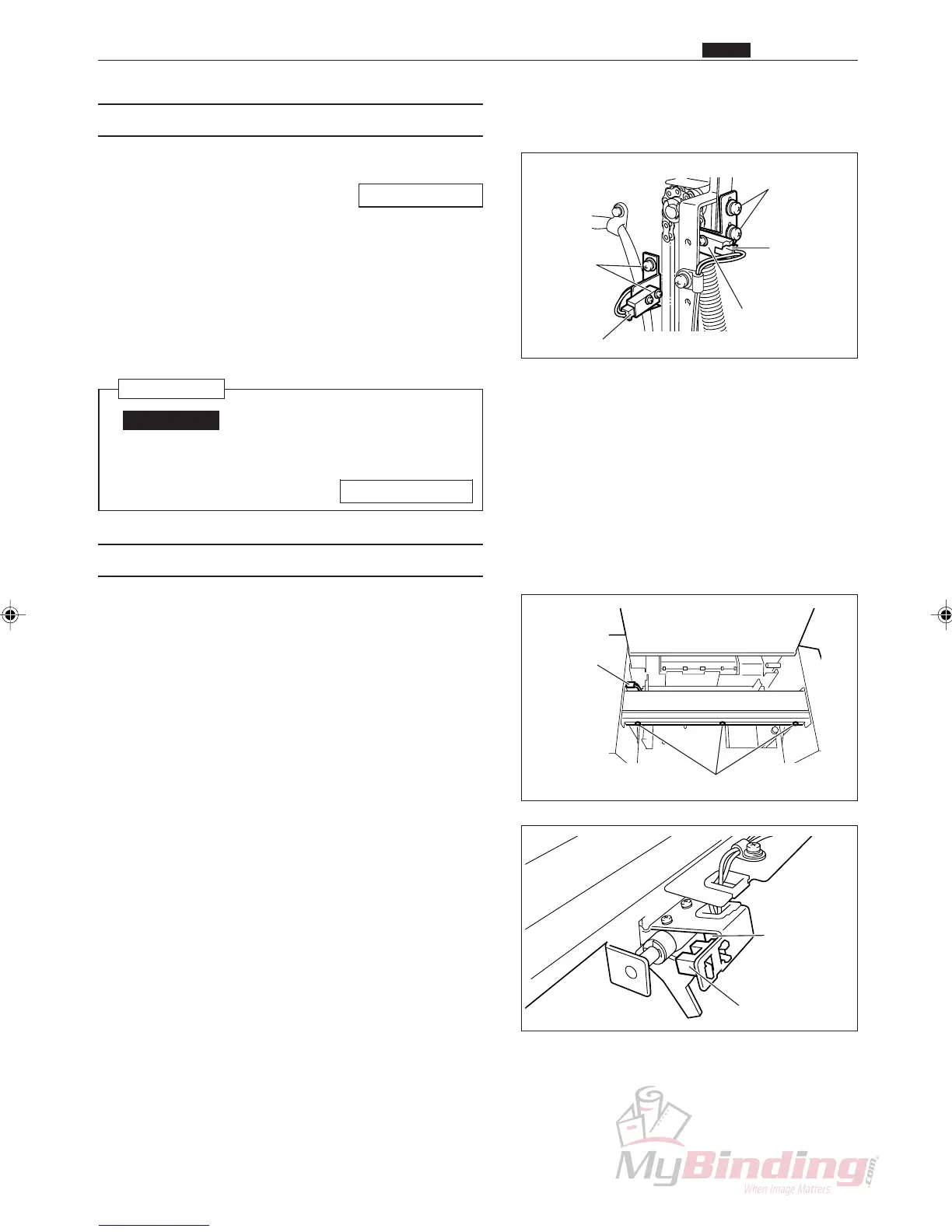
(8) Removing the Elevator Lower Switch
q Remove the AF-100 cover L unit.
\See page 49
w Remove the connector for the lower switch.
(1 position).
e Take out the 2 screws, and remove the angle.
r Take out the 2 screws, and remove the elevator
lower switch.
Reinstallation
IMPORTANT:
• Adjust the position in which to install the
lower switch.
\See page 111
(9) Removing the Paper Level Sensor
q Open the cover of the AF-100.
w Remove the connector from the inside of the frame.
(1 position)
e Take out the 3 screws, and remove the plate unit.
r Remove the connector for the sensor, and then
remove the paper level sensor.
Screws
Connector
Connector
Sensor
x Feed Section
Chap.3
Connector
Connector
Upper Angle
& Screws
Elevator Lower
Switch
Lower Angle
& Screws



 To Next Page