53
x Feed Section
Chap.3
Joint & Screws
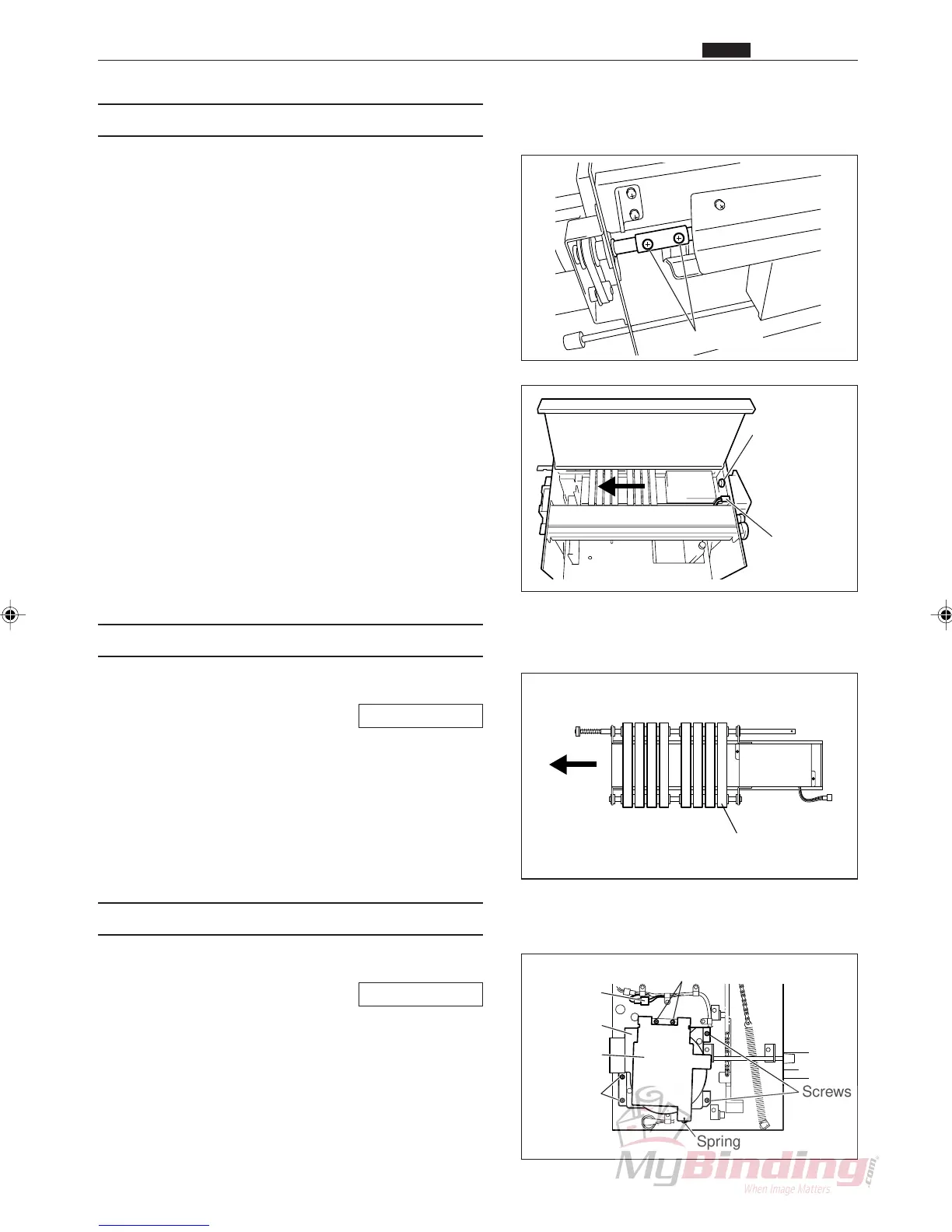
(2) Removing the Suction Assembly
q Take out the 2 screws, and remove the joint.
w Remove the thumb screw and connector. (1 each)
e Remove the suction assembly.
(3) Removing the Flat Belts
q Remove the suction assembly.
\See page 53
w Slide the flat belts off to remove them.
(4) Removing the Fan Motor (Blower)
q Remove the AF-100 cover L unit.
\See page 49
w Remove the connector for the fan motor. (1 position).
e Remove the spring.
r Take out the 2 screws, and remove the shutter.
t Remove the 4 screws, and remove the fan motor
(blower).
Connector
Thumb Screw
Flat Belts
Spring
Screws
Connector
Fan Motor
Shutter
Screws
Screws



 To Next Page