113
⁄4 Shutter Solenoid
1. Objective
Adjusting the shutter operation.
• Removing the Shutter Solenoid
\See page 56
2. How to make adjustments
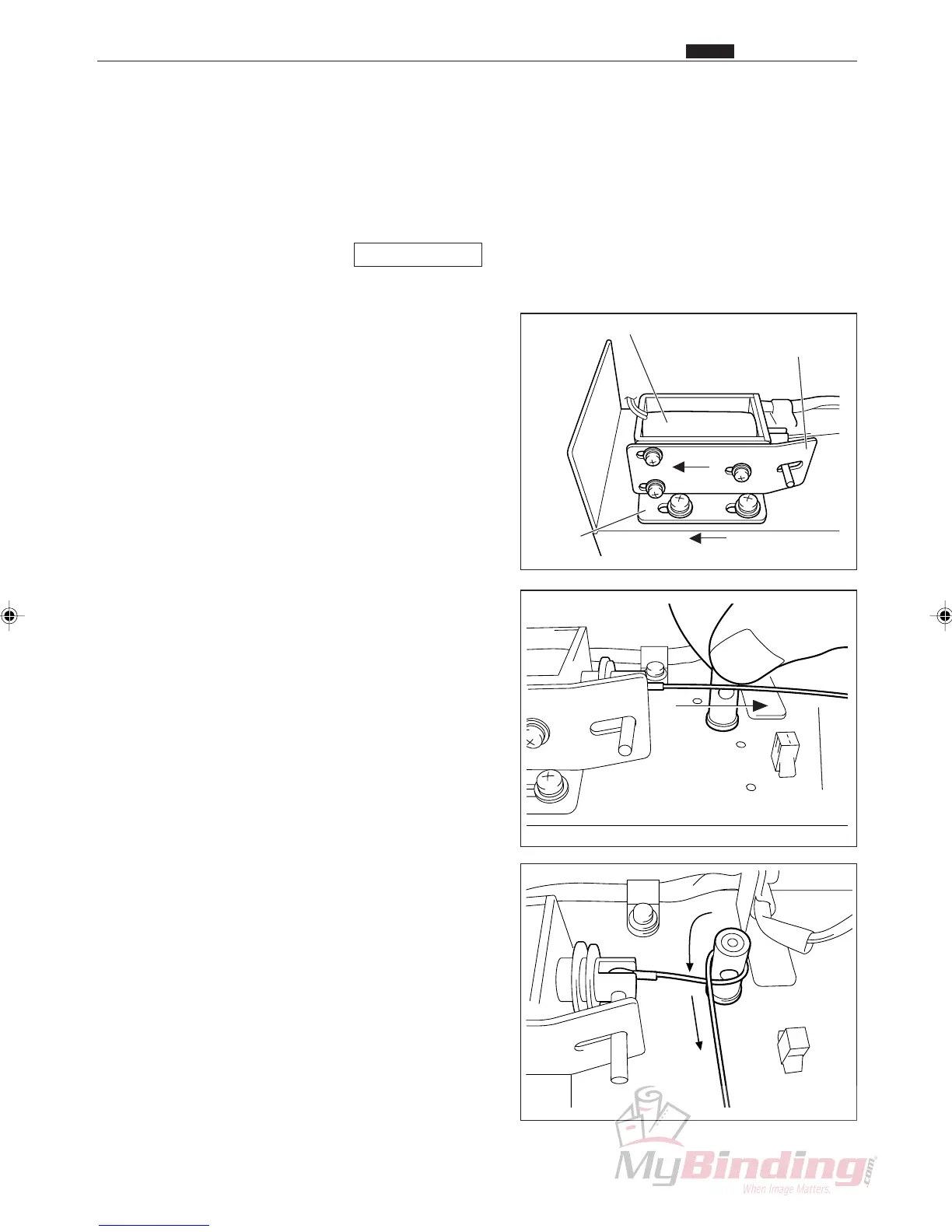
q Attach the angle and plate to the solenoid. Set the
plate as far in the direction of the arrow as possible.
Attach the solenoid assembly to the duct. Set the
solenoid assembly as far in the direction of the arrow
as possible.
w Turn the shaft counterclockwise until the shutter is
closed.
Pull the wire unit to move the plunger in the
direction of the arrow.
e While pulling on the wire unit give it a
3
/4 wrap.
Plate
Angle
Solenoid Assembly
Wire Unit
⁄4 Shutter Solenoid
Chap.4



 To Next Page