109
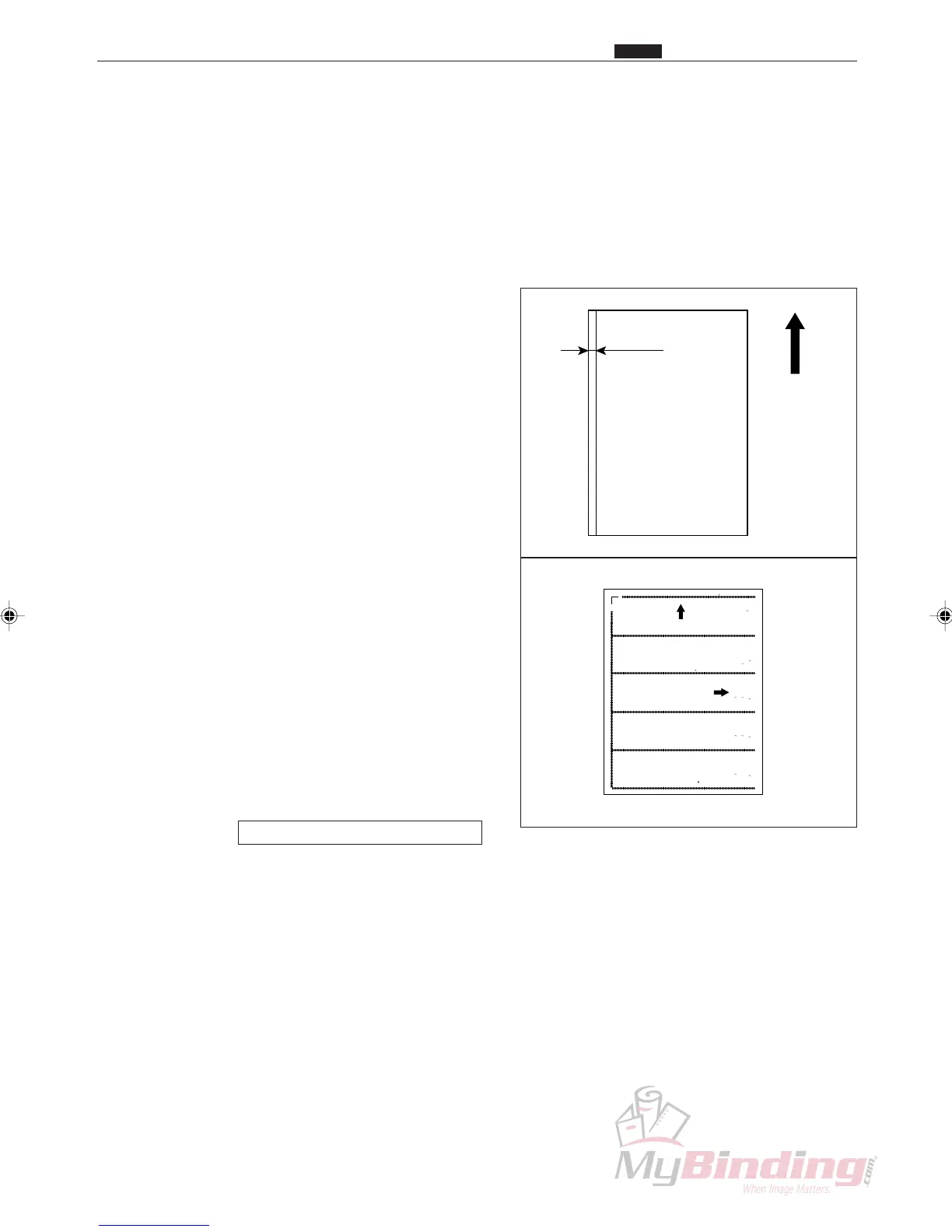
⁄1 CCD Vertical Line Alignment
10mm
Feeding
direction
LEFT L ~ C.L SL
(P-72 77,78)
52m .762
EFT SL ~ OP SL
P-73) 10 mm .762
.L.SL ~ P1 SL
P-77,78) 52mm 0. 62
LEFT L ~ OP SL
(P-76) 156m .762
OP1 SL ~ C.R. L
(P-77) 52mm 0 762
OP1 SL ~ OP2 L
(P-78) 52mm 0 762
L FT SL ~ . .SL
( -74) 208 m .762
C R.SL ~ R GHT SL
( -77) 52m .762
O 2 SL ~ C R.SL
( -78) 52m .762
LEFT SL ~ RI HT SL
(P-75) 60mm 0. 62
C.R.SL ~ RIGHT L
(P-78) 2mm 0.7 2
P 79 P 80
Feed direction
P-72~78
Feed direction
DC-545
Adjustment Sheet
Duplo
Lead Ed e P 79 Left Margin P 78 10mm 0 762
Score Posi ion P 79
P 72 75 REG OFF BC: FF AF 100 to DC 45 Moun ing Ali ment(One By One)
P 76 REG:OFF BC:OFF AF 100 to DC 545 Mounting Aligme t(One By One with OP2 SL)
P 77 REG:OFF BC:OFF AF 100 to DC 545 Mounting Aligme t
P 78 REG:OFF BC:OFF AF 100 to DC 545 Mounting Aligme t(With O 2 SL)
P 79 REG:OFF BC:OFF Lead Edge Lehgth & Score Position
P 79 REG:ON BC:OFF Image Sh ft Chec 1
P 80 REG:ON BC:OFF Image S ift Chec 2
104mm 762
N4 Y2061
⁄1 CCD Vertical Line Alignment
Chap.4
1. Objective
Adjusting the installation of the CCD so that it is level.
2. How to make adjustments
q Prepare some paper that is either 8
1
/2” x 11” or A4
size paper, on which a straight line has been drawn
10 mm from the leading edge of the paper, or use the
adjustment sheet.
w Turn on the power, set the paper you prepared in
Step q on the feed tray.
e Paper can be fed in the following ways depending on
the type of machine.
<For DC-545HC>
• Press the <START> key to start feeding the paper.
<For DC-545>
• Start feeding the paper.
r Open the cover when the paper approaches the CCD.
The message E1: COVER OPEN is displayed, and
the machine stops.
t Turn off the power.
y Access H-22.
HELP mode H-22 \ see p.146



 To Next Page