77
(12) Removing the Center Slitter’s Upper
Blade
NOTE :
• The center left slitter, and the optional slitter
2 as well as the center right slitter and the
optional slitter 1 are made in the same
configuration.
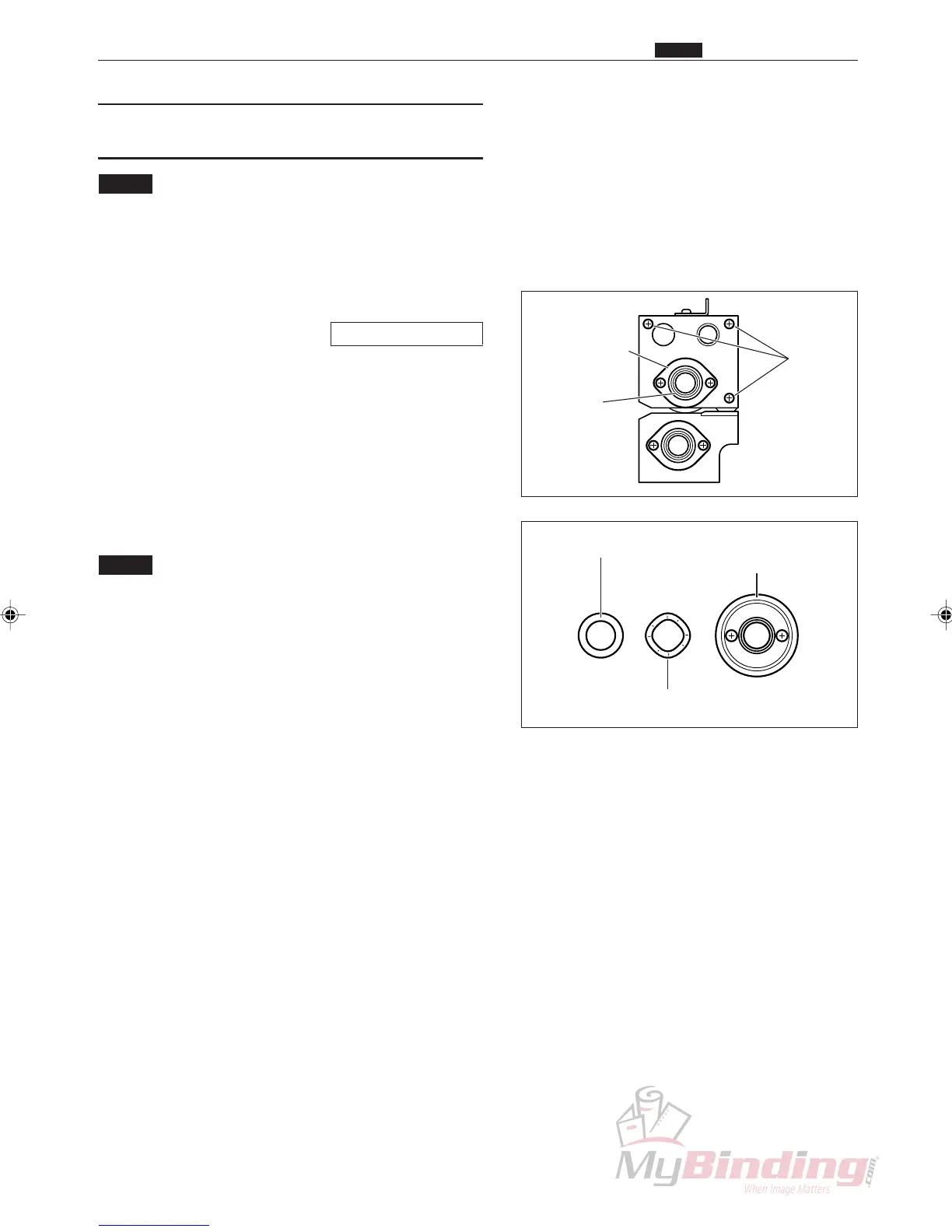
q Remove the center slitter.
\See page 75, 76
w Take out the 3 screws, and remove the lid unit R.
e Remove the bearing. (2 positions)
r Take out the 2 screws, and remove the lid.
t Remove the upper blade assembly.
NOTE :
• Be careful not to cut yourself on the edge of
the blade.
• Be careful not to lose the wave washer and
spacer.
y Take out the 2 screws, and remove the blade.
Screws
Lid & Screws
Bearings
Wave Washer
Spacer Upper Blade
Assembly & Screws
m Center Slitter Section
Chap.3



 To Next Page