50
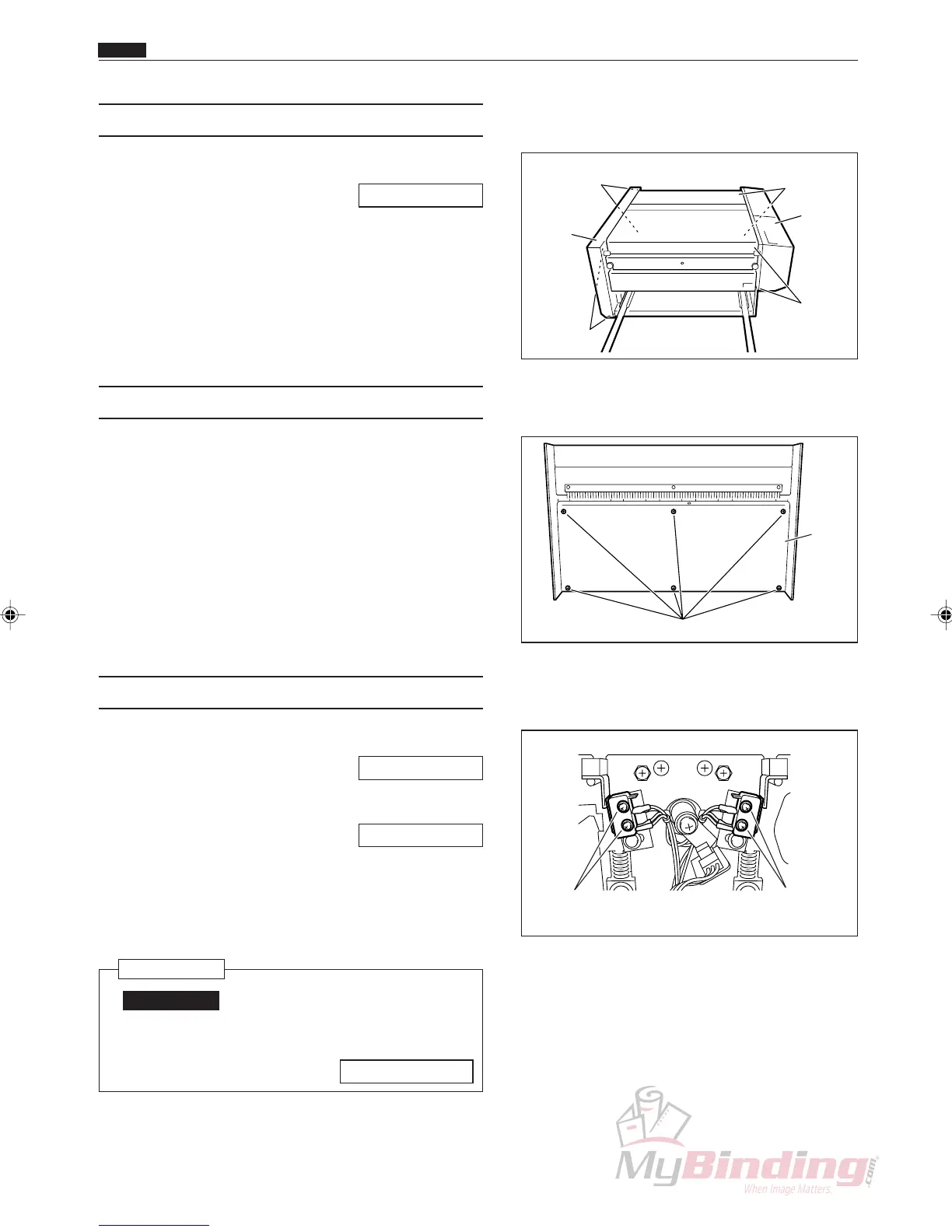
(4) Removing the DC-545 Cover L Unit
q Remove the AF-100 from the stand.
\See page 52
w Take out the 4 screws, and remove the cover L unit.
(5) Removing the Lid
q Take out the 6 screws, and remove the lid.
(6) Removing the Front Cover Switch
q Remove the cover R unit from the DC-545.
\See page 49
w Remove the cutter motor.
\See page 67
e Remove the connector for the switch. (2 positions)
r Take out the 2 screws, and remove the front cover
switch.
Reinstallation
IMPORTANT:
• Adjust the position in which to install the
cover switch.
\See page 112
Screws Screws
Screws
Screws
Cover
R Unit
Cover
L Unit
Screws
Lid
Chap.3
z Exterior
Front Cover
Switch Screws
Rear Cover
Switch Screws



 To Next Page