81
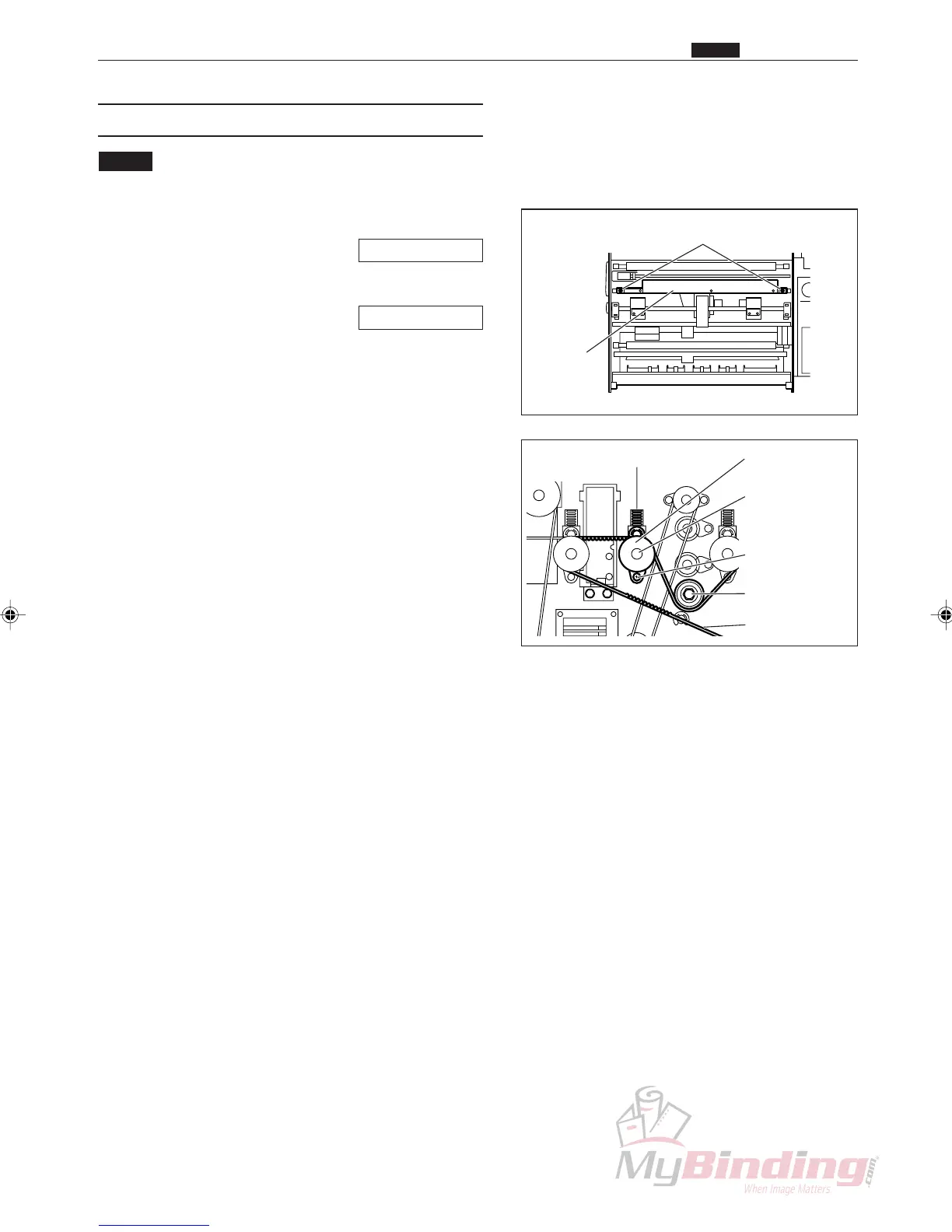
(5) Removing the 4th Roller (Lower)
NOTE :
• Do not cut yourself on the cutter unit.
q Remove the cover R unit from the DC-545.
\See page 49
w Remove the cover L unit from the DC-545.
\See page 50
e Take out the screw, and remove the pillar.
r Remove the main drive belt (front).
t Loosen the set screws, and remove the pulley unit.
y Open the cover (front) on the DC-545.
u Take out the 2 screws, and remove the plate.
i Remove the spring. (2 positions)
o Remove the E ring from the 4th roller (upper).
!0 Remove the 4th roller (upper).
!1 Take out the screw, and remove the clampers.
(2 positions)
!2 Remove the bearings. (2 positions)
!3 Remove the 4th roller (lower).
Plate
Screws
Main Belt (Front)
Springs, E-Rings, Bushes Pulley Unit
& Set Screw
Clampers
& Screws
4th Roller
& Bearings
Pillar
, Driving Section
Chap.3



 To Next Page