37
Chap.2
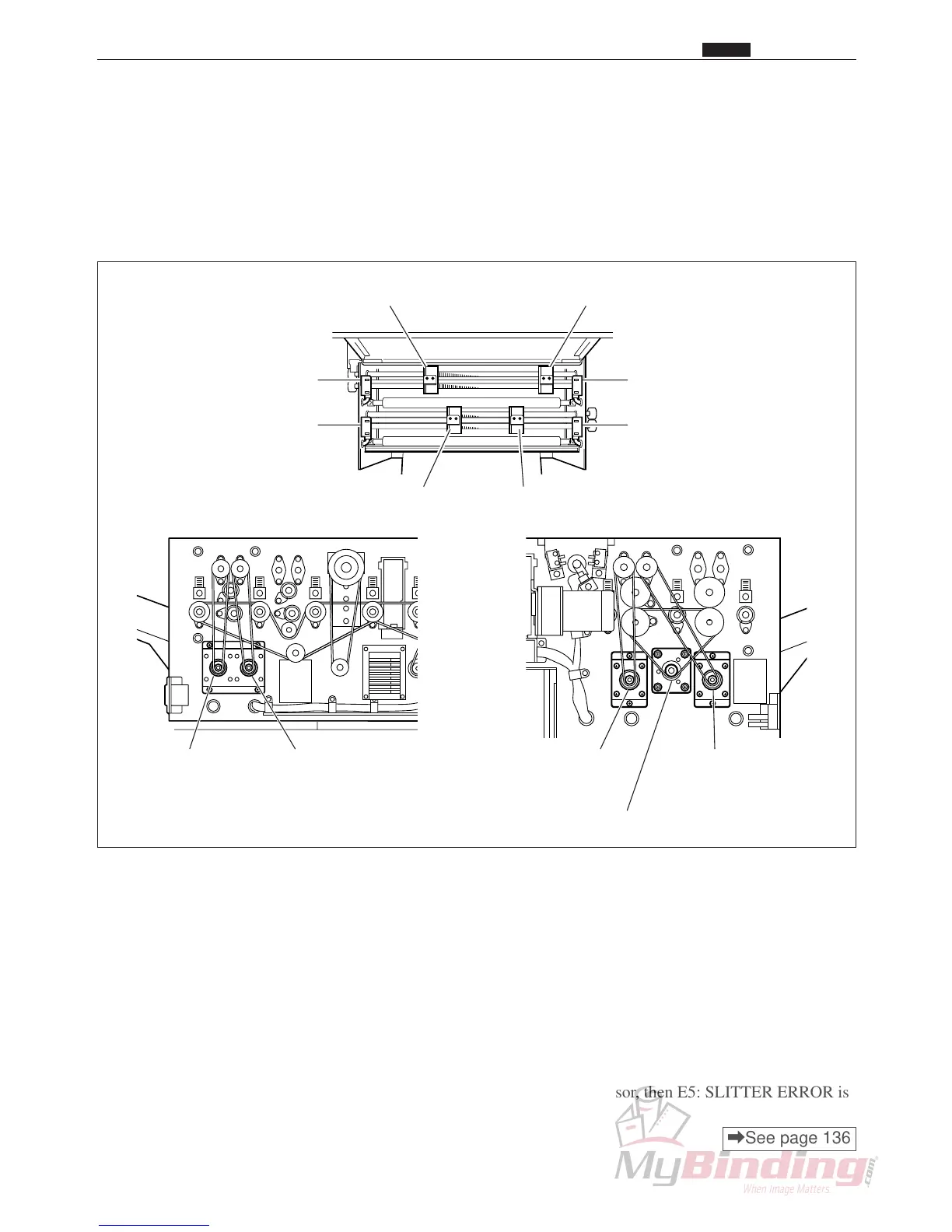
n Center Slitter
1. Description
The slitter position motor starts, turning the lead screw, and the center slitter is moved to the designated
position and the paper is cut horizontally in reference to the direction the paper is moving.
A maximum of 4 center slitters can be installed.
2. Operation
1) After paper feeding has finished (after the feed stepping motor stops) the center slitter returns to the home
position under the following conditions.
q The first process after the power was turned on.
w After all the covers have been opened.
e After the machine stops due to an error.
r There is no paper in the feed tray, after paper is loaded in the feed tray again.
t After the job has been changed.
2) When the margin slitter moves from the home position to the position indicated for the job, if the margin
slitter moves 8 mm and light is still not being transmitted at the slitter sensor, then E5: SLITTER ERROR is
displayed and the machine stops.
\See page 136
n Center Slitter
OP1 Slitter
Right Center Slitter
Right Center Slitter Sensor
OP2 Slitter Sensor
OP2 Slitter
Left Center Slitter
Left Center Slitter Sensor
OP1 Slitter Sensor
OP1 Slitter
Position Motor
OP2 Slitter
Position Motor
Right Center Slitter
Position Motor
Left Center Slitter
Position Motor
Slitter Driving Motor



 To Next Page