98
c Cutter Registration
1. Objective
Adjusting the feed from PPS3 to the cutter.
2. How to make adjustments
q Select P-79. Turn off both bar code and reg. mark.
NOTE :
• Use a JOB that has the Cut 1 set to 10.0 mm
when the preset program P-79 have been
overwritten.
\See page 155
• Do not lose the leading edge of the waste
paper that falls into the waste tray so that
you can measure it.
w Run one sheet of paper that is either 8
1
/2” x 11”, A4
size, or use the adjustment sheet.
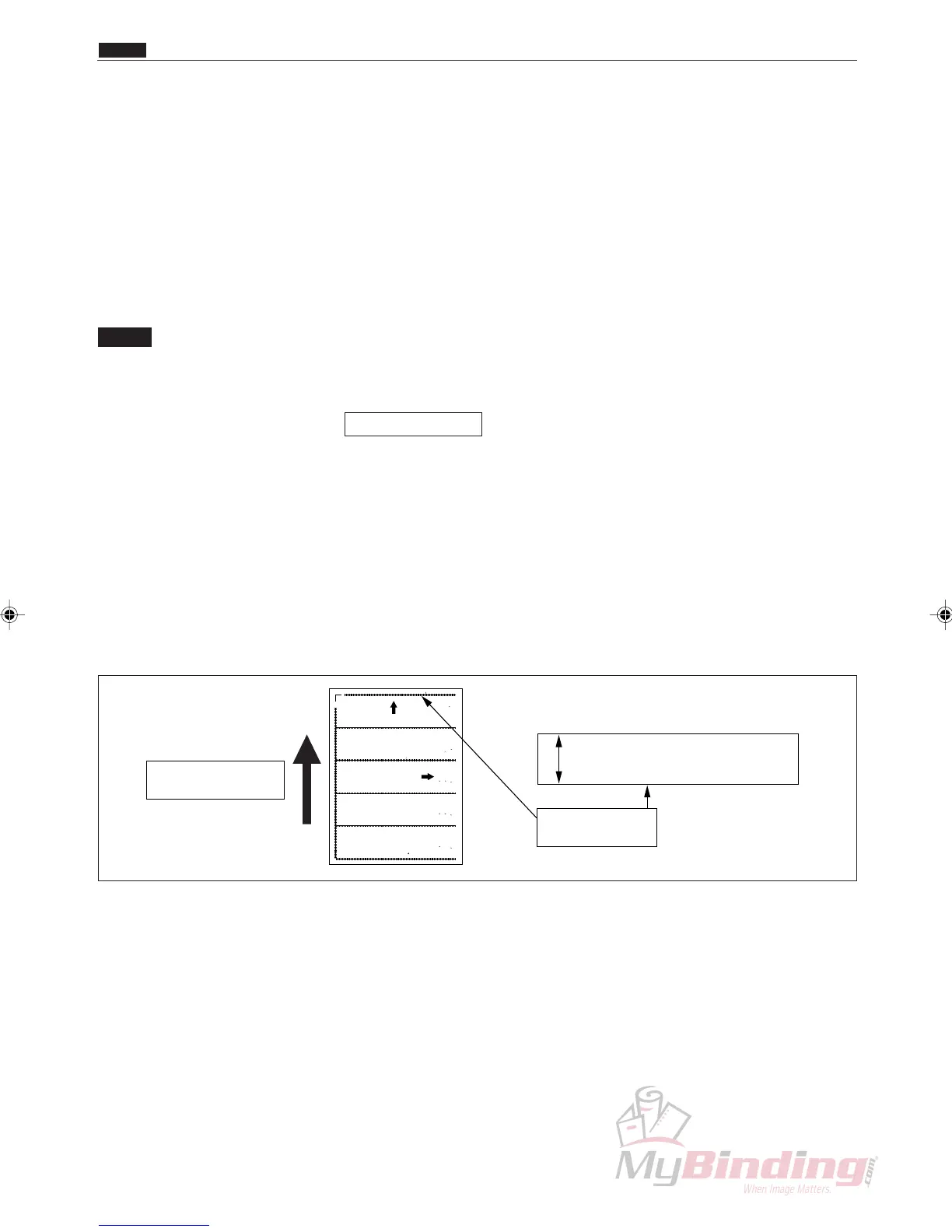
e Measure the pieces of waste paper. If the width of
the waste paper is within a range of 10.0 mm +/-
0.762 mm, finish the job. If it is not in that range, go
to Step r to make adjustments.
Feed Direction
10mm+/-0.762
Lead Edge
L FT L ~ C L L
( -72 77 8
5 mm 0 762
LE T SL ~ P1 L
(P 73 104 m 762
C L SL ~ O 1 SL
(P 77 8 2mm 76
EFT SL ~ OP2 SL
(P-76 1 6m 7 2
P1 L ~ C R SL
(P-77 5 mm 0 762
P1 L ~ OP2 SL
(P-78 5 mm 0 762
L FT L ~ C R SL
( -74 20 mm 0 762
C R SL ~ IGHT SL
( -77 52 m 0 762
O 2 SL ~ C R L
( -78 52 m 0 762
LEFT SL ~ R GHT SL
(P- 5 60m 62
C R SL ~ RI HT L
(P- 8 2m 7 2
P-79 P-80
Feed direction
P-72~78
Feed direction
DC-545
Adjustment Sheet
Duplo
Lead Ed e P 79 L ft arg n P 8 1 mm 0 762
Sco e P siti n P 79
P 2 75 REG OFF BC OFF AF 100 to DC 45 oun ing Al gme t(O e By O e)
P 6 R G O F BC O F AF 100 to DC 545 Mou ting A igm nt( ne y O e ith OP2 SL)
P 7 R G O F C O F AF 100 to DC 545 Mou ting A igm nt
P 8 R G O F C O F AF 100 to DC 545 Mou ting A igm nt( ith OP2 SL)
P 9 R G O F C O F L ad dge Le gth & S ore Po iti n
P 9 R G ON C O F I age Shi t hec 1
P 0 R G ON C O F I age Shi t hec 2
104m 62
N4 2061
r Remove the rear lid (N4-G1250).
c Cutter Registration
Chap.4



 To Next Page