52
Chap.3
x Feed Section
x Feed Section
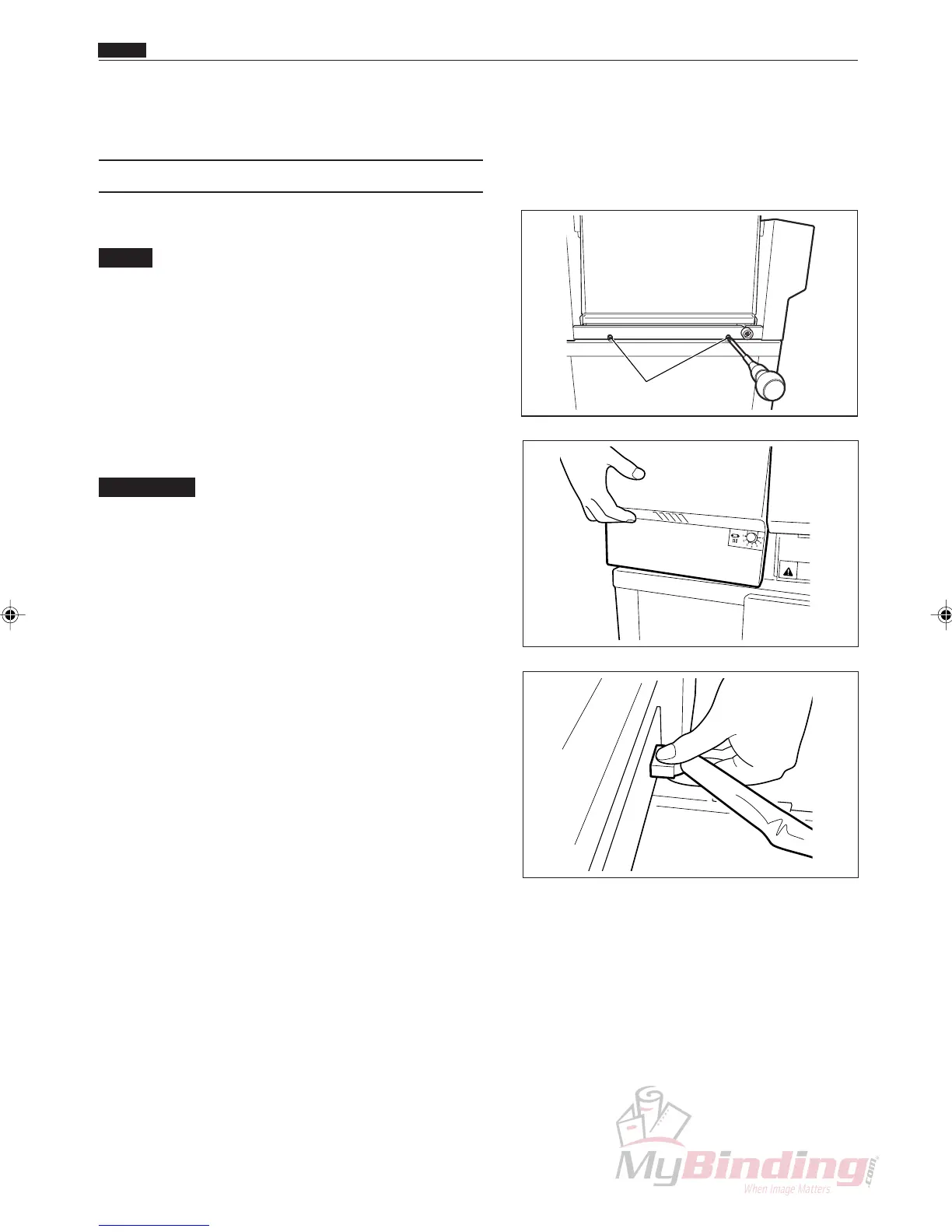
(1) Removing the AF-100
q Take out the two screws.
NOTE :
• The machine made to U.S. specifications has
no screws.
w Remove the DC-545 and AF-100 connector.
IMPORTANT:
• Be sure to remove the power cord from the
electric outlet before starting work. Not
doing so may damage the main P.W.B. unit.
e Remove the AF-100.
Screws
WARN NG



 To Next Page