14
No. Name Function
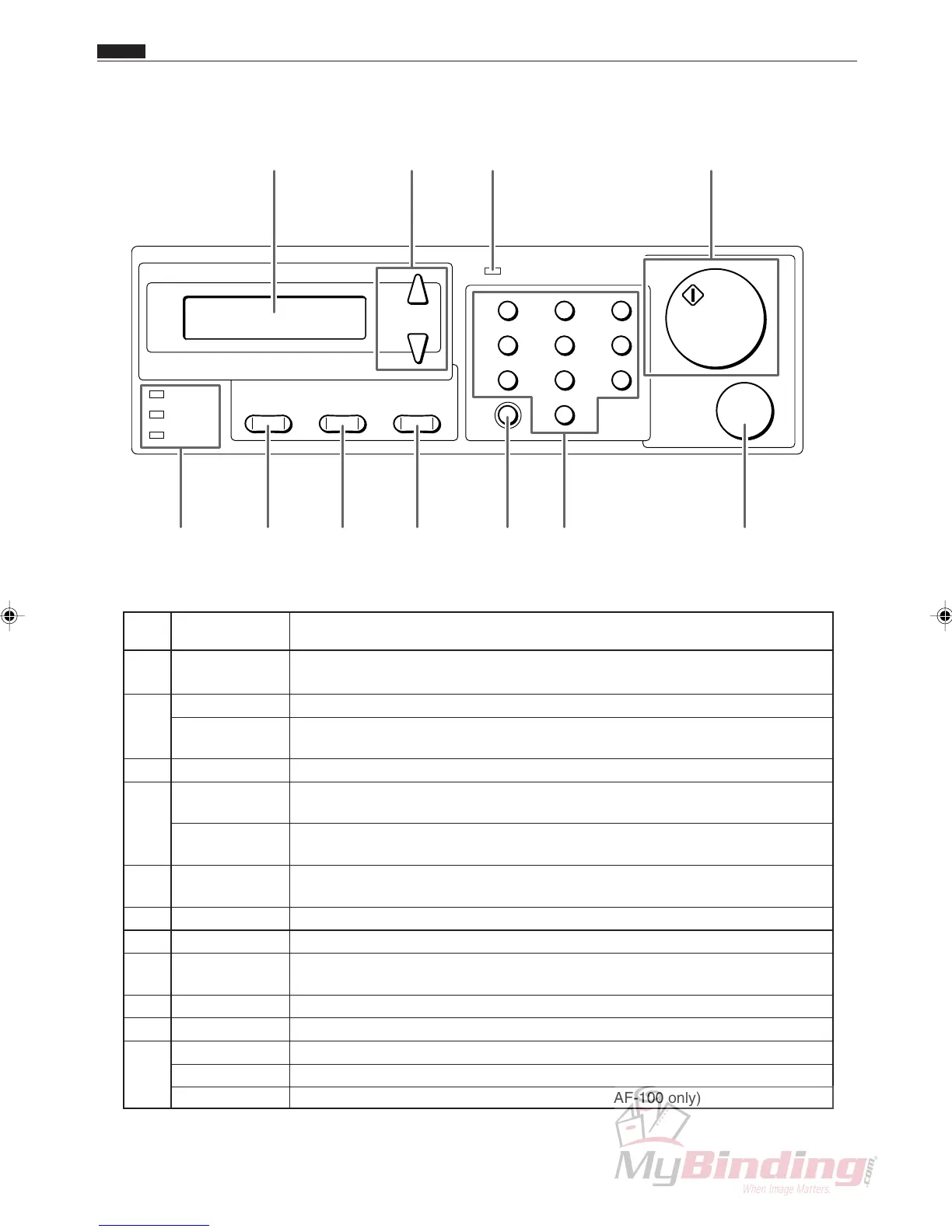
q LCD panel Displays the status of the machine.
Displays messages when an error or paper jam occurs.
w <+> key Press to eject the document from the machine at the time of paper jam.
<-> key Press to eject the document from the machine at the time of paper jam. During
programming mode enables backward movement through the program steps.
e POWER lamp Lights up when the power is switched on.
r <START> key Not used when the DC-545 is operated without the autofeeder - AF-100. Press
to start processing when the AF-100 is attached.
START lamp Normally lights up in green. Lights up in red when the front cover or the rear
cover is open.
t <STOP> key Press to stop automatic feeding after the current sheet is processed.
Press to clear jam indication after the paper is cleared.
y Key pad Press to enter print numbers and enter values during manual programming.
u <CLEAR> key Press to clear the count. Press to cancel manual programming.
i <SET> key Press to confirm selection/entry. Used to test process a single sheet. (for
systems with the AF-100 only)
o <MODE> key Press to change the mode.
!0 <F> key The AF-100 Feed Tray lowers while the <F> + <-> keys are being pressed.
!1 COVER lamp Blinks when the front cover or the rear cover is open.
JAM lamp Blinks when a paper jam has occurred.
PAPER lamp Blinks when paper runs out. (systems with the AF-100 only)
2. Operation Panel
COVER
JAM
F
PAPER
MODE SET
+
–
1
4
7
C
2
5
8
0
3
6
9
POWER
START
STOP
!0!1 o i u ty
w e rq
Chap.1
c Part Names and Functions



 To Next Page