59
c CCD Section
(1) Removing the CCD Sensor
q Remove the cover L unit from the DC-545.
\See page 50
w Take out the 6 screws, and remove the lid.
\See page 50
e Remove the connector for the main PWB CN5.
(1 position)
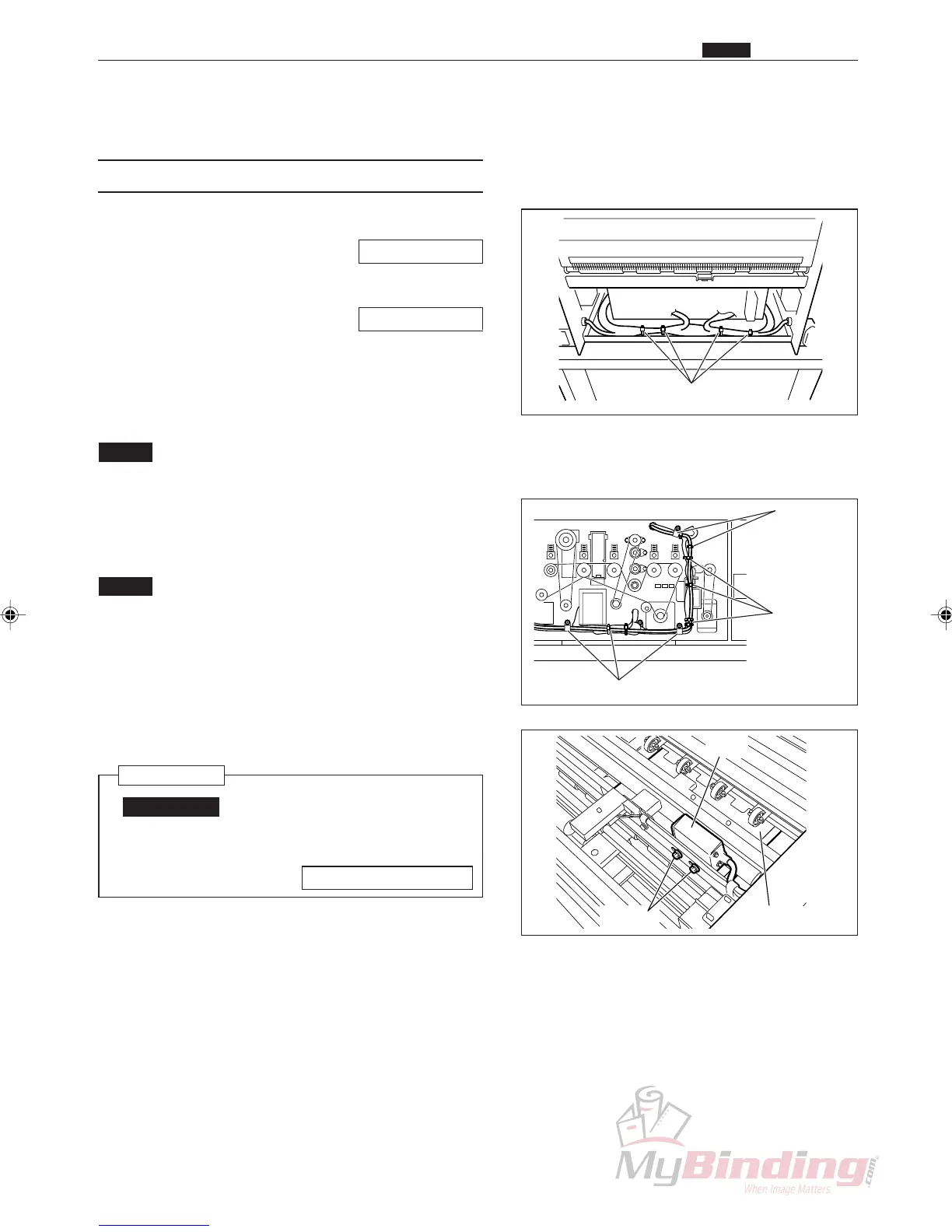
r Cut the tie wraps. (4 positions)
NOTE :
• Do not cut any other bundles of wires.
t Remove the code band. (6 positions)
y Cut the tie wraps. (7 positions)
NOTE :
• Do not cut any other bundles of wires.
u Take out the 2 screws, and remove the CCD sensor.
Reinstallation
IMPORTANT:
• Make adjustments after installing the
CCD sensor.
\See page 102, 109
c CCD Section
Chap.3
Tie Wrap
Tie Wrap
Tie Wrap
Tie Wrap
Screws
CCD
Paper



 To Next Page