Network and Remote Operation
R&S
®
FSPN
306User Manual 1179.4363.02 ─ 01
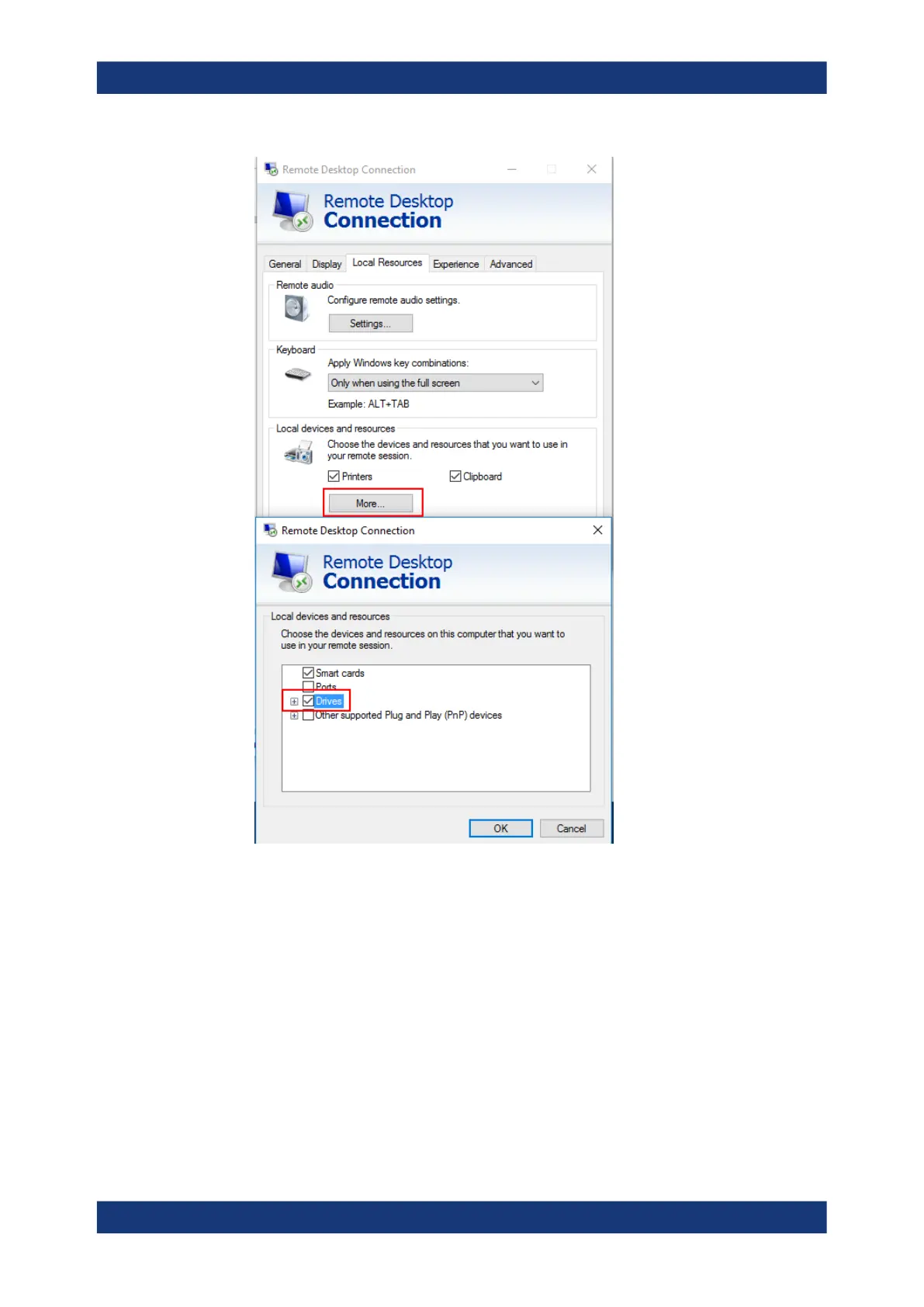
Windows will then map drives of the controller to the corresponding network drives.
9. To use printers connected to the controller while accessing them from the
R&S FSPN, activate the "Printers" option. Do not change the remaining settings.
10. Open the "Display" tab.
The options for configuring the R&S FSPN screen display are displayed.
11. Under "Remote desktop size", you can set the size of the R&S FSPN window on
the desktop of the controller.
12. Under "Colors", do not change the settings.
13. Set the "Display the connection bar when I use the full screen" option:
How to Set Up a Network and Remote Control



 To Next Page