Remote Control
R&S
®
FSPN
411User Manual 1179.4363.02 ─ 01
<y2> Diagram coordinates in % of the complete diagram that define
the zoom area.
The lower left corner is the origin of coordinate system. The
upper right corner is the end point of the system.
Range: 0 to 100
Default unit: PCT
Manual operation: See " Single Zoom " on page 149
DISPlay[:WINDow<n>][:SUBWindow<w>]:ZOOM:MULTiple<zn>:AREA
<x1>,<y1>,<x2>,<y2>
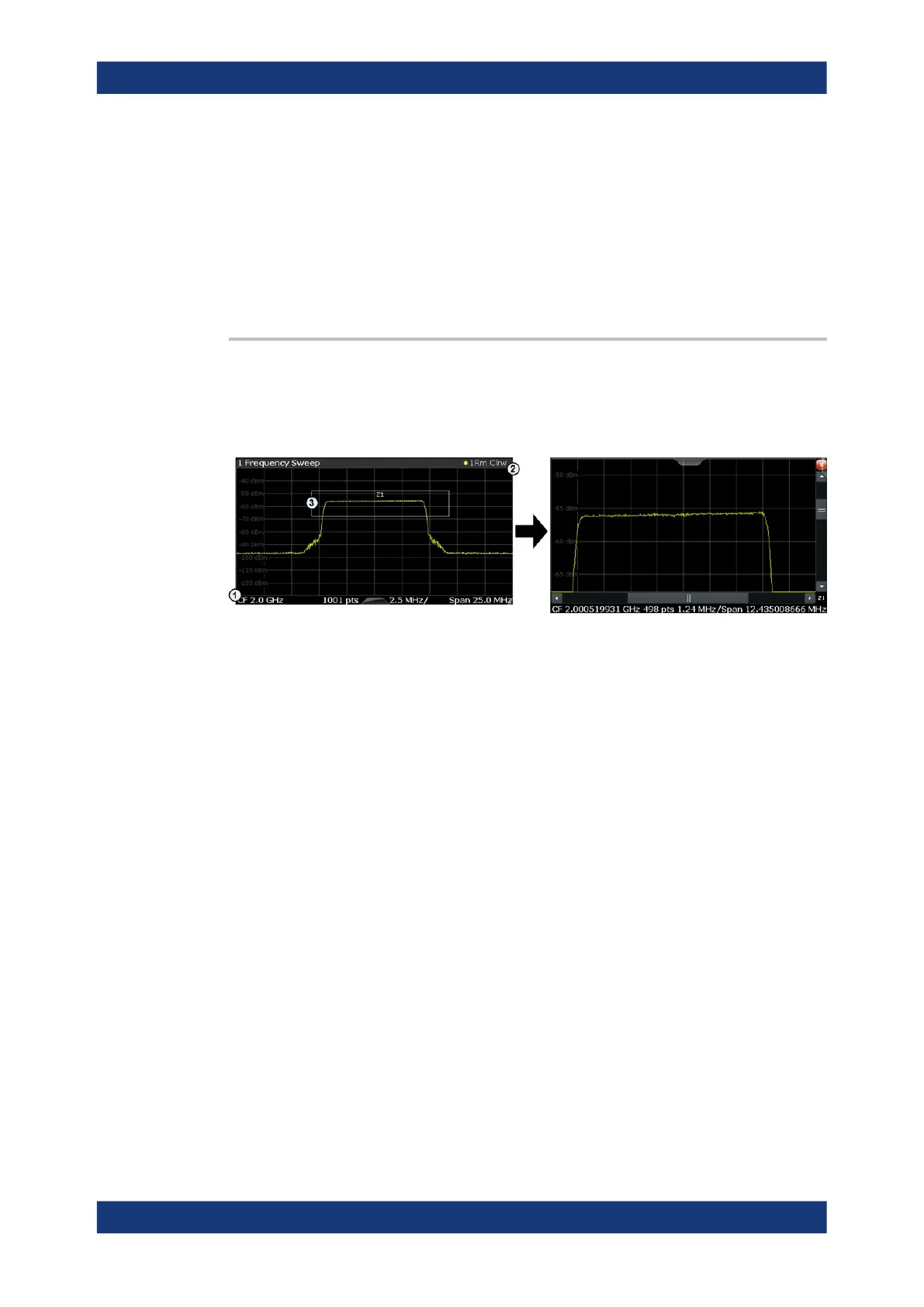
This command defines the zoom area for a multiple zoom.
To define a zoom area, you first have to turn the zoom on.
1
= origin of coordinate system (x1 = 0, y1 = 0)
2 = end point of system (x2 = 100, y2= 100)
3 = zoom area (e.g. x1 = 60, y1 = 30, x2 = 80, y2 = 75)
Suffix:
<n>
.
Window
<w> subwindow
Not supported by all applications
<zn> Selects the zoom window.
Parameters:
<x1> Diagram coordinates in % of the complete diagram that define
the zoom area.
The lower left corner is the origin of coordinate system. The
upper right corner is the end point of the system.
Range: 0 to 100
Default unit: PCT
<y1> Diagram coordinates in % of the complete diagram that define
the zoom area.
The lower left corner is the origin of coordinate system. The
upper right corner is the end point of the system.
Range: 0 to 100
Default unit: PCT
Common Analysis and Display Functions



 To Next Page