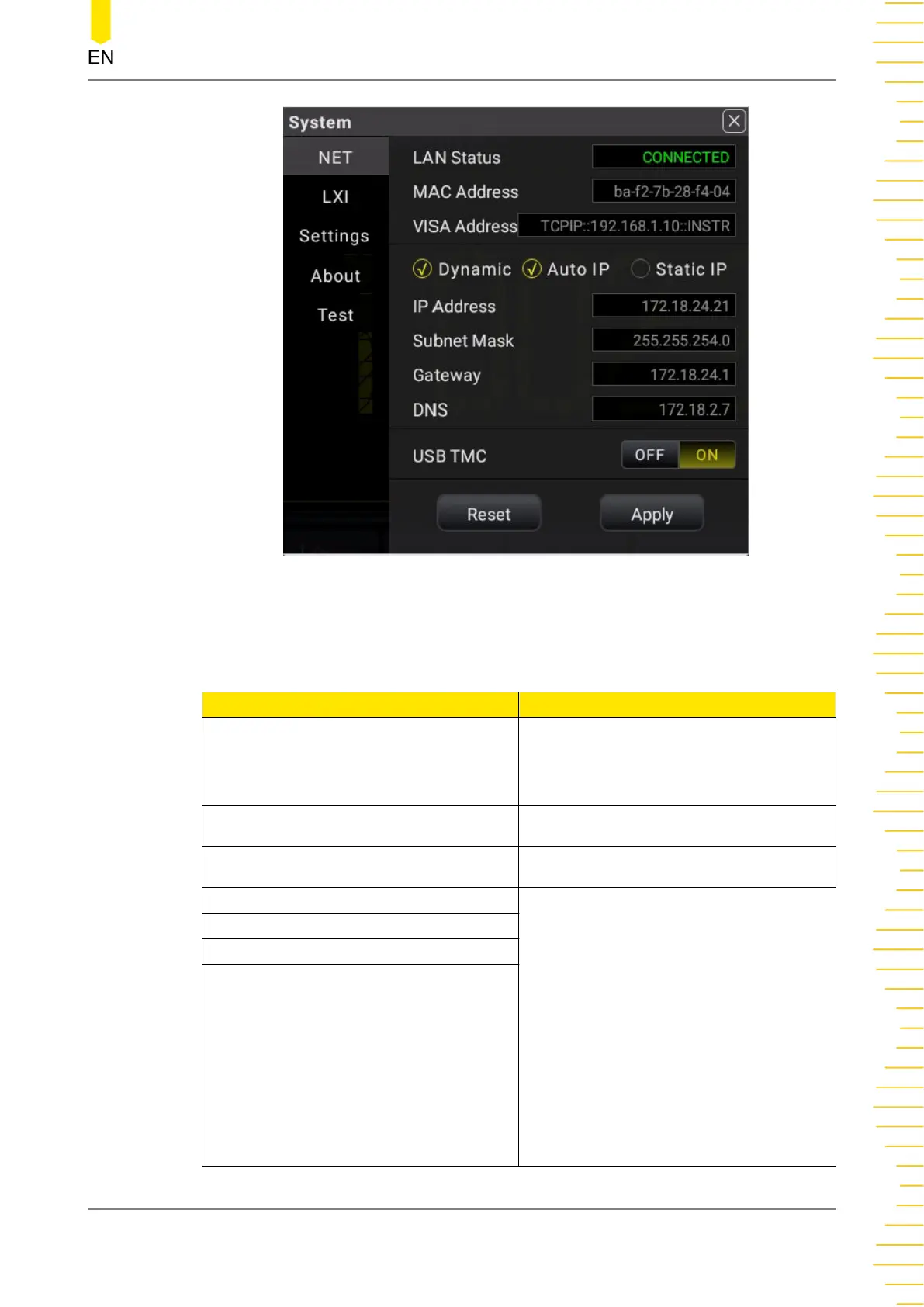
Figure 5.69 NET Setting
Table 5.26 NET Setting Menu
Parameter Description
LAN Status
Displays the current LAN status and
cannot be modified. If the instrument is
properly connected to the network, it
displays "CONNECTED"; if not, it displays
"DISCONNECTED".
MAC Address
Displays the MAC address of the
instrument and cannot be modified.
VISA Address
Displays the VISA address of the
instrument and cannot be modified.
IP Address The configuration type of the address
can be DHCP, Auto IP, or Static IP. In
different IP configuration types, the
configurations for IP address and other
network parameters are different. The
configuration type of the IP address can
be DHCP, Auto IP, or Static IP. The
detailed descriptions of the
configurations are as follows:
• Dynamic: The DHCP server from the
current network assigns network
parameters to the multimeter such
as IP address, subnet mask,
gateway address, and DNS address.
• Auto IP: The "Auto IP" works only
when "Dynamic" is not selected or
connection is failed.
Subnet Mask
Gateway
DNS
Front Panel Operation
Copyright ©RIGOL TECHNOLOGIES CO., LTD. All rights reserved. DM858 Series User Guide
103



 To Next Page