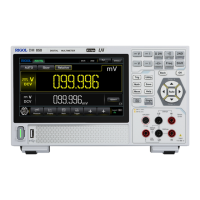
Table 5.28 System Setting Menu
Parameter Description
Language Sets the system language.
Load Last
Sets to load the default settings or last
settings at power-on. Default: restores to
the factory setting of the system at
power-on. Last: restores to the last
power-off setting of the system at
power-on.
Power Status
Sets whether the instrument powers on
automatically once the instrument is
connected to the power source. OFF:
After the instrument is connected to
power, you need to press the Power key
on the front panel to power on the
instrument. ON: the instrument is
powered on automatically once the
instrument is connected to the power
source.
Beeper
Enables or disables the beeper. When
enabled, the beeper sounds during your
operation on the instrument. When
disabled, the beeper does not make a
sound during your operation on the
instrument.
Brightness
Sets the screen brightness. You can slide
to adjust the brightness of the screen.
Display Time Sets to hide or show the system time in
the notification area. The system time
(date and time) is displayed in the
Notification Area at the lower-right
corner of the screen. The date is
displayed in "yyyy-mm-dd" format, and
the time is displayed in "hh:mm:ss"
format. Users can set the system time
manually.
Date: sets the system date.
Time: sets the system time.
5.11.4 Instrument Information
Press > About to display the basic information of the instrument.
Front Panel Operation
DM858 Series User Guide
106
Copyright ©RIGOL TECHNOLOGIES CO., LTD. All rights reserved.



 To Next Page