2. This operation is only available for the saved user-defined sensor.
- Delete the Sensor
1. Click or tap Delete to delete the user-defined sensor.
2. Then a dialog box is displayed, prompting you to confirm whether to delete
the selected sensor. Click OK to confirm deleting the selected sensor; click
Cancel to cancel the deletion operation. The deletion operation is only
available for the saved user-defined sensor.
5.4 2ND Measurement
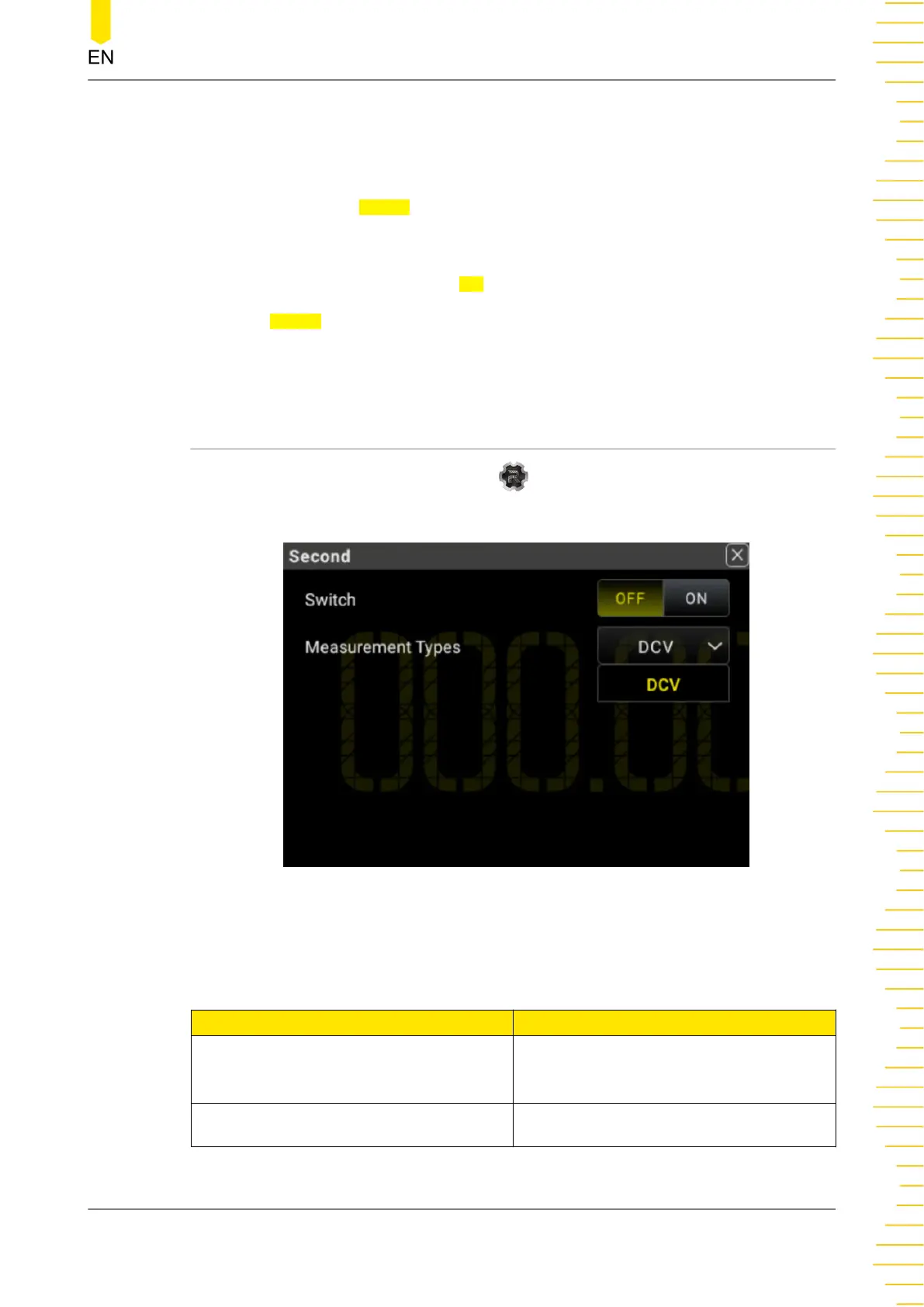
Click or tap the function navigation icon at the lower-left corner of the screen,
and then select 2ND to enter the secondary measurement setting menu.
Figure 5.36 2ND Measurement Setting Interface
Table 5.13 2ND Measurement Parameter Setting
Parameter Description
Switch
Enables or disables the 2ND
measurement function.
Measurement Types Selects the type of 2ND measurement.
Front Panel Operation
Copyright ©RIGOL TECHNOLOGIES CO., LTD. All rights reserved. DM858 Series User Guide
67



 To Next Page