2. Select the graph type
Click or tap the drop-down list of Chart Type to select "Trend". Then the following
interface is displayed.
3. Record the data
Record: selects the reading data to be displayed in the trend graph. You can select
RECENT or ALL data.
- RECENT: displays the most recent reading data.
- ALL: displays all of the reading data.
4. Set the vertical scale
Vertical Scale: sets the vertical scale of the trend graph. It supports
Auto and
Manual setting modes.
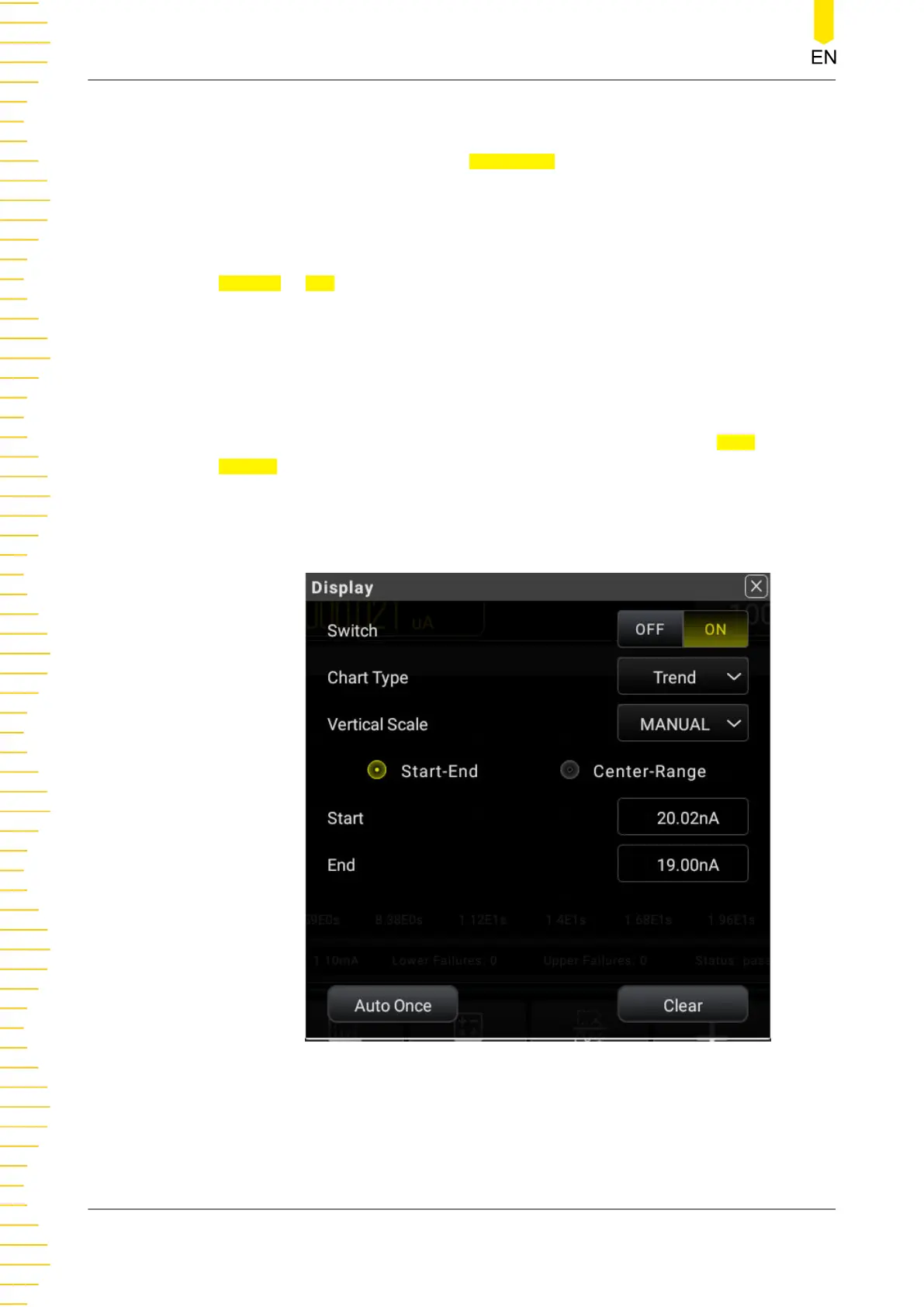
- Manual: You can set the vertical scale manually with two modes: Start-End and
Center-Span.
Figure 5.51 Manual Setting Menu
- Start: sets the start value of the horizontal scale.
- End: sets the end value of the vertical scale.
Front Panel Operation
DM858 Series User Guide
82
Copyright ©RIGOL TECHNOLOGIES CO., LTD. All rights reserved.



 To Next Page