When inputting a positive or negative value, click or tap the "±" sign to switch
between the positive and negative value sign.
The limit value unit is determined by the currently selected measurement item.
When the limit value you set exceeds the specified one, the beeper sounds (if
enabled), and an error message "-222 Data out of range" is displayed.
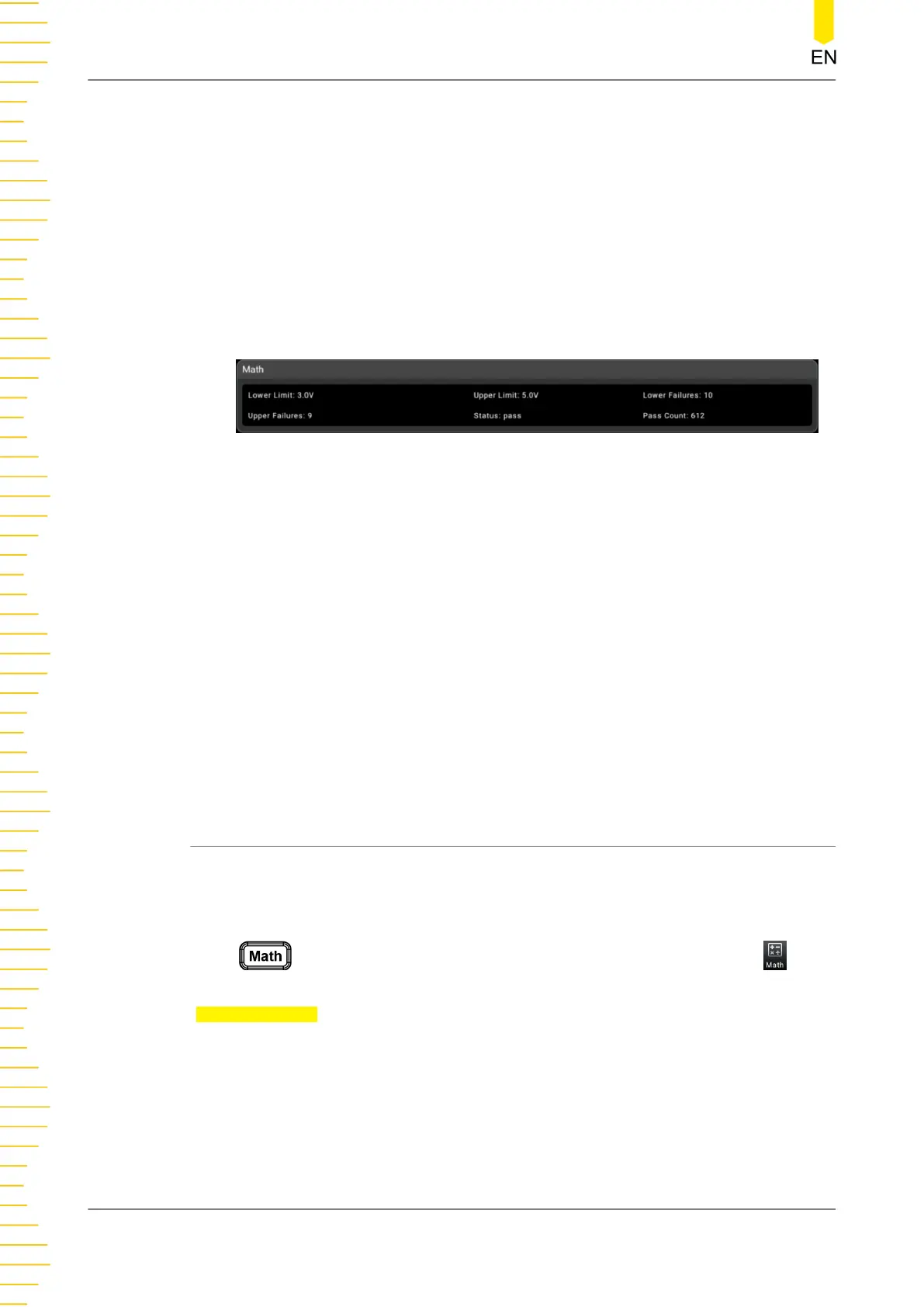
2. Math operation result display
When you perform the math operation, the math operation results are displayed in
the secondary display area, as shown in the figure below.
Figure 5.44 Limit Operation
Lower Failures: indicates the counts of below the defined lower limit.
Upper Failures: indicates the counts of above the defined upper limit.
Status: indicates the status of the limit operation.
Pass count: indicates the counts of values that are within the defined upper limit
and lower limit.
When the count exceeds the upper limit, the secondary display area displays "high
fail"; when the count exceeds the lower limit, the secondary display area displays
"low fail"; when the count does not exceed the upper limit or lower limit, it shows
"pass". If the beeper is enabled, when the count exceeds the upper limit or is
below the lower limit, the beeper sounds an alarm.
5.6.3 dBm
dBm represents the absolute value of the power. The dBm operation calculates the
power of the reference resistance according to the measured voltage. The dBm
function applies to AC voltage and DC voltage measurements only.
Press to enter the math operation interface. You can also click or tap to
enter the math operation interface. Then, select dBm from the drop-down list of
Operation Type.
Front Panel Operation
DM858 Series User Guide
76
Copyright ©RIGOL TECHNOLOGIES CO., LTD. All rights reserved.



 To Next Page