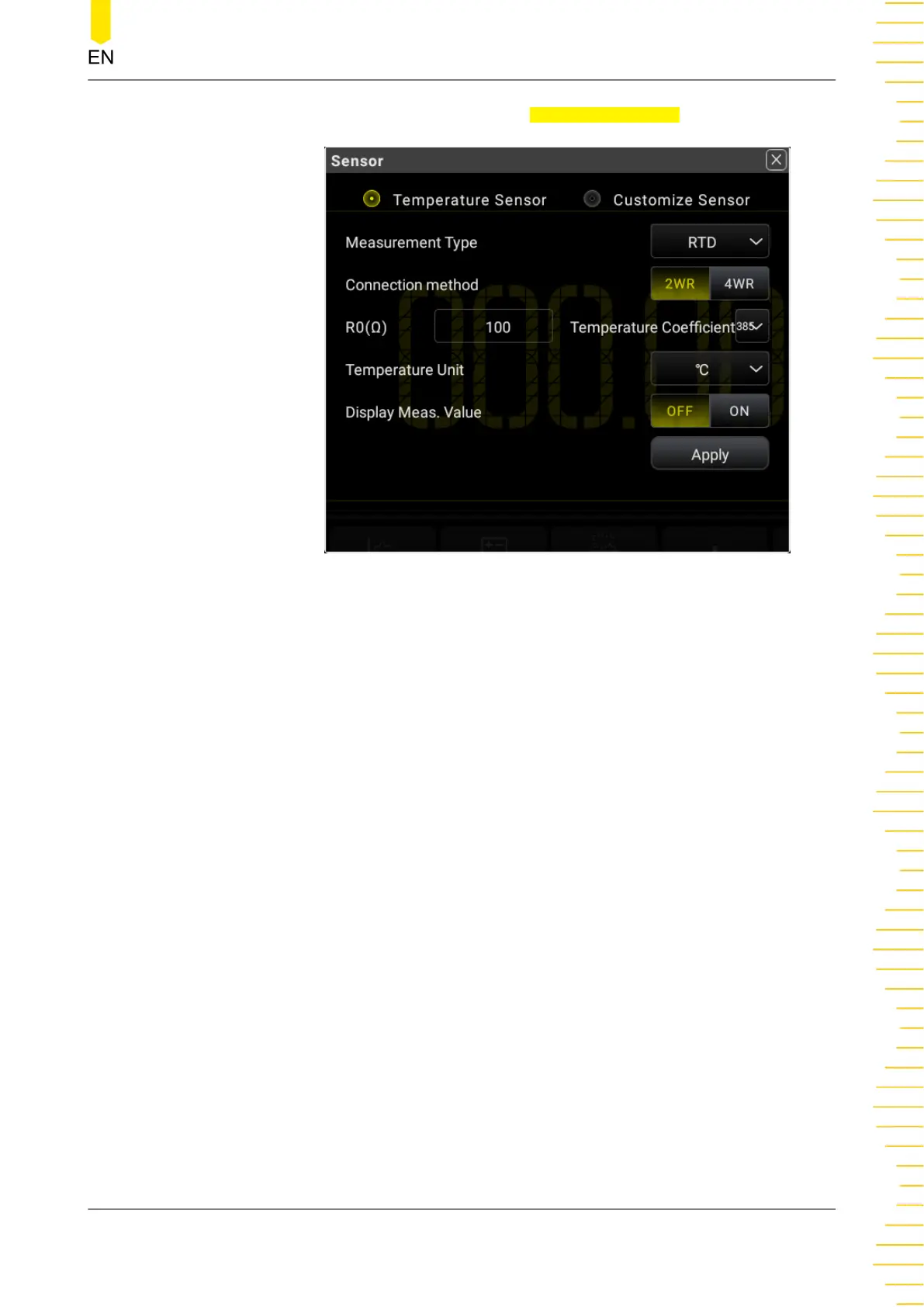
Click or tap the drop-down list of Measurement Type to select "RTD".
Figure 5.29 RTD Temperature Sensor Setting Interface
- Connection Method: sets the connection method of the thermal
resistance. You can click or tap 2WR or 4WR to select the connection
method. By default, it is 2WR.
- R0(Ω): sets the nominal resistance at the reference temperature T0.
The settable range is from 49 Ω to 2,100 Ω. By default, it is 100 Ω.
- Temperature Unit: sets the temperature unit. The available units are
℃, ℉, and K. By default, the unit is ℃.
- Temperature Coefficient: sets the temperature coefficient used for
the RTD. Calculate it according to the formula: (R100 - R0)/R0.
Wherein, R100 indicates the resistance at temperature 100℃. The
available temperature coefficient values are 385, 389, 391, and 392. By
default, it is 385.
- Display Meas. Value:
enables or disables the display of the measurement value on the
screen.
Front Panel Operation
Copyright ©RIGOL TECHNOLOGIES CO., LTD. All rights reserved. DM858 Series User Guide
61



 To Next Page