- Connection Method: sets the connection method of the thermal
resistance. You can click or tap 2WR or 4WR to select the connection
method. By default, it is 2WR.
- Temperature Unit: sets the temperature unit. The available units are
℃, ℉, and K. By default, the unit is ℃.
- Display Meas. Value:
enables or disables the display of the measurement value on the
screen.
- ON: enables the display of the measurement value on the
screen.
- OFF: disables the display of the measurement value on the
screen.
- Apply
Click or tap Apply to apply the current setting.
5.3.10.2 To Measure User-defined Sensor
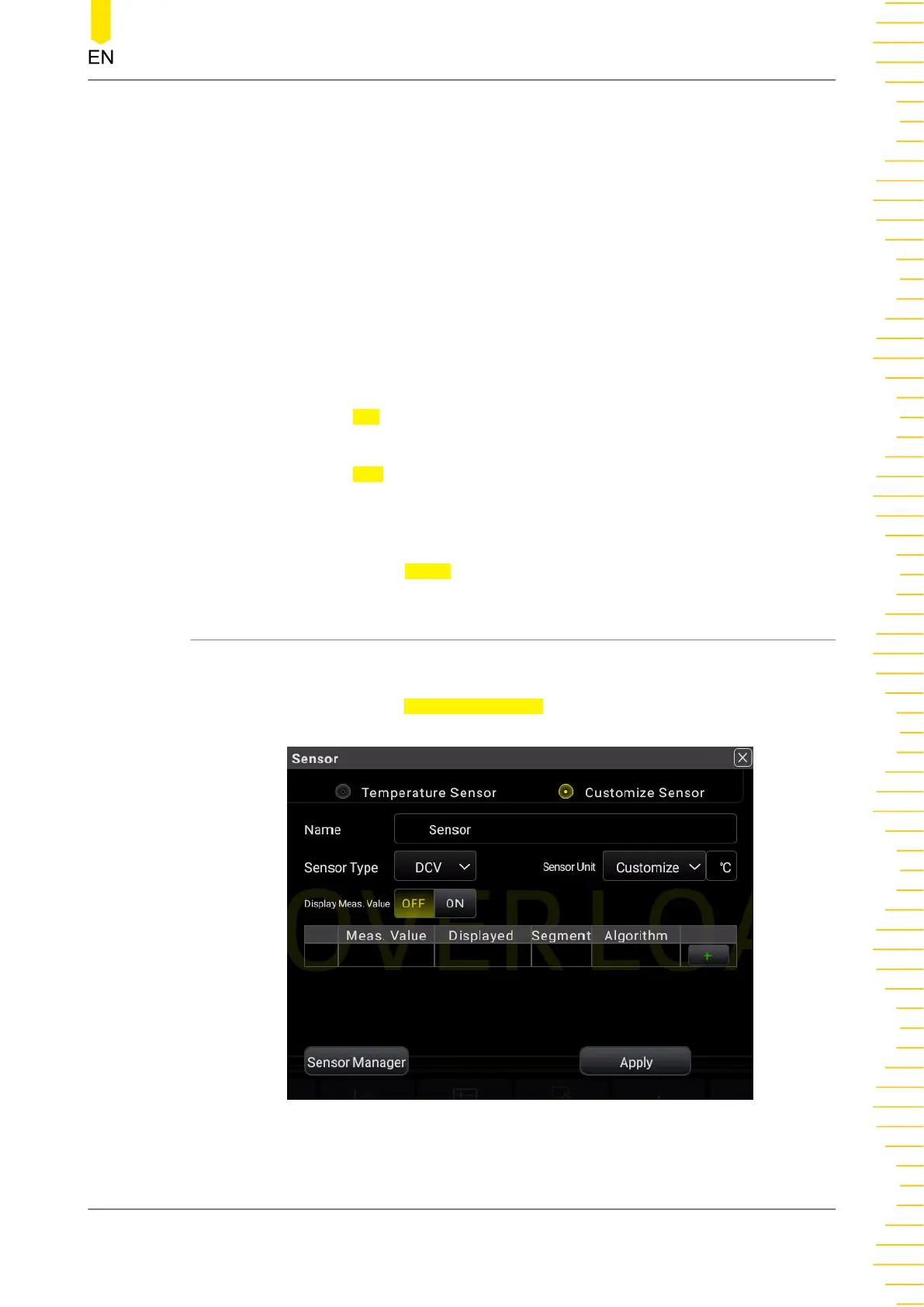
Set the User-Defined Sensor
In
Figure 5.28
, click or tap Customize Sensor to enter the user-defined sensor
setting interface.
Figure 5.31 User-defined Sensor Setting Interface
Front Panel Operation
Copyright ©RIGOL TECHNOLOGIES CO., LTD. All rights reserved. DM858 Series User Guide
63



 To Next Page