Parameter Description
whether the network has been
successfully connected. For the "host
name", refer to the host name specified
in the LXI menu. This system is used to
provide the function of DNS server for
service discovery in a small network
without a DNS server.
Host Name
If mDNS is enabled, you need to
configure the host name. You are
allowed to input a maximum of a string
of 26 characters. Click or tap the input
field of Host Name to input the name
with the pop-up numeric keypad. Only
when mDNS is enabled, can Host Name
be modified.
Service Name
Inputs the service name (an instance
name of the instrument). Click or tap the
input field of Service Name to input the
name with the pop-up numeric keypad.
Only when mDNS is enabled, can
Service Name be modified.
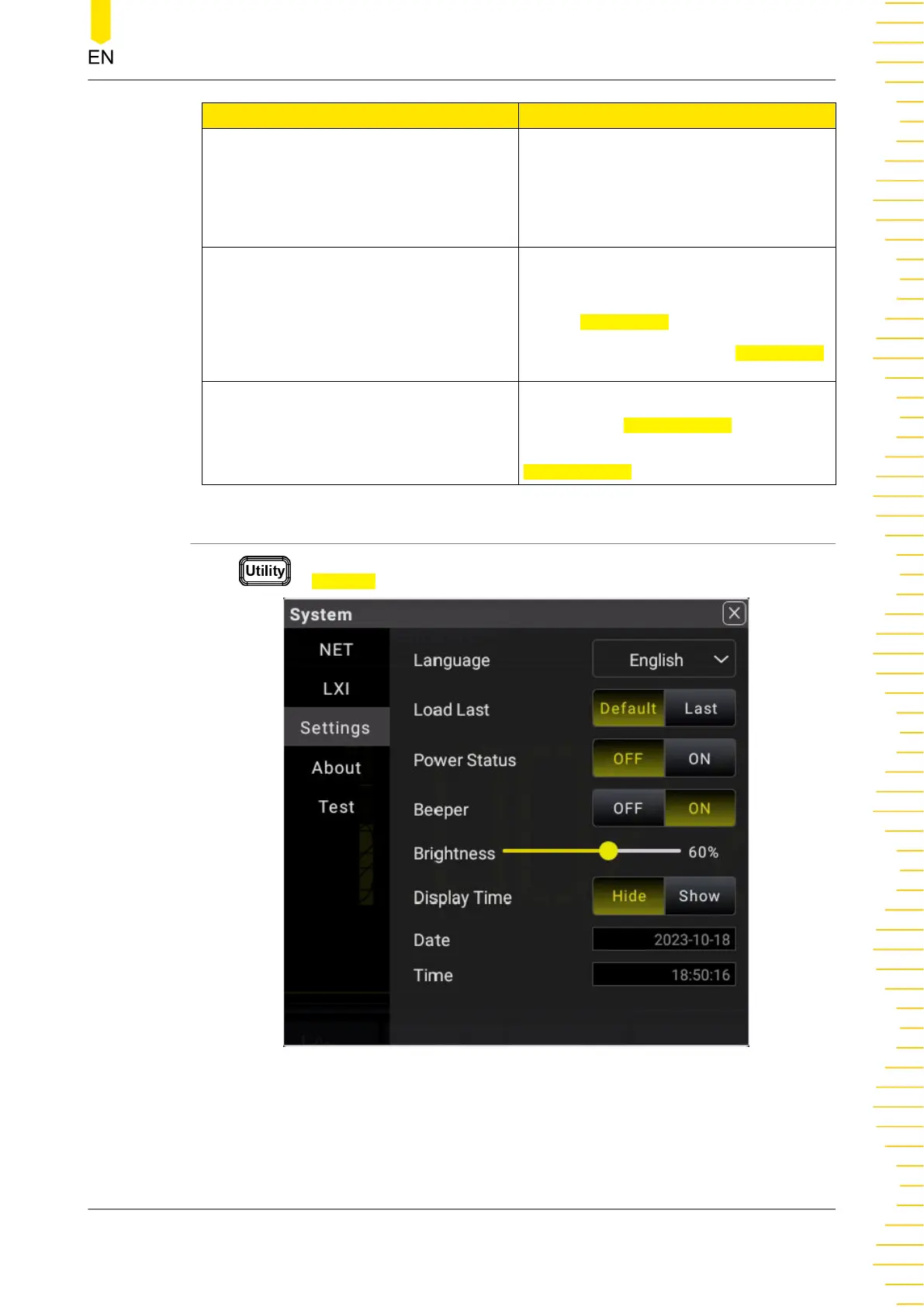
5.11.3 Basic System Settings
Press > Settings to enter the system settings.
Figure 5.71 System Settings Interface
Front Panel Operation
Copyright ©RIGOL TECHNOLOGIES CO., LTD. All rights reserved. DM858 Series User Guide
105



 To Next Page