Parameter Description
• If "Static IP" is selected, the
instrument is configured with static
IP. When this type is valid, disable
Dynamic and Auto IP manually,
then you can configure "IP
Address", "Subnet Mask",
"Gateway", and "DNS". At this time,
you can self-define the network
parameters (e.g. IP address) of the
oscilloscope.
USB TMC
Enables the USB TMC protocol. Reset
restores the network configurations to its
default settings. Apply Applies the
current network configurations to the
instrument.
5.11.2 LXI Setting
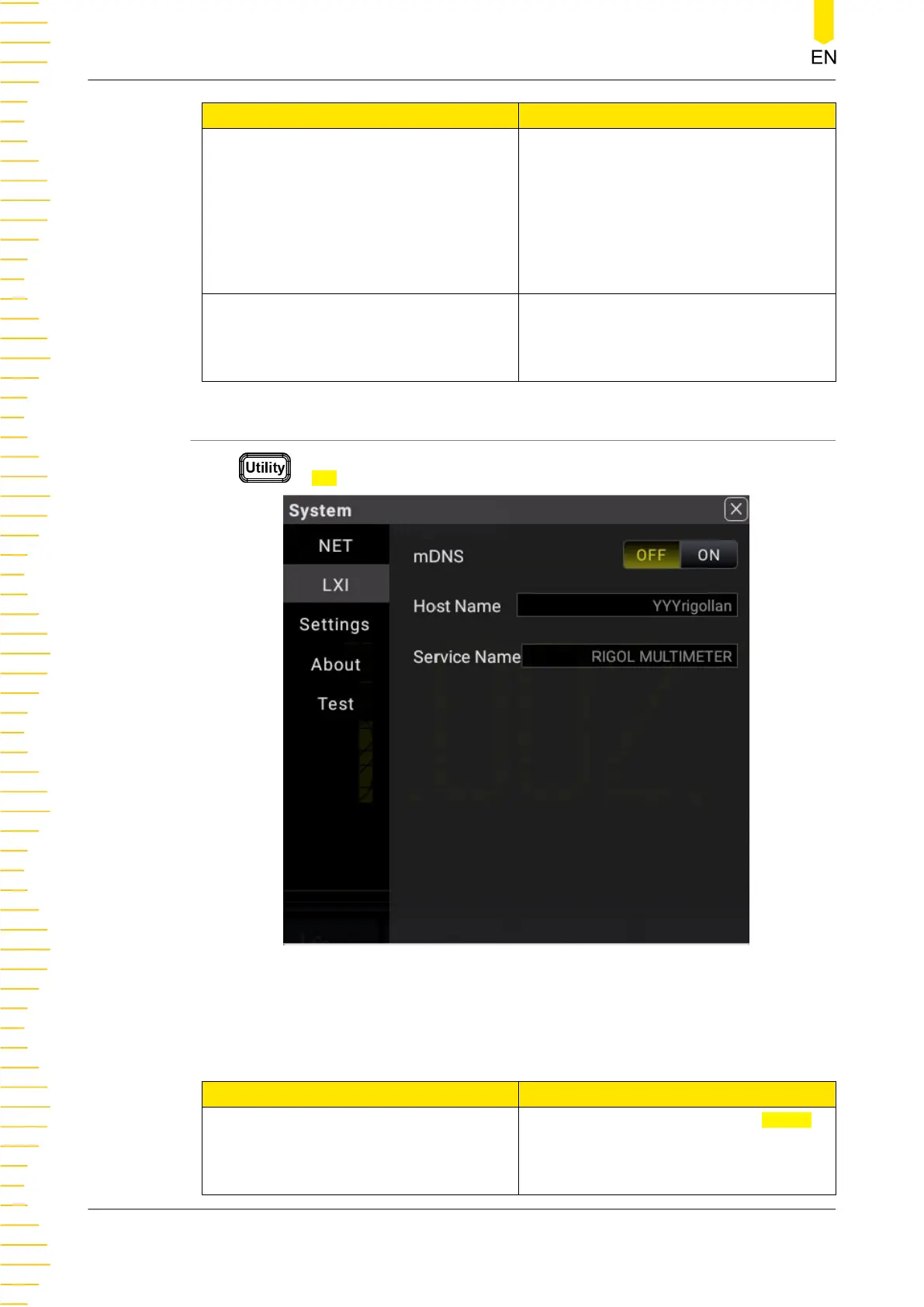
Press > LXI to enter the LXI interface setting.
Figure 5.70 LXI Setting
Table 5.27 LXI Setting Menu
Parameter Description
mDNS
Click or tap the ON/OFF tab for mDNS
to enable or disable the multicast
Domain Name System (mDNS). When
enabled, you can use the cmd command
to ping the "host name.local" to verify
Front Panel Operation
DM858 Series User Guide
104
Copyright ©RIGOL TECHNOLOGIES CO., LTD. All rights reserved.



 To Next Page