You can also click or tap > System > Settings and set the "Power Status" to "ON". The
instrument powers on once connected to power.
4.3.4 To Set the System Language
This product supports multiple languages. You can click or tap > System >
Settings > Language to select the system language.
4.4 Product Overview
Unless otherwise specified, this chapter takes DM858 as an example to introduce the
appearance and dimensions, front and rear panels, and user interface of DM858 and
DM858E.
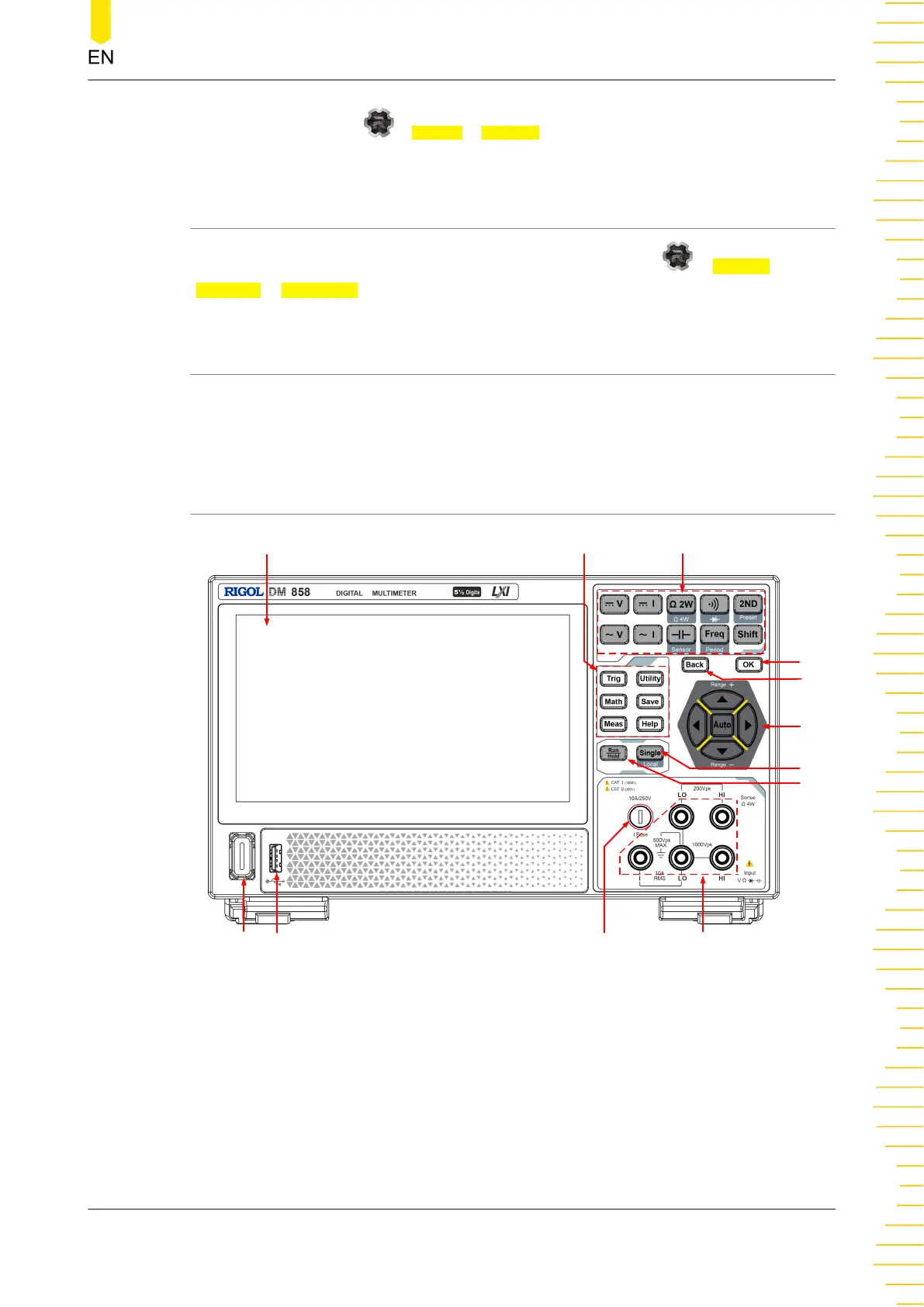
4.4.1 Front Panel Overview
11
12
9
10
3
1
6
4
5
2
7
8
Figure 4.5 DM858 Front Panel
1. 7-inch Capacitive Touch Screen
Displays the menu and parameter settings of the currently enabled function,
system state, prompt messages, and other information.
2. Auxiliary Function Keys
Quick Start
Copyright ©RIGOL TECHNOLOGIES CO., LTD. All rights reserved. DM858 Series User Guide
15



 To Next Page