• Tap the close button at the upper-right corner of the message box to close the
prompt window.
• Tap other windows on the touch screen and operate on the windows.
Figure 4.10 Tap Gesture
4.6 Parameter Setting Method
Tap the input field of the parameter, then a virtual keypad is displayed. Input the
values to complete the parameter settings.
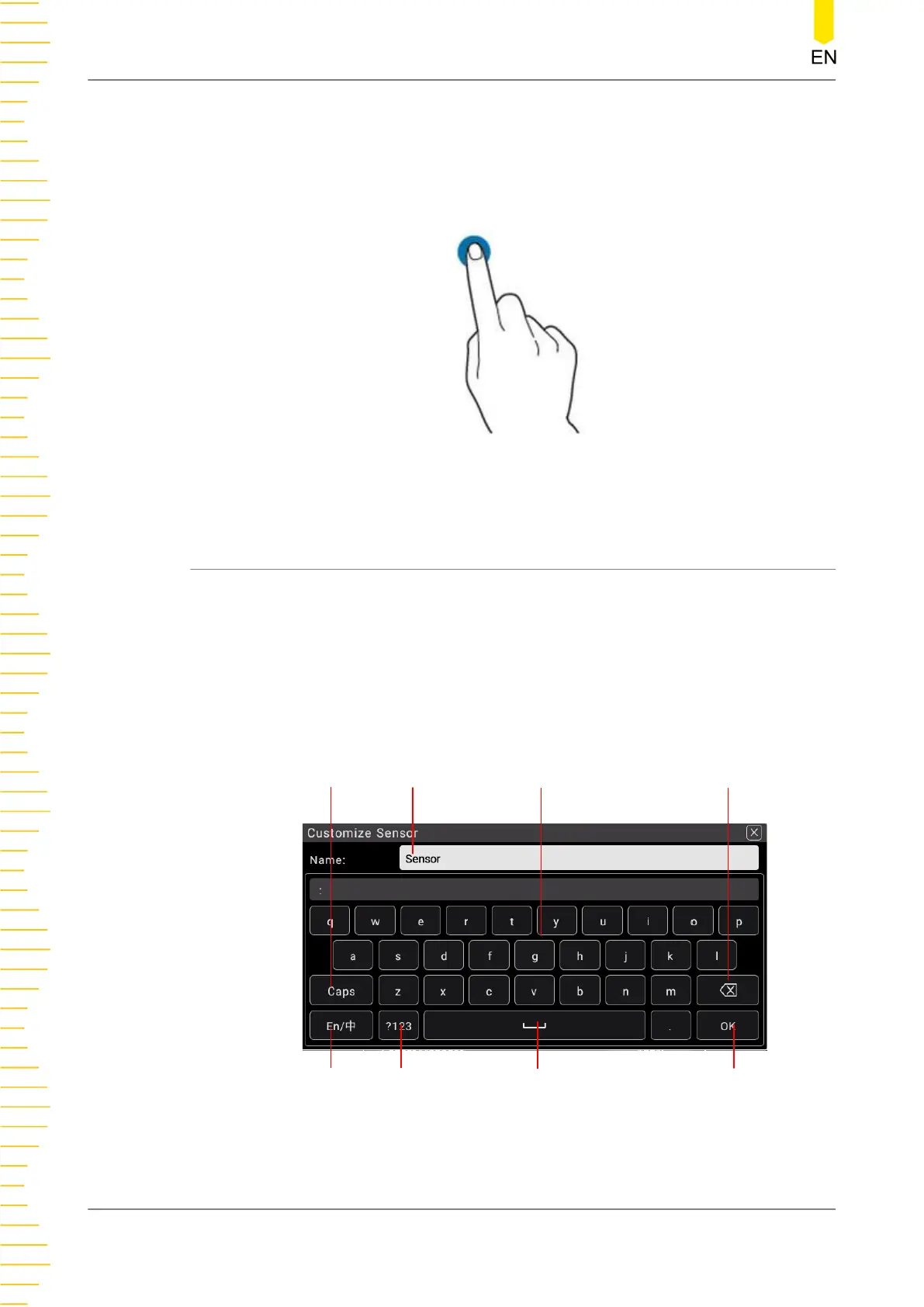
Input Chinese and English
You can use the Chinese/English input method to input a name.
• Input English
Input
Method
Capital
Switch
Input
Area
Number
Switch
Space
Confirm
Letters Delete
Figure 4.11 English Input Interface
Quick Start
DM858 Series User Guide
24
Copyright ©RIGOL TECHNOLOGIES CO., LTD. All rights reserved.



 To Next Page