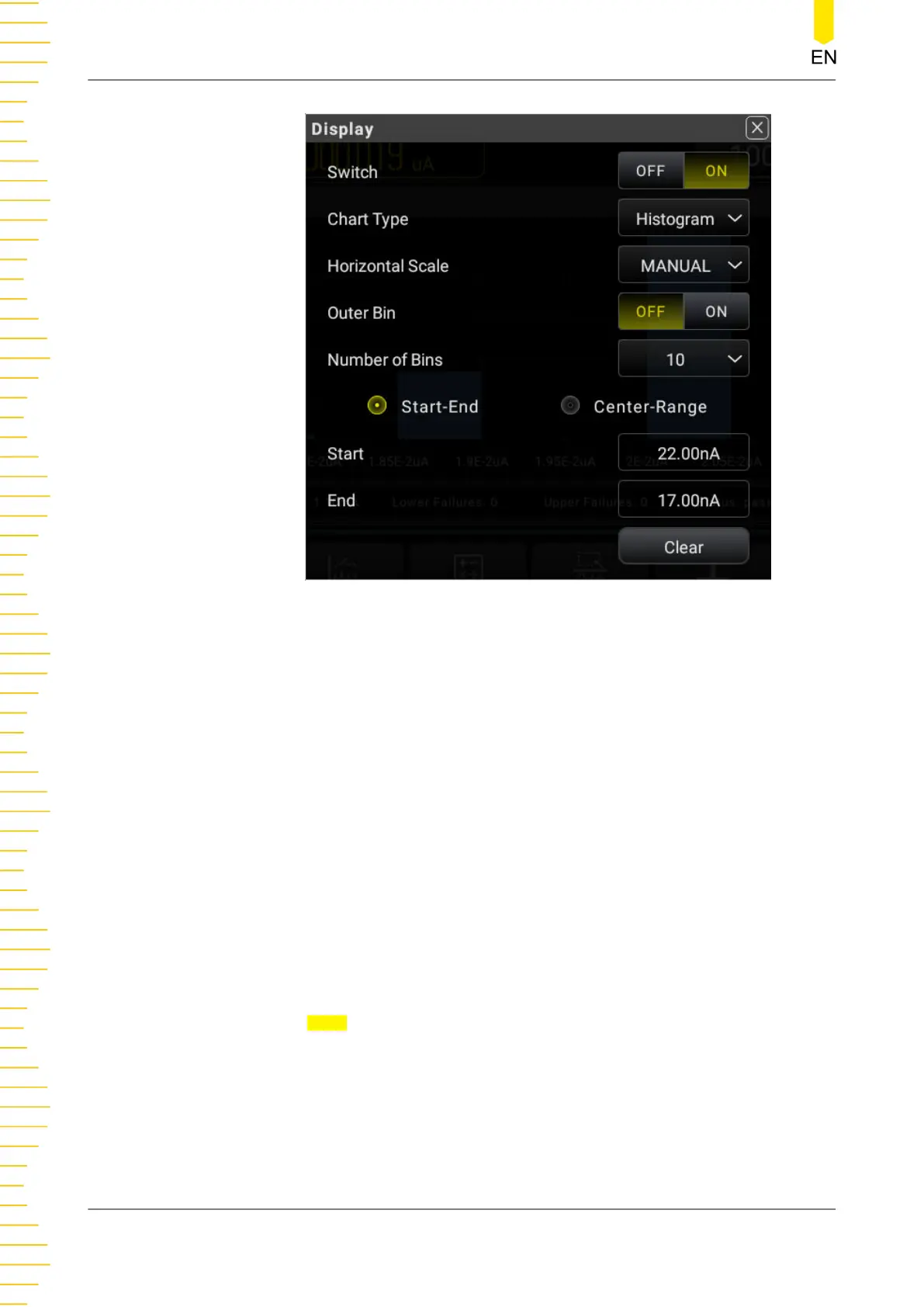
Figure 5.55 Histogram Manual Setting
- Outer Bin: sets to enable or disable the display of the additional bins at both
left and right ends of the horizontal scale of the histogram, which can make
statistics on the data that are above or below the horizontal scale range.
- Number of Bins: sets the number of bins. The available settings are 10, 20,
40, 100, 200, and 400.
- End: sets the end value of the horizontal scale.
- Start: sets the start value of the horizontal scale.
- Center: sets the middle value of the horizontal scale.
- Range: sets the range value of the horizontal scale.
4. Click or tap Clear to clear the existing reading memory and the data in the trend
graph, and start to acquire new readings to make a new trend.
5. The following figure shows the histogram display for the DCV measurement.
Front Panel Operation
DM858 Series User Guide
86
Copyright ©RIGOL TECHNOLOGIES CO., LTD. All rights reserved.



 To Next Page