17
14
15
16
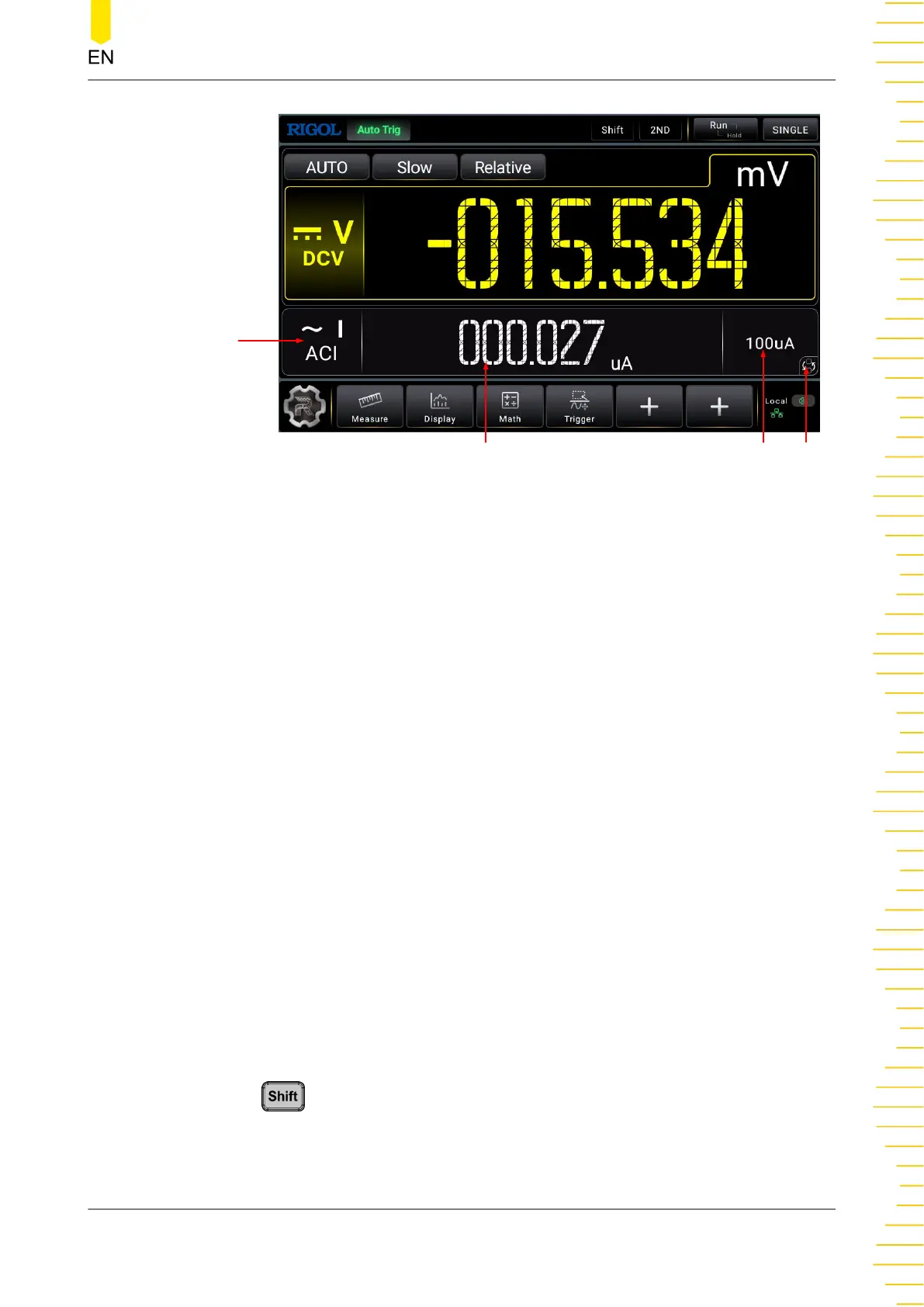
Figure 4.8 User Interface (Dual Display)
1. Main Measurement Result Display
Displays the measurement result of the current main measurement item.
2. Main Measurement Item
Displays the main measurement item. Click or tap the label, the main measurement
items are displayed. Click or tap to select the specified main measurement item to
be displayed in the main display area.
3. Main Measurement Range Selection
Displays the measurement range for the specified main measurement item.
4. Operating Status
Displays the current operating status of the instrument. It can be Auto Trig, Single
Trig, Ext Trig, Hold, or Stop.
5. Measurement Speed Selection
Displays the current measurement speed. Click or tap the label to select Slow,
Medium, or Fast from the drop-down list.
6. "Relative" Tab
Click or tap the tab to enable or disable the relative operation.
7. "Shift" Tab
Press
on the front panel to enable the Shift key. The "Shift" tab is
highlighted.
8. "2ND" Tab
Quick Start
Copyright ©RIGOL TECHNOLOGIES CO., LTD. All rights reserved. DM858 Series User Guide
21



 To Next Page