5.6.1 Statistics
The Statistics operation calculates the min. value, max. value, average value, standard
deviation, and reading count during the measurement.
The multimeter can perform Statistics operation on the following measurement items:
DCV, ACV, DCI, ACI, Resistance, Frequency, Period, Capacitance, and any sensors.
Press
to enter the math operation interface. You can also click or tap to
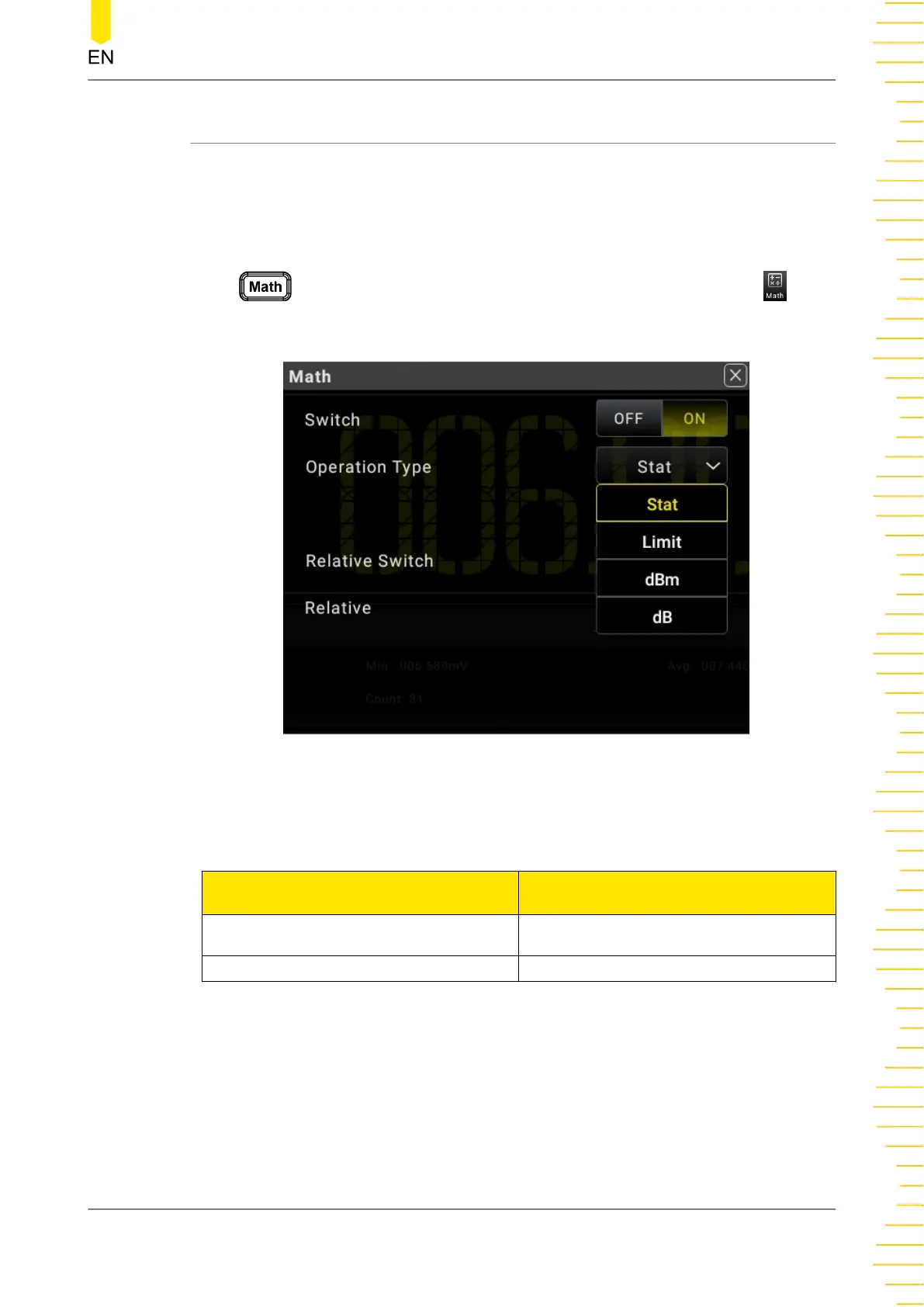
enter the math operation interface. Then, select Stat from the drop-down list of
Operation Type.
Figure 5.41 Statistic Parameter Setting
Table 5.16 Statistic Parameter Setting
Parameter Remarks
Switch
Enables or disables the Statistical
operation.
Operation Type Selects Stat.
The operation results are displayed in the secondary display area, as shown in the
following figure.
Front Panel Operation
Copyright ©RIGOL TECHNOLOGIES CO., LTD. All rights reserved. DM858 Series User Guide
73



 To Next Page